
Table of Contents
- What is an AI outfit generator?
- How an AI outfit generator works (in plain English)
- Why marketers are adopting AI outfit generators
- Best AI outfit generator tools to try (with links)
- High-impact marketing use cases (with examples)
- Step-by-step: Use an AI outfit generator for a campaign
- Prompt + brief templates (copy/paste)
- Metrics & ROI: what to measure
- Mini case studies (realistic, numbers included)
- FAQs (People Also Ask)
- Recommended resources
What is an AI outfit generator?
An AI outfit generator is software that recommends or creates outfits by combining apparel items into complete looks (e.g., “linen blazer + white tee + straight-leg denim + loafers”). Many tools also generate visual outputs (images of outfits, lookbook-style layouts, or model-on-body renders), making them useful for:
- Merchandising (bundles, “complete the look,” cross-sells)
- Content creation (social posts, emails, ads, landing pages)
- Personalization (segment-specific outfits by style, weather, occasion)
- Styling assistance (staff training, customer support, virtual styling)
“Personalization can lift revenues by 10–15%.” — commonly cited insight from McKinsey’s personalization research
Source: https://www.mckinsey.com/capabilities/growth-marketing-and-sales/our-insights/the-value-of-getting-personalization-right-or-wrong-is-multiplying
How an AI outfit generator works (in plain English)
Most AI outfit generator products follow a similar pipeline:
1) Inputs (what you provide)
- Product catalog items (SKUs, images, colors, categories, price)
- Text prompts (“summer brunch outfit, neutral palette, under $150”)
- User preferences (style quiz answers, size, fit, occasion)
- Context signals (season, location/weather, dress code)
2) The “matching” logic (what the AI decides)
Depending on the tool, it may use:
- Rules + ML ranking (e.g., avoid clashing colors, match formality)
- Embedding similarity (items that “go together” based on patterns learned from fashion data)
- Generative AI to visualize the outfit (especially for lookbook imagery)
3) Outputs (what you get)
- Outfit combinations (often 3–10 “best” looks)
- Shoppable bundles (“buy the look”)
- Visuals for creative (flat lay, mannequin-style, or model render)
- Styling notes (why it works, alternatives, upsell suggestions)
Why marketers are adopting AI outfit generators
Faster creative throughput
Instead of producing 30 styled outfits manually, an AI outfit generator can produce hundreds of combinations in minutes—then you curate the best.
More personalized campaigns (without more headcount)
You can generate outfits for:
- segments (minimalist, streetwear, business casual)
- occasions (wedding guest, work trip, weekend errands)
- constraints (budget caps, color palettes, brand rules)
More cross-sells and higher AOV
“Complete the look” is a proven merchandising pattern. AI helps scale it across the catalog.
Content variety for paid social
Meta/TikTok creative fatigue is real. AI-generated styling variations help keep ad angles fresh.
Best AI outfit generator tools to try (with links)
These are popular pages/tools ranking for ai outfit generator and closely related terms, plus practical notes for marketers:
Tip for businesses: Before choosing a tool, confirm:
- Can you use outputs commercially (ads, PDPs, emails)?
- Does it support brand consistency (same model/lighting/background)?
- Can it plug into your workflow (export sizes, batch generation, team access)?

High-impact marketing use cases (with examples)
1) “Complete the Look” bundles for ecommerce
Goal: Increase AOV and attach rate.
Example:
- Product page for “Relaxed Blazer”
- AI outfit generator suggests:
- Blazer + ribbed tank + wide-leg trousers + belt + loafers
- Blazer + white tee + straight jeans + sneakers + tote
- You publish as 2–3 shoppable bundles per hero SKU.
Quick win: Add a small module: “Style it with” / “Wear it to work” / “Weekend version.”
2) Paid social creative variations (fast)
Goal: Beat creative fatigue by generating multiple outfit angles.
Example angles you can generate:
- “One blazer, three vibes” (work / brunch / date night)
- “Capsule wardrobe: 9 items → 15 outfits”
- “Under $100 outfit challenge” (value framing)
3) Email marketing that feels personal
Goal: Higher clicks from relevant outfit sets.
Segments to try:
- “Neutral lovers”
- “Bright colors”
- “Business casual”
- “Vacation packing list”
Email blocks that work well:
- 3-outfit carousel with “Shop the look”
- Weather-based outfits (“Cold front this weekend”)
- Occasion-based (“Holiday party looks”)
4) UGC-style creator briefs (without guessing)
Goal: Give creators clear outfit direction aligned with your brand.
Use an AI outfit generator to build:
- 3 outfit options per creator
- Clear color palette + vibe
- Mandatory inclusions (your hero product)
- Optional add-ons (accessories, shoes)
5) In-store styling support (for boutiques)
Goal: Help staff sell outfits, not single items.
Create a weekly “AI Outfit Playbook”:
- Top 10 outfits using current inventory
- 2 upsell suggestions per outfit
- “If they like this, show them that” substitutions
Step-by-step: Use an AI outfit generator for a campaign
Step 1: Pick one campaign objective
Choose one:
- Increase AOV via bundles
- Increase CTR via new creative
- Reduce time-to-publish for seasonal drops
- Improve email clicks via personalization
Step 2: Build a simple input sheet (30–60 minutes)
Create a spreadsheet with:
- SKU, product name, category, price
- Primary color + secondary color
- “Formality” tag (casual / smart casual / formal)
- Season (SS/FW)
- Hero products (the ones you want to push)
Step 3: Define your brand “style rules”
Write 5–10 rules such as:
- “No neon”
- “Prefer earth tones”
- “No visible logos”
- “Smart casual, minimal silhouettes”
- “Keep total outfit under $200 (for value campaigns)”
Step 4: Generate outfits in batches
Generate:
- 5–10 outfits per hero SKU
- 2–3 variations per audience (e.g., minimalist vs. streetwear)
Step 5: Curate like a merchandiser
Don’t publish everything. Select based on:
- Fit with brand identity
- Seasonal relevance
- Margin (if you’re optimizing profit)
- Inventory depth (avoid featuring low-stock items)
Step 6: Turn outputs into assets
Repurpose into:
- PDP modules (“Complete the look”)
- 4:5 Instagram ad images
- Pinterest pins
- Email blocks
- Lookbook landing page
Step 7: A/B test one variable at a time
Examples:
- Same hero product, different “occasion”
- Same outfit, different background
- “Under $150” vs “Premium quality” framing
Prompt + brief templates (copy/paste)
Use these with any AI outfit generator that accepts text prompts. Replace bracketed sections.
Template 1: Product-led outfit set (for ecommerce)
Prompt:
Create 6 outfit combinations featuring [HERO PRODUCT]. Brand style: [minimal / modern / classic]. Audience: [women 25–44 / men 30–50]. Occasion mix: work, weekend, date night. Color palette: [neutrals + one accent]. Avoid: [patterns/logos/neon]. Keep total outfit price under [$X].
Template 2: Ad creative concept generator (angles)
Prompt:
Generate 10 paid social concepts using outfit combinations from [CATEGORY]. Each concept should include: hook text, outfit list, and a 1-sentence benefit. Target: [busy professionals]. Tone: [friendly, premium].
Template 3: Capsule wardrobe content
Prompt:
Build a capsule wardrobe with 9 items that creates 15 outfits. Season: [fall]. Style: [smart casual]. Include at least: 1 jacket, 2 shoes, 2 bottoms. Output as a numbered list with outfits grouped by occasion.
Metrics & ROI: what to measure
Here’s a practical scorecard for marketers:
Simple ROI formula (campaign-level):
ROI = (Incremental profit – tool cost – production cost) / (tool cost + production cost)
Mini case studies (realistic, numbers included)
Case Study 1: DTC apparel brand boosts bundle attach rate
Scenario: A small DTC brand adds AI-generated “Complete the look” bundles on 20 top PDPs.
Before:
- Attach rate (2nd item added): 18%
- AOV: $74
After (6 weeks):
- Attach rate: 23%
- AOV: $81
What changed:
- Each hero product displayed 2 styled outfits (work + weekend)
- Bundles limited to in-stock items only
- “Shop the look” buttons placed above reviews
Takeaway: Even small attach-rate lifts can materially improve margin when scaled across top traffic pages.
Case Study 2: Local boutique creates 30 days of content in one afternoon
Scenario: A boutique owner generates outfit sets from current inventory and schedules content.
Inputs:
- 60 SKUs tagged by color + occasion
- 4 themes: “Work,” “Weekend,” “Event,” “Travel”
Output:
- 120 outfit combinations generated
- 40 selected + scheduled (Reels + posts + email blocks)
“I stopped posting single items and started posting outfits. Customers began DM’ing ‘I want the whole look.’” — Boutique owner (customer anecdote)
Takeaway: Outfit-led content tends to create clearer purchase intent than standalone product shots.
Case Study 3: Agency reduces creative turnaround time for a client drop
Scenario: A small marketing agency supports a seasonal launch and needs fast variations.
Baseline:
- 10–14 days from concept → creative approvals
With AI outfit generator workflow:
- 2 days for ideation + curated selections
- 3–5 days for production polish and final exports
Takeaway: AI doesn’t replace production quality; it compresses the ideation and variation phase so teams ship faster.
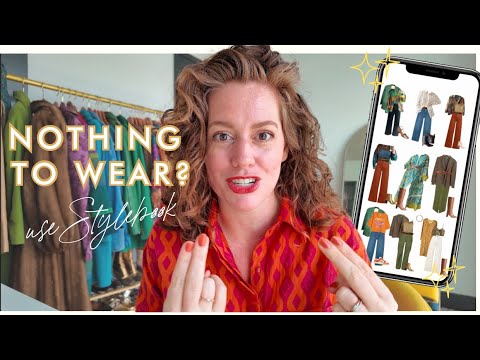
Video: “put outfits together” app demo (useful context)
FAQs (People Also Ask)
Is there an AI that puts outfits together?
Yes. An AI outfit generator can recommend outfits based on catalog items, wardrobe photos, or text prompts. Some tools focus on recommendations (pairing items), while others also generate images for lookbooks or ads.
Can AI outfit generators help me find my style?
They can help you explore styles faster by generating outfit variations around a vibe (e.g., “minimal Scandinavian,” “coastal,” “streetwear”). For businesses, that same capability helps define on-brand styling rules you can reuse across campaigns.
Is there an app that lets you put outfits together?
Yes—there are closet and styling apps that organize items and suggest outfits (e.g., Pronti-style approaches), and there are generative tools that create outfit visuals from prompts.
What is the 3-3-3 rule for clothes?
The “3-3-3 rule” is commonly described as choosing 3 tops, 3 bottoms, and 3 shoes to create multiple outfits (a capsule approach). For marketers, it’s a great content format: “9 items → X outfits” performs well on short-form video and email.
Recommended resources (for deeper research + inspiration)
- TheNewBlack AI stylist / outfit generator page: https://thenewblack.ai/ai-outfit-generator-coach-assistant-stylist
- ImagineMe AI outfit generator: https://imagineme.ai/ai-outfit-generator/
- Pronti (outfit recommendations + digital closet): https://www.pronti.com/
- OpenArt outfit generator: https://openart.ai/generator/outfit
- DRESSX explainer on AI outfit generators: https://dressx.com/news/ai-outfit-generators-what-are-they-and-how-do-they-work
- Community discussion (real user experiences):
Quick checklist: launching your first AI outfit generator workflow
- Choose one goal (AOV, CTR, email clicks, content velocity)
- Tag your top 30–100 SKUs (color, occasion, season, price)
- Write 5–10 brand styling rules
- Generate 5–10 outfits per hero product
- Curate the best 10–20%
- Publish as bundles + “shop the look” modules
- A/B test (occasion angle, price framing, layout)
- Track AOV, attach rate, CTR, and returns
If you want this to work for marketing (not just fun outfit ideas), treat your AI outfit generator like a repeatable system: clean inputs → consistent style rules → curated outputs → measurable tests. That’s how you turn outfit generation into revenue-generating merchandising and creative at scale.