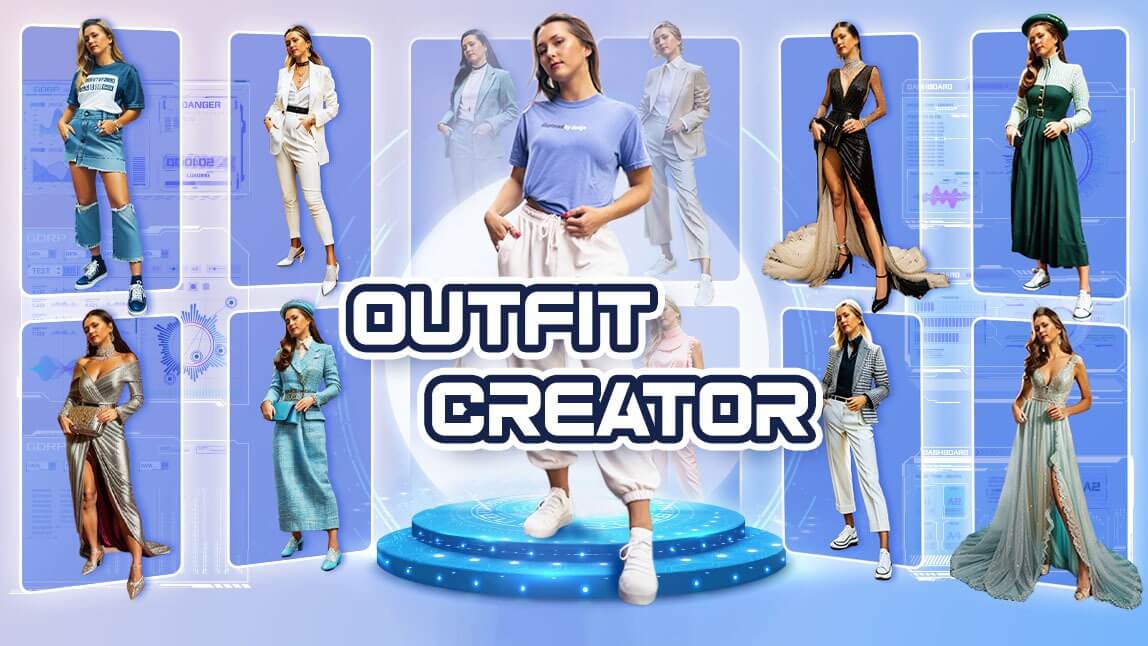
Meta title: AI Outfit Generator for Marketing: Personalize Looks, Increase AOV, Reduce Returns Meta description: Learn how an AI outfit generator works, how marketers use it to boost conversions and AOV, and which tools to try. Includes prompts, tips, data, and examples.
Table of contents
- What is an AI outfit generator?
- Why marketers and small business owners should care
- How an AI outfit generator works (in plain English)
- Best AI outfit generator tools to explore
- High-ROI marketing use cases (with examples)
- A simple implementation plan (even with intermediate technical skills)
- Copy‑and‑paste prompts: generate outfits, bundles, and campaigns
- Mini case studies: what works in the real world
- Common pitfalls (and how to avoid them)
- FAQ
- Conclusion: a practical next step
What is an AI outfit generator?
An AI outfit generator is a tool that suggests complete outfits (e.g., top + bottom + shoes + accessories) based on inputs like:
- a shopper’s style preferences,
- a “hero” item (like a jacket),
- a brand’s product catalog,
- context (season, dress code, occasion),
- size/fit constraints.
Think of it as an AI stylist that helps customers answer: “What do I wear with this?”—and helps brands answer: “What should we recommend next to increase conversions and reduce returns?”
This category overlaps with:
- AI stylist tools (personal styling guidance)
- outfit generator app experiences (mobile-first)
- digital closet / wardrobe apps (users upload their own items)
- outfit recommendation engines for ecommerce
Why marketers and small business owners should care
If you sell apparel, accessories, footwear, or anything style-adjacent (beauty, jewelry, even eyewear), an AI outfit generator is more than a “fun tool.” It’s a revenue lever for:
1) Higher conversion rate (less decision fatigue)
When shoppers can instantly see “complete looks,” they hesitate less.
2) Bigger carts and higher AOV (bundling that feels helpful)
Outfits naturally encourage multi-item purchases (a bundle without calling it a bundle).
3) Fewer returns (expectation-setting)
Returns are a massive profitability drain in retail. According to the National Retail Federation, total returns in 2023 were $743 billion in the U.S. alone. Source: NRF (2023/2024 returns reporting)
- https://nrf.com/ (search “2023 total returns $743 billion” on NRF releases)
4) Personalization at scale (without hiring more people)
This is where AI is especially compelling for small teams. One widely cited benchmark from McKinsey highlights the business impact of personalization:
“Personalization can reduce acquisition costs by as much as 50%, lift revenues by 5 to 15%, and increase marketing ROI by 10 to 30%.” Source: McKinsey, The Next in Personalization 2021 Report https://www.mckinsey.com/capabilities/growth-marketing-and-sales/our-insights/the-next-in-personalization-2021-report
Even if you only capture a fraction of those gains, the upside can be meaningful for a lean ecommerce operation.
How an AI outfit generator works (in plain English)
Most AI outfit generator tools are doing some combination of the following:
Step 1: They collect inputs
Common inputs include:
- A product (e.g., “this denim jacket”)
- A style prompt (e.g., “smart casual, fall, client meeting”)
- Constraints (size, modesty level, climate, budget)
- Inventory signals (in-stock, best sellers, margin, season)
Step 2: They match items that “go together”
Depending on the tool, matching can be based on:
- rules (color coordination, dress codes),
- product tags (e.g., “linen,” “wide-leg,” “formal”),
- user feedback (thumbs up/down),
- AI understanding of style (natural language + image features).
Step 3: They generate output you can use in marketing
Outputs typically include:
- outfit sets (items + rationale),
- “shop the look” modules,
- capsule wardrobe suggestions,
- text for product pages/email/social.
Key marketing point: the “AI” is only as useful as your product data (titles, attributes, tags, images, and stock accuracy).
Best AI outfit generator tools to explore
Below are popular options and how marketers typically use them. (These are not endorsements—use them as a shortlist for your own evaluation.)
1) The New Black — AI stylist / outfit generator for fashion workflows
Useful if you want an AI-led styling assistant angle and fashion-focused tooling. Link: https://thenewblack.ai/ai-outfit-generator-coach-assistant-stylist
Best for: brands/creators experimenting with AI styling as content and product discovery.
2) ImagineMe — AI outfit generator experience
A consumer-friendly “generate looks” workflow. Link: https://imagineme.ai/ai-outfit-generator/
Best for: quick ideation and style visualization for campaigns.
3) Pronti — outfit recommendations + digital closet approach
Pronti leans into wardrobe organization + recommendations, which mirrors how customers actually think (“what do I already have?”). Main site: https://www.pronti.com/ Tutorials that show the product philosophy:
- Outfit recommendations: https://www.pronti.com/tutorial/outfit-recommendations/
- Organizing closet items: https://www.pronti.com/tutorial/organizing-your-closet-items/
Pronti also foregrounds privacy, which matters if you’re collecting preference data:
“Privacy is important to all of us.” Source: Pronti privacy page https://www.pronti.com/legal/privacy/
4) OpenArt — text-to-outfit generator
Helpful for creative exploration (themes, aesthetics) and fast concept generation. Link: https://openart.ai/generator/outfit
Best for: moodboards, launch concepts, and rapid creative testing.
5) Dressly — “outfit AI stylist” app (Android)
Link: https://play.google.com/store/apps/details?id\=world.dressly.fashion\&hl\=en\_US
6) Bylo AI — AI outfit generator feature page
Link: https://bylo.ai/features/ai-outfit-generator
Quick comparison (marketer-focused)
| Tool type | What it’s best at | Where it can fall short | Ideal marketing use |
|---|---|---|---|
| Catalog-aware outfit recommendations | “Shop the look” that uses real SKUs | Needs clean product tags + inventory accuracy | PDP modules, bundles, email personalization |
| Text-to-outfit generators | Creative ideation and themes | May generate non-sellable items | Campaign concepts, copy angles, styling direction |
| Digital closet styling apps | Personal relevance and routine usage | Harder to connect to your store’s SKUs | Partnerships, content, influencer activations |
High-ROI marketing use cases (with examples)
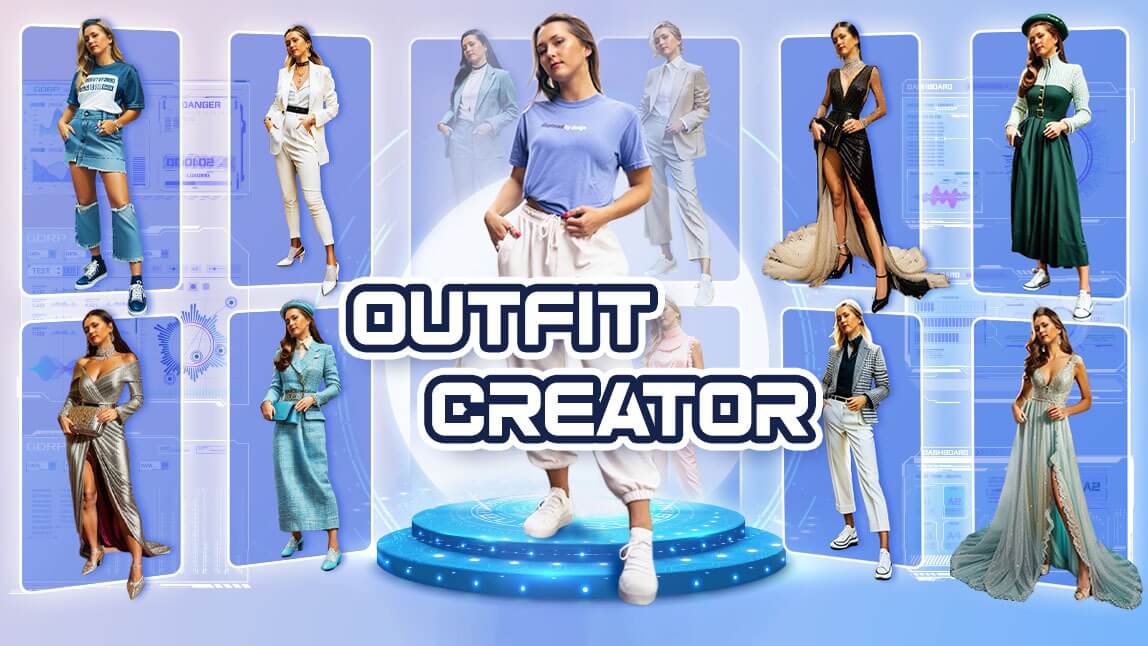 Image Source: Perfect Corp.
Use case 1: “Shop the look” on product pages (PDP)
Goal: increase add-to-cart by showing complete outfits.
Example: On a blazer product page, show:
- blazer (hero item)
- shirt/blouse
- trousers/skirt
- shoes
- optional accessory (belt, bag)
Tip: Start with 3 outfit variants:
- “Work” (safe + classic)
- “Weekend” (casual)
- “Event” (dressy)
Use case 2: AI-powered bundles (without discounting)
Instead of “Buy more, save more,” position it as:
- “Complete the outfit”
- “Pairs well with”
- “Styled for you”
Marketer win: You’re upselling without training customers to wait for discounts.
Use case 3: Email flows that feel 1:1 (even if you’re tiny)
Trigger ideas:
- Browse abandonment → “Here are 3 outfits built around what you viewed.”
- Post-purchase → “3 ways to wear your new [item]”
- Back-in-stock → “Your saved outfit is complete again”
Use case 4: Social content engine (Reels/TikTok ideas—without linking videos here)
Even if you don’t generate the visuals inside the tool, the outfit generator can create:
- hooks (“3 ways to style wide-leg trousers”)
- outfit formulas (“monochrome + one texture”)
- seasonal capsules (“5-piece fall travel capsule”)
Use case 5: Lead magnets that actually convert
Offer: “AI Outfit Planner” as a quiz-style lead magnet:
- pick style goals
- choose fit preferences
- select colors you like
- get a “starter capsule” + recommended products
Bonus: This collects first-party preference data (helpful as ad targeting gets harder).
A simple implementation plan (even with intermediate technical skills)
Step 1: Choose one conversion goal
Pick one:
- increase AOV,
- increase conversion rate,
- reduce returns on a category,
- boost email CTR.
Step 2: Clean up product data (the unsexy part that makes AI work)
Minimum fields to standardize:
- category (top/bottom/outerwear/shoe/accessory)
- color (primary + secondary)
- material (cotton, linen, leather)
- seasonality (spring/summer/fall/winter)
- formality (casual/smart casual/formal)
- fit (relaxed/slim/oversized)
- neckline/rise/length (where relevant)
Practical tip: If you’re on Shopify/WooCommerce, start with tags and product metafields (no heavy engineering required).
Step 3: Create your “styling rules” in plain language
Write a 1–2 page brand styling guide, for example:
- “We don’t pair bold prints with bold prints.”
- “Recommend 1 statement item max per outfit.”
- “For office looks, avoid sneakers unless labeled ‘minimal leather sneaker’.”
These rules become the instructions you feed your AI outfit generator (or your internal team).
Step 4: Pilot with one category
Choose a category with:
- enough SKU depth (so AI can build real outfits),
- stable inventory,
- clear use cases (e.g., workwear, athleisure, wedding guest).
Step 5: Measure with an A/B test
Track:
- AOV
- units per transaction
- conversion rate
- return rate (by SKU/category)
- email CTR (if used in flows)
Minimum viable test: 2–4 weeks on one collection.
Copy‑and‑paste prompts: generate outfits, bundles, and campaigns
Use these prompts in an AI outfit generator that supports text instructions, or in a general AI assistant alongside your product list.
Prompt 1 — Build sellable outfits from real SKUs
You are an AI stylist for [BRAND]. Create 6 outfits using ONLY the products listed below (do not invent items). Brand style: [3 bullet points]. Customer: [persona]. Occasion: [occasion]. Season/climate: [climate]. Output format: Outfit name + items + 1-sentence “why it works” + suggested add-on accessory. Products list: [paste SKUs/titles/colors/categories/prices].
Prompt 2 — “3 ways to wear it” post-purchase content
Create 3 distinct outfits built around: [hero item]. One outfit must be casual, one must be work-appropriate, one must be event/dressy. Keep styling consistent with: [brand rules]. Include: headline + short caption + recommended complementary products from this list: [list].
Prompt 3 — Bundle strategy for AOV lift
Using this catalog list, propose 10 “complete the look” bundles with:- bundle name- 3–5 items per bundle
- target persona
- where to place it (PDP, cart, email)
- estimated price range (based on provided prices) Catalog: [paste list].
Prompt 4 — Reduce returns by setting expectations
Write PDP copy for [product] that reduces returns by clarifying fit, fabric feel, and styling. Include: who it’s best for, who should avoid it, and 2 outfit suggestions using complementary items from: [list].
Mini case studies: what works in the real world
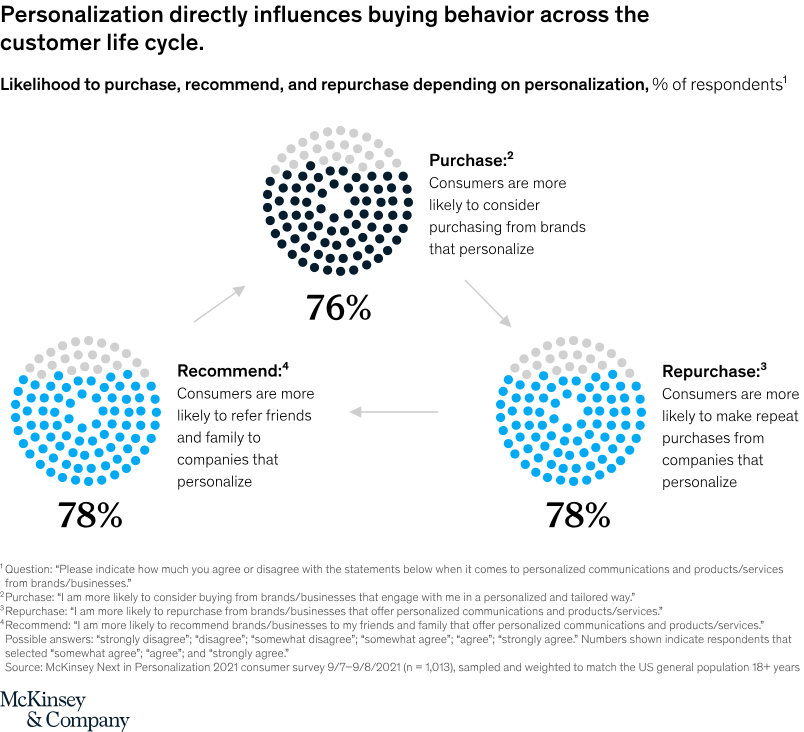
Case study 1 (industry signal): personalization’s measurable upside
McKinsey’s personalization research is frequently used by ecommerce teams to justify investment because it ties personalization to revenue and marketing efficiency:
“Personalization can reduce acquisition costs by as much as 50%, lift revenues by 5 to 15%, and increase marketing ROI by 10 to 30%.” Source: McKinsey https://www.mckinsey.com/capabilities/growth-marketing-and-sales/our-insights/the-next-in-personalization-2021-report
Marketing takeaway: An AI outfit generator is a practical path to personalization because “styled outfits” are an intuitive unit of personalization (not just “you may also like”).
Case study 2 (small business example): “Shop the look” test on a workwear capsule
Scenario: A 3-person ecommerce team sells women’s workwear (80 SKUs). Change: Add “Complete the Outfit” module to top 20 PDPs with 2–3 AI-generated outfit sets using in-stock items. Execution:
- Week 1: tag products (color, formality, season)
- Week 2–4: A/B test module on PDPs
What they measured: units per transaction and AOV. Result (illustrative target): Even a modest lift—e.g., +0.1 to +0.3 units per order—can materially change profitability when paid traffic costs are high.
(Note: This is an example test plan and outcome range to aim for; your results will depend on traffic, assortment depth, and pricing.)
Case study 3 (customer voice): wardrobe apps succeed when they reduce friction
Community discussions (like capsule wardrobe and fashion advice forums) repeatedly highlight the same pattern: people like outfit apps when they’re fast, practical, and don’t require excessive manual uploading.
If you bring an AI outfit generator into your marketing, aim for the same principle:
- reduce steps,
- use defaults intelligently,
- keep outputs shoppable and realistic.
(Discussion discovery starting point: https://www.reddit.com/search/?q\=ai%20outfit%20generator )
Common pitfalls (and how to avoid them)

Pitfall 1: The AI recommends items you don’t sell (or don’t have in stock)
Fix: Use SKU-locked inputs and enforce “do not invent products” prompts. Sync inventory daily if possible.
Pitfall 2: Outfit logic doesn’t match your brand
Fix: Maintain a simple styling rule sheet and reuse it everywhere (email, PDP, ads, social).
Pitfall 3: Bad product tagging → bad outfits
Fix: Start with a small “hero collection” and tag it deeply. Expand once you see lift.
Pitfall 4: Privacy and trust are an afterthought
If you collect style preferences, sizes, photos, or closet data, be explicit about privacy. Tools like Pronti emphasize privacy messaging prominently:
“Privacy is important to all of us.” https://www.pronti.com/legal/privacy/
Fix: Add clear disclosures, minimize data collection, and align with your platform’s consent settings.
FAQ
Is there an AI that puts outfits together?
Yes. An AI outfit generator (sometimes called an AI stylist) can build outfits from prompts, from your catalog, or from a user’s digital closet. The most useful versions for businesses are catalog-aware, meaning they recommend items you actually sell.
Can AI outfit generators help me find my style?
They can help shoppers explore style directions (minimalist, classic, streetwear, etc.) by generating variations and explaining why items work together. For marketing, this becomes powerful segmentation: “classic workwear” vs “modern essentials,” etc.
What is the 3-3-3 rule for clothes?
The 3-3-3 rule is a simple wardrobe method—often described as choosing 3 tops, 3 bottoms, and 3 shoes to create multiple outfits (great for travel capsules and decision fatigue). It’s also a useful structure for lead magnets and outfit-capsule campaigns.
Is there an app that lets you put outfits together?
Yes—there are wardrobe/outfit apps (like Pronti and Dressly) that help users organize items and generate outfit suggestions. For brands, the best “app-like” experience is usually a Shop the Look module on your site plus email/SMS personalization.
Conclusion: a practical next step
 Image Source: EXRWebflow
If you want the fastest path to ROI from an AI outfit generator, don’t start with a massive rebuild. Start here:
- Pick one category (e.g., blazers, denim, dresses).
- Tag products with 6–10 consistent attributes.
- Launch 2–3 outfit suggestions per top PDP.
- Run a 2–4 week A/B test on AOV and units per order.
Recommended next reads/tools (from the current top pages):
- The New Black (AI stylist / AI outfit generator): https://thenewblack.ai/ai-outfit-generator-coach-assistant-stylist
- ImagineMe (AI outfit generator): https://imagineme.ai/ai-outfit-generator/
- Pronti (outfit recommendations + digital closet): https://www.pronti.com/tutorial/outfit-recommendations/
- OpenArt (text-to-outfit generator): https://openart.ai/generator/outfit
- Bylo AI (AI outfit generator feature): https://bylo.ai/features/ai-outfit-generator