If you've spent any time around video production, you've heard the terms A-roll and B-roll thrown around. The difference is pretty straightforward: A-roll is your main story, and B-roll is the visual spice that makes it compelling.
Think of it this way: your A-roll is the core interview or the direct-to-camera presentation that moves the story forward. Your B-roll is all the other footage that adds context, emotion, and a professional sheen.
Understanding A-Roll and B-Roll Fundamentals
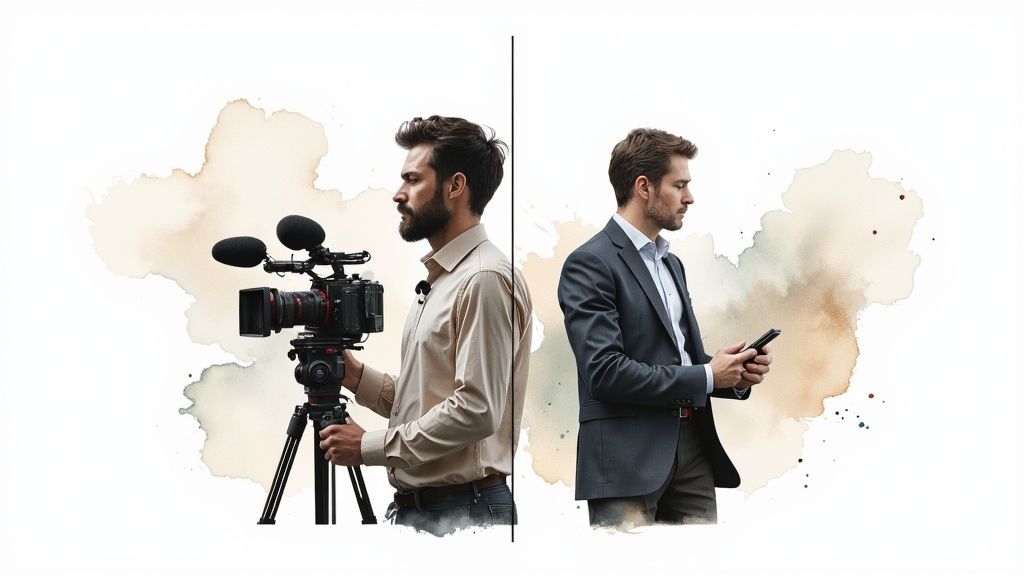
Let's break it down with a simple analogy. Imagine your A-roll is the conversation itself, and the B-roll is the world where that conversation is happening. A-roll is the primary audio and video that tells your audience exactly what they need to know—it's the backbone of your entire project. Without it, you don't really have a story.
B-roll, on the other hand, is all the supportive, illustrative stuff. It can be anything from sweeping scenic shots and detailed close-ups to action sequences that visually demonstrate what the A-roll is describing. This secondary footage is what keeps viewers hooked, smooths over jump cuts in editing, and gives your final video that polished, professional feel.
Primary vs. Supplemental Footage
This distinction is more important than ever in modern video. A well-balanced, documentary-style video often follows a rough ratio of about 60% A-roll to 40% B-roll. This isn't a hard rule, but it shows just how critical that supplemental footage is for creating something people actually want to watch.
A-roll is almost always shot with crystal-clear audio as the top priority. This usually means a static shot of someone speaking, like in a classic talking head video. The goal is to capture every word perfectly.
B-roll is the opposite—it’s all about the visuals. The original audio from B-roll clips is often tossed out and replaced with music, sound effects, or the narration from the A-roll.
Key Takeaway: A-roll delivers the message; B-roll delivers the mood. Nailing the balance between them is what separates good video from truly great storytelling.
A-Roll vs B-Roll At a Glance
Here’s a quick table to break down the fundamental differences between A-roll and B-roll. It’s a handy cheat sheet for understanding their unique jobs in any video project.
Ultimately, both are essential partners. A-roll provides the substance, while B-roll provides the style, turning a simple recording into a dynamic and engaging experience.
The Strategic Role of Each Roll in Storytelling
While A-roll delivers the facts and B-roll provides the flavor, their real magic happens when they work together. Understanding the unique, strategic job of each one is the key to the whole aroll vs broll discussion, because it’s this interplay that builds a story that actually connects with people.
Your A-roll is the engine of the narrative. Its main job is to get the core message across, introduce the primary subject, and keep the story moving. Think of a classic documentary interview—that’s pure A-roll. It’s the expert explaining a tough concept, a witness sharing their story, or a CEO laying out a new vision. This footage is the spine of your video; everything else is built around it.
Without solid A-roll, a video just drifts. It becomes a highlight reel of nice shots with no story to hold them together. Its strategic function is to be the anchor for your information and the main vehicle for your plot.
A-Roll Drives the Narrative Forward
The purpose of A-roll is direct and functional. It’s the structural foundation of your video, handling a few critical jobs:
- Delivering Key Information: This is where your essential dialogue, narration, and crucial facts are presented directly to the audience.
- Establishing the Subject: Whether it's a person, a product, or a concept, the A-roll puts the main character of your story front and center.
- Providing Structure: When you get into post-production, the A-roll is the first thing you lay down on the timeline. It creates the sequence of events that the rest of your video will follow.
Bottom line: if a viewer only saw your A-roll, they should still walk away understanding the fundamental story you're trying to tell.
B-Roll Adds Depth and Emotional Context
If A-roll is the skeleton, then B-roll is the muscle, skin, and personality that bring it to life. It’s what turns a straightforward account into an actual experience. Its strategic value comes from its versatility and its power to connect with the viewer on a subconscious, emotional level. B-roll isn’t just filler footage; it’s a powerhouse narrative tool.
On a practical level, one of its most important jobs is to cover up your edits. When you cut a mistake or an awkward pause from an interview, it creates a jarring "jump cut." B-roll is what you layer over that cut to make the transition totally seamless. This little trick is fundamental to making any video look professional.
B-roll is the storyteller's secret weapon. It doesn't just show what the A-roll is talking about; it makes the audience feel it. This is where you build atmosphere, convey emotion, and keep viewers locked in.
Beyond the technical side, B-roll is where the art of visual storytelling really comes alive. It can illustrate complex ideas mentioned in the A-roll, making abstract concepts feel real. For instance, while a scientist (A-roll) explains climate change, the B-roll can show powerful shots of melting glaciers or traffic-clogged cities. This synergy makes the message far more memorable and impactful. This is a core part of effective visual communication, and you can learn more from these top video storytelling tips to create engaging content.
B-roll is also your best tool for controlling pace and holding attention. Let's be honest, a long stretch of a single talking head gets old fast. By cutting away to relevant B-roll, you give the viewer's brain something new to look at, which re-engages them and prevents them from tuning out. In a corporate video, while the CEO (A-roll) talks about company culture, B-roll can show shots of employees collaborating, laughing, and working on cool projects—bringing those words to life. This dance between A-roll and B-roll is what elevates a video from amateur to professional, creating a polished and truly persuasive final product.
How Production Scenarios Change Your Approach
The whole A-roll versus B-roll dynamic isn't a rigid rulebook. Think of it more as a flexible framework that you adapt to whatever you're shooting. The definitions of what’s primary footage and what's supplemental can shift dramatically based on your project's goal, budget, and creative direction.
A multi-camera live event, for example, is a completely different beast than a run-and-gun travel vlog. What you’d call A-roll in one context might be pure B-roll in another. This adaptability is exactly why the concept is so powerful for telling a story.
This diagram breaks down the decision-making process for categorizing your footage based on its job in the narrative.
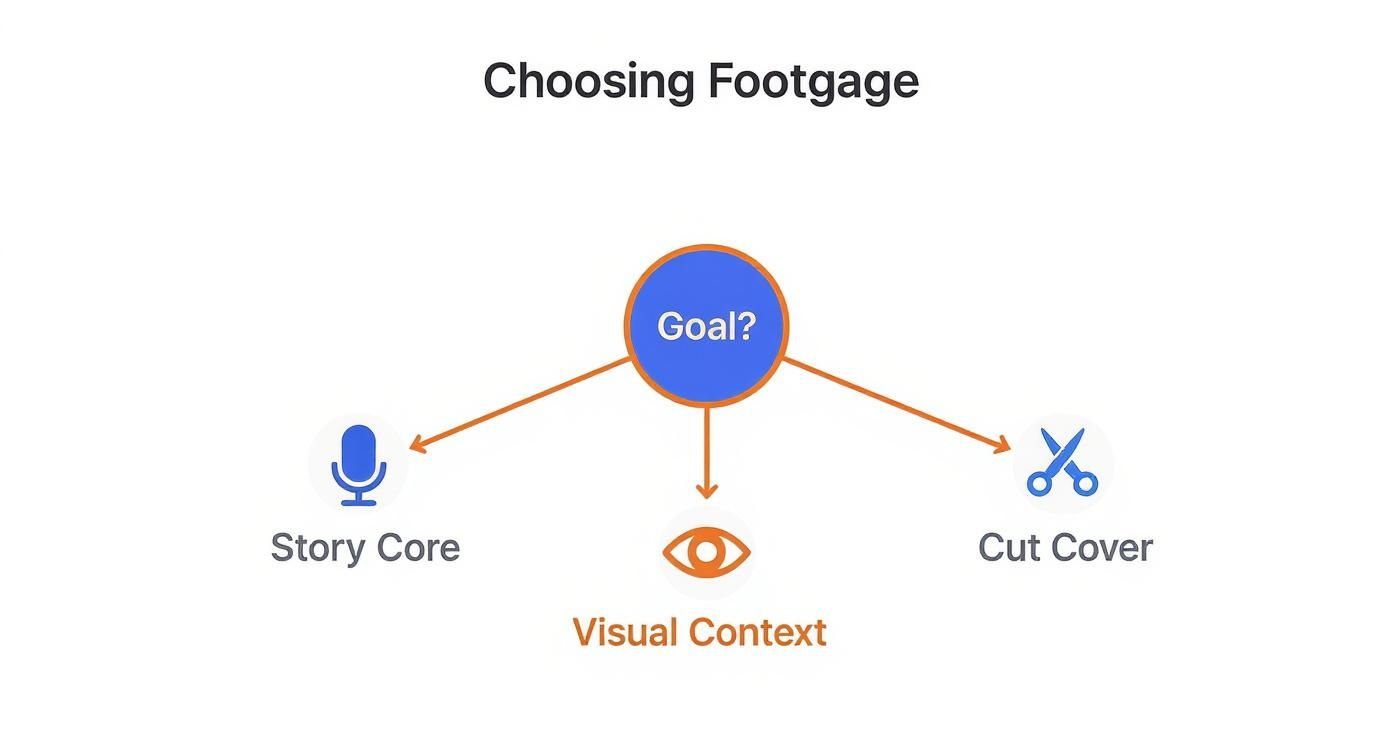
As you can see, the main goal—whether it's delivering the core story, adding visual context, or just covering an edit—is what really determines what kind of footage you have.
Multi-Camera Studio Interviews
In a controlled studio, the roles of A-roll and B-roll are crystal clear and planned out to the last detail. This setting is all about consistency and high production value, perfect for corporate messages, news segments, or polished educational content.
With multiple cameras running, the hierarchy is set from the start. The A-camera is typically locked on a wide or medium shot of the main subject, capturing the entire interview. That’s your unwavering A-roll, the "safe" shot that anchors the whole scene. The other cameras are there to capture what is essentially B-roll: tighter close-ups, reaction shots of the interviewer, or different angles you can cut to for a more dynamic feel.
Single-Camera Documentaries
Documentary filmmaking is a much more fluid dance. Often it's just a small crew and one camera, so the filmmaker has to be strategic, capturing both the core story (A-roll) and the visual proof to back it up (B-roll), sometimes in the same shooting block.
- A-Roll: This is almost always the formal interview. It's where your subject sits down and tells their story, forming the narrative spine of the film.
- B-Roll: This is everything else. Archival photos, observational shots of the subject in their element, atmospheric scenes, and even reenactments. The B-roll’s job is to prove, illustrate, and add emotional punch to the words spoken in the A-roll.
In documentary work, B-roll isn't just filler; it's evidence. It’s the visual proof that gives the A-roll interviews their credibility and power.
Corporate Marketing Videos
When you're shooting a corporate marketing video, the goal is to get a specific message across persuasively and professionally. The A-roll is usually scripted and precise—think a CEO's address, a product demo, or a glowing customer testimonial. This is the core value proposition.
The B-roll here is incredibly strategic. It isn't just for looks; it has to reinforce the brand's message. We're talking about shots of a bustling office, happy customers using the product, or slick animations visualizing key data. Every single B-roll clip is chosen to build trust and make the A-roll message land with more impact.
Fast-Paced Travel Vlogs
Travel vlogging completely smashes the lines between A-roll and B-roll, often blending them into one continuous story. This format is all about raw authenticity and a fast, personal perspective.
The A-roll is any moment the vlogger turns to the camera to narrate their experience or share a thought. This can happen anywhere—while walking down a crowded street, sitting in a café, or standing on a mountaintop.
The B-roll is all the immersive footage of the trip itself: sweeping landscapes, clips of local culture, close-ups of food, and any action sequences. In the edit, these shots are cut in rapidly with the narration to create a high-energy, first-person experience. The distinction becomes less about "primary" vs. "secondary" and more about "narration" vs. "experience."
To get a better handle on planning your shots for these different scenarios, checking out some essential shooting schedule examples can be a game-changer. It helps ensure you walk away with the right mix of footage to tell a killer story.
Essential Techniques for Shooting High-Quality Footage
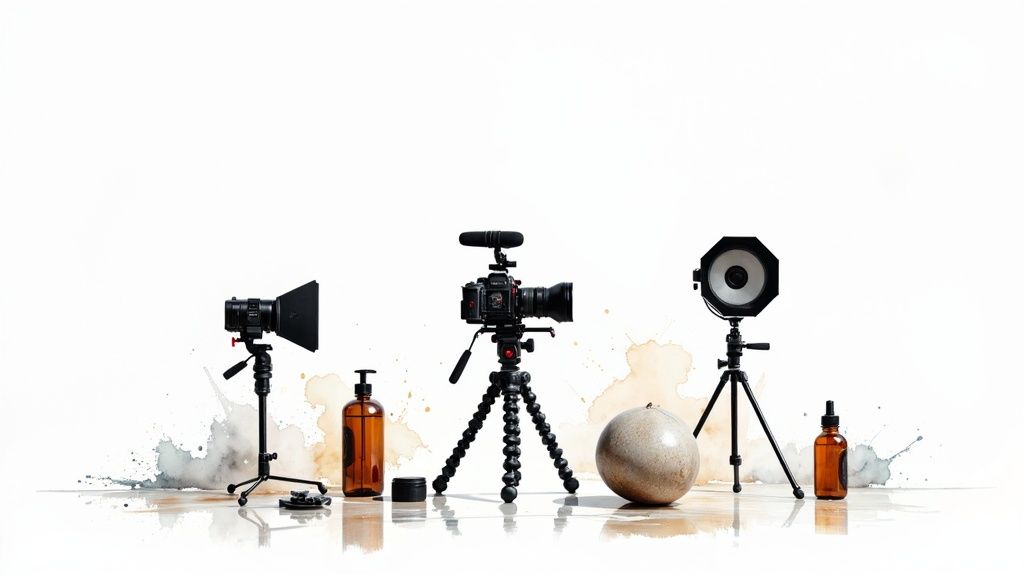
Knowing the difference between A-roll vs B-roll is one thing, but actually capturing high-quality versions of each is what separates mediocre video from great video. The mindset for shooting each is totally different. A-roll demands technical precision, while B-roll is all about creative variety.
Your A-roll is the backbone of your video. Any slip-ups here—shaky camera, bad lighting, muffled audio—will sink the entire project. This is where you have to prioritize stability and clarity above all else.
B-roll, on the other hand, is your chance to get artistic. Since its main job is to add visual flavor, you have much more freedom to play with camera movement, interesting angles, and dramatic lighting to set a specific mood.
Nailing Your A-Roll for a Solid Foundation
Because A-roll carries the story, its technical quality is non-negotiable. The goal is to create a clean, professional, and distraction-free canvas for your message. Think of it like building the frame of a house—it has to be solid and perfectly square.
Here’s what you absolutely must get right when shooting A-roll:
- Implement Three-Point Lighting: This is a classic for a reason. It uses a key light (your main source), a fill light (to soften shadows), and a back light (to separate your subject from the background). This setup makes your subject pop and look professional, avoiding that flat, uninspired look you get from poor lighting.
- Prioritize Crystal-Clear Audio: Viewers will forgive a slightly blurry shot, but they will not tolerate bad audio. It's the fastest way to get them to click away. Use a dedicated lavalier (lapel) mic for interviews or a good shotgun mic just out of the frame. This ensures you capture crisp dialogue without all the distracting room noise.
- Ensure Rock-Solid Stability: A shaky A-roll shot is unbelievably distracting and just screams amateur. Always, always use a sturdy tripod to lock your camera down. This gives you that stable, professional look that keeps the focus where it belongs: on your subject.
Capturing Creative and Compelling B-Roll
When it's time for B-roll, your mission flips from technical perfection to simply getting a ton of visually interesting shots. The more options you have in the can, the more dynamic and engaging your final edit will be. This is where you get to show, not just tell.
One of the most common mistakes I see is people not shooting nearly enough B-roll. It’s a killer in post-production when you realize you don’t have the shots to cover a jump cut. You can learn more about planning for this in our guide on essential video production workflow tips.
Pro Tip: A good rule of thumb is to shoot at least three times as much B-roll as you think you’ll need. This surplus isn't waste; it's freedom. It gives you the flexibility to cover edits, illustrate points in unexpected ways, and find that perfect shot to match the rhythm of your A-roll.
To make sure you come back with a treasure trove of B-roll, focus on these techniques:
- Plan a Diverse Shot List: Before you even think about hitting record, brainstorm a list of shots that will actually support your A-roll. Mix it up with wide shots to establish the scene, medium shots to show action, and tight close-ups to highlight critical details. This simple step saves you from ending up with a bunch of boring, repetitive footage.
- Incorporate Dynamic Movement: Static B-roll can be just as dull as a static A-roll. Use tools like sliders, gimbals, or even subtle, steady handheld movements to inject some life and energy into your shots. A slow push-in can build tension, while a smooth slide can reveal something new in the environment.
- Focus on the Details: The B-roll that really resonates is often the small stuff. Get close-ups of hands typing on a keyboard, the texture of a product, or the subtle expressions on people's faces in the background. These little shots add a layer of authenticity that makes the whole experience more immersive.
Mastering the Edit by Weaving Footage Together
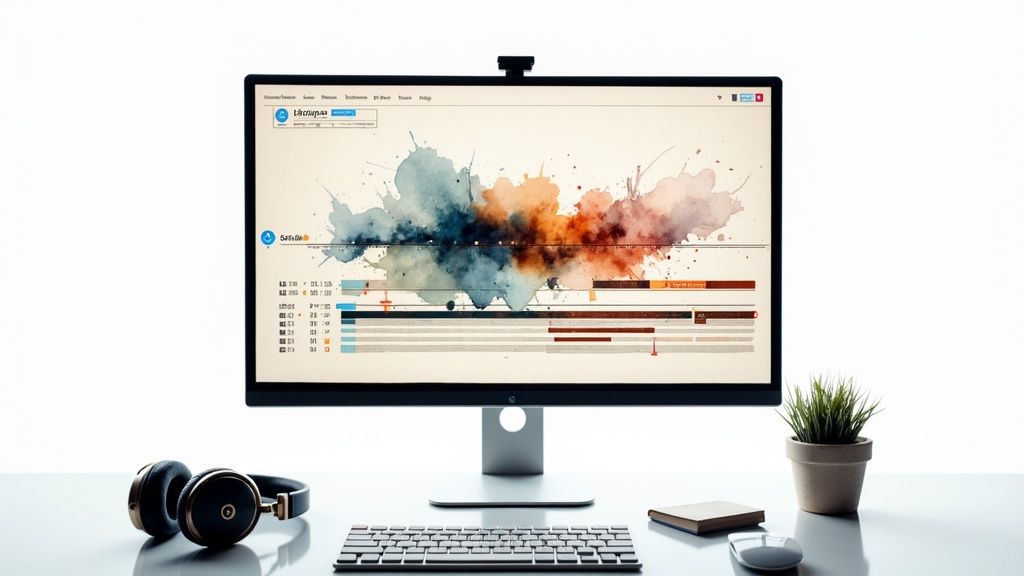
Once all your footage is in the can, the real storytelling begins on the editing timeline. This is where you take those separate clips of A-roll and B-roll and start weaving them into a single, cohesive narrative. It's a delicate art, a real balancing act between delivering information, sparking emotion, and getting the pace just right.
The standard workflow always starts with your A-roll. Think of this as the structural foundation for your entire video. You'll lay this down on the timeline first, establishing the core sequence of your story.
From there, you strategically layer your B-roll on top. Its job is to elevate the story, hide any jarring cuts, and keep the visuals interesting, making sure your viewer stays locked in from start to finish.
Building the Narrative Foundation with A-Roll
The first step in just about any edit is to create a "radio cut" using only your A-roll. This just means you assemble all the essential interview bits, dialogue, or narration in the correct order. You’re aiming to build a story that’s coherent and makes complete sense even if you just listened to the audio.
This A-roll timeline is the skeleton of your video. By zeroing in on the audio and the core message first, you guarantee the story is solid before you add any visual flair. It’s a crucial step that really dictates the rhythm and flow of the final piece.
Once you have that foundation, you can easily spot the weak points—awkward pauses, flubbed lines, or sections that just drag. And that’s exactly where your B-roll comes in to save the day.
Layering B-Roll for Visual Impact and Pacing
With the A-roll skeleton in place, it’s time for the fun part: layering in your B-roll. This is where the magic happens, transforming what might be a simple talking-head clip into something dynamic and professional. The key is to be intentional with every single clip you add.
Your B-roll serves a few critical functions at this stage:
- Covering Edits and Jump Cuts: This is B-roll’s most practical job. When you snip out a stumble or a long pause from your A-roll, you create an ugly visual jump. Slapping a relevant B-roll clip over that cut makes the transition totally seamless.
- Illustrating Key Points: If your speaker mentions a specific idea, show it. Are they talking about teamwork? Cut to shots of colleagues collaborating. This kind of visual reinforcement makes the message stick.
- Controlling the Video's Pace: B-roll is your main throttle for pacing. You can use a series of quick cuts to inject energy and excitement, or you can let a long, scenic shot linger to slow things down and create a more thoughtful mood.
The relationship between A-roll and B-roll is really a conversation. The A-roll makes a point, and the B-roll provides the visual proof, the context, or the emotional reaction. Together, they create a much richer and more persuasive argument.
Using Advanced Cuts for Seamless Transitions
To really level up your editing, you need to move beyond basic hard cuts. Techniques like J-cuts and L-cuts are essential for creating a smooth, professional flow that feels organic and keeps your audience completely immersed. These are fundamental to the aroll vs broll editing process.
An L-cut is when the audio from an A-roll clip continues to play even after the video has cut to a B-roll shot. For instance, we might hear an expert finish their sentence while we’re already looking at a visual of what they’re describing.
A J-cut is the opposite. The audio from the next clip starts before the video cuts to it. This creates a natural audio bridge that pulls the viewer smoothly into the next scene. For a deeper dive into techniques like this, check out our guide on 8 pro video edit tips for stunning videos.
Common Questions About A-Roll and B-Roll
Once you get the basics of the whole aroll vs broll dynamic, you’ll find that a bunch of practical questions pop up during planning, shooting, and editing. Let's tackle some of the most common ones so you can move from just knowing the theory to actually putting it into practice.
Getting these details right is what separates a decent video from a professional and engaging final cut.
Can a Video Work Without Any B-Roll?
Technically, yes. You could have a single, unedited take of someone talking directly to the camera, like a quick vlog or an announcement. But doing that is incredibly limiting and usually ends up looking static and, frankly, a little boring.
Without B-roll, you’ve got no way to cover up mistakes or smooth over jump cuts in your main footage. That alone can make the whole thing feel jarring and amateur. More importantly, B-roll is what gives your video life—it adds visual context, shows what the speaker is talking about, and breaks up the monotony that makes viewers click away.
While a minimalist, A-roll-only video might work in a few very specific situations, almost all professional videos lean heavily on a good library of B-roll to tell a compelling story and keep the audience hooked.
How Much B-Roll Should I Actually Shoot?
There's no magic number, but a solid rule of thumb is to shoot at least two to three times more B-roll than you think you’ll ever need. It might sound like overkill, but trust me, it’s a professional habit that saves you headaches later.
When you have a ton of B-roll, you give yourself creative freedom in the edit. You can be picky and find that perfect shot that nails the tone and pacing for a specific moment in your A-roll.
Let’s say you have a 5-minute interview (your A-roll). You should be aiming for something like 15 to 20 minutes of varied B-roll. That should include a mix of:
- Wide establishing shots to set the scene.
- Medium shots that show relevant actions or objects.
- Tight close-ups to highlight critical details.
The goal is to think through the story you’re telling and grab visuals that can support every point made in the A-roll. It is always, always better to have too much B-roll than to get to the edit and realize you don’t have what you need.
Is Footage from a Second Camera Always B-Roll?
Not always. It really depends on what that footage is doing in the story. The camera it came from doesn't matter; the context is everything.
In a classic two-camera interview, the roles are pretty clear. The main camera on the subject is your A-roll. The second camera, maybe capturing a side profile or a close-up, is B-roll. You use its footage to add visual interest and cover up cuts in the main shot.
But imagine a scene in a movie where two actors are having a critical conversation. If you have two cameras rolling, one on each actor, and both perspectives are essential to understanding the dialogue and moving the plot forward, you could argue both are A-roll. The label is functional. If the footage’s job is to supplement the primary story, it's B-roll, no matter how many cameras you used.
Can I Use Stock Footage for B-Roll?
Absolutely. Using high-quality stock footage is a super common and smart way to get the B-roll you need, especially when shooting it yourself is too expensive, impractical, or just plain impossible. It can seriously elevate your production value.
For example, if your A-roll mentions a place like New York City, a beautiful aerial shot of the skyline from a stock library makes for a perfect establishing shot. It instantly sets the scene for the viewer and adds a layer of polish you might not have been able to afford otherwise.
The real trick to using stock footage is making sure it blends seamlessly with your own shots. It has to match the visual quality, style, and color grading of your A-roll, or it will stick out like a sore thumb.
When you choose it carefully and integrate it well, stock footage is an incredible asset. It gives you access to shots that would be out of reach for most creators—from exotic locations to complex animations—and makes your final video look that much more professional.
Are you looking to create compelling videos from your existing content without the traditional hassle of shooting and editing? Aeon uses AI to help publishers automatically transform articles, audio files, and raw footage into engaging videos, complete with custom voiceovers and branding. See how Aeon can scale your video production today.