Social media video isn't just another type of content. It's the native language of digital connection today.
Think about it this way: a social feed is a rolling conversation. If you only use text and images, you're speaking in a monotone. Video is what adds the crucial layers of emotion, tone, and depth that make your message truly land.
Why Social Media Video Is a Language, Not a Format
For any brand trying to stay relevant, mastering video is no longer a "nice-to-have." It’s how your audience connects, learns, and decides what to care about online. In a world of static posts, video cuts through the noise. It’s a dynamic, immersive experience that grabs and holds attention in a way that words and pictures alone just can't.
This isn't just a feeling; it's a fundamental shift in how people consume information. By 2025, video is expected to make up a staggering 82% of all global internet traffic. And what's more, over 75% of that is happening on mobile devices. The data tells a clear story: your audience is already fluent in video, and they expect you to speak their language.
Choosing Your Dialect: Live vs. Pre-Recorded
If video is a language, then it has different dialects. The two most common are live video and pre-recorded content. Each one serves a completely different purpose and forges a unique kind of connection with your audience.
-
Live Video: This is your unscripted, real-time conversation. It’s perfect for creating a sense of urgency and raw authenticity. Think of live Q&As, behind-the-scenes tours, or event streams where the unfiltered, in-the-moment energy builds genuine excitement and trust.
-
Pre-recorded Video: This is your polished, well-crafted speech. It gives you the space for slick editing, tight messaging, and high production value. Use this for tutorials, product demos, brand stories—anything where a controlled, professional narrative is the goal.
The smartest strategies don't pick one over the other; they know when to use each. It’s all about matching the format to the goal. Are you trying to spark immediate interaction? Go live. Are you trying to build brand authority? A polished, pre-recorded piece is your best bet.
As you build out your video plan, one of your first big decisions will be weighing the pros and cons of live video versus pre-recorded content. Mastering both means you can communicate fluently with your audience, no matter the situation.
Decoding the Social Media Video Landscape
Stepping into the world of social media video can feel like walking into a massive, unfamiliar workshop. You're surrounded by all sorts of tools, and while they all look useful, each one is built for a very specific job. Choosing the right video format isn't just a technical detail; it's a strategic move that hinges entirely on your goal and your audience's mindset at that exact moment.
Think of it this way: a viewer flicking through Stories is in a lean-back, discovery mode, just looking for quick, authentic glimpses into someone else's world. That same person watching a polished YouTube video is in a lean-forward, learning mode, ready to invest a bit more time and attention. Your job is to match your video "tool" to their context.
This section will help you look past the technical specs and get straight to the strategy. We’ll break down the core types of social media video so you can confidently pick the right format to hit your goals.
Ephemeral Content for Authentic Connection
Ephemeral content—think Instagram Stories, Facebook Stories, and Snapchat—is the stuff that’s designed to disappear after 24 hours. This temporary nature creates a natural sense of urgency and invites a much more casual, behind-the-scenes style of communication.
These formats are perfect for building a raw, real connection with your audience. Use them for things like:
- Daily Updates: Sharing quick, unpolished moments from your team or office.
- Interactive Polls and Q&As: Using built-in stickers is a great way to get your community talking.
- Exclusive, Time-Sensitive Offers: Drive immediate action with deals that vanish.
Because it’s so fleeting, ephemeral content really lowers the barrier to entry. It doesn’t need to be perfect; it just needs to be real.
Short-Form Vertical Video for Discovery
Short-form vertical videos—like TikToks, Instagram Reels, and YouTube Shorts—are the absolute powerhouses of audience growth and discovery. The algorithms on these platforms are wired to serve up entertaining, bite-sized content to people based on their interests, pushing your videos far beyond your existing follower count.
The user mindset here is all about entertainment and passive discovery. They're scrolling for a quick hit of dopamine, a good laugh, or a useful tip. To win here, you have to grab their attention in the first one to two seconds with a strong visual hook, trending audio, or a compelling story setup. These videos are your brand's digital billboard, designed to make a killer first impression.
In-Feed Videos for Deeper Storytelling
In-feed videos, the kind that pop up in the main feeds of platforms like Facebook, Instagram, and LinkedIn, are your chance to tell a deeper story. Viewers usually find these while scrolling through content from accounts they already follow, so you’re starting with a built-in level of interest.
While you still need a strong hook, these videos can run a little longer and get more detailed than their short-form cousins. They are ideal for:
- Product Demonstrations: Showcasing how a product actually works in a real-world setting.
- Customer Testimonials: Building trust and social proof with authentic stories.
- Mini-Documentaries or Brand Stories: Sharing your company's mission and what you stand for.
Technical specs vary a lot between platforms, but you can find a complete breakdown in our social media video specs essential guide for 2025.
Live Streams for Community Building
Going live on platforms like YouTube, Facebook, or Instagram is the ultimate tool for real-time community engagement. It’s an unfiltered, interactive format that creates a powerful sense of connection and immediacy that’s tough to replicate.
Live video isn't just about broadcasting; it's about conversation. It transforms your brand from a faceless entity into a responsive, accessible group of people, building loyalty in a way that pre-recorded content rarely can.
Use live streams to host events, launch new products, or run interactive Q&A sessions where you can answer audience questions as they roll in.
Choosing the right social media video format all comes down to aligning your goal with the platform's context, as this simple flowchart shows.
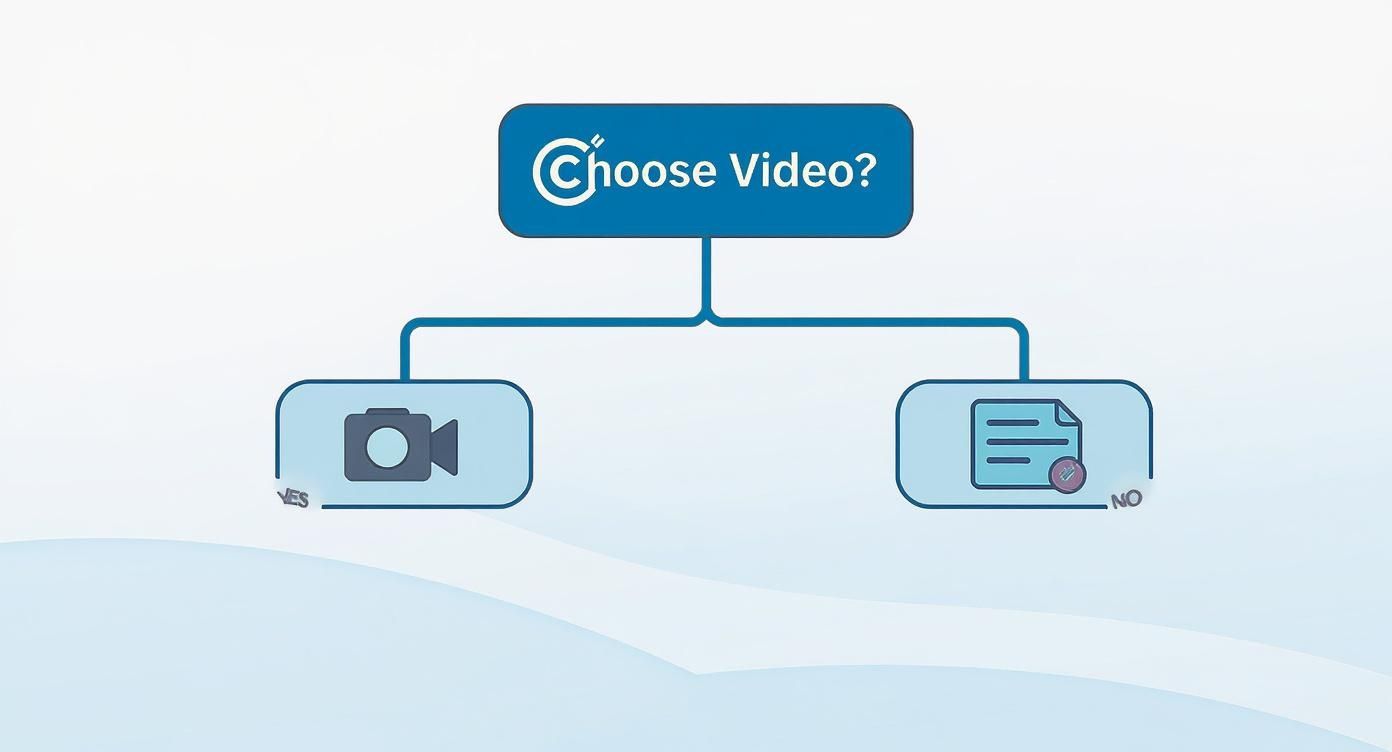
As you can see, your objective—whether it's awareness, engagement, or sales—should always be the starting point for deciding which video format to use. The need for this kind of strategic thinking is only growing. US adults now spend an average of 52 minutes every day watching social videos, and that number is expected to climb to 57 minutes by 2028.
How to Create Videos That Stop the Scroll
In the endless river of a social media feed, attention isn't just a metric—it's the only currency that matters. To make a video that people actually watch, you have to do more than just hit record. You need to understand the psychology of the scroll and build something specifically designed to interrupt it.
It all boils down to the three-second rule. You have that tiny, fleeting window to give someone a rock-solid reason to stop and see what you have to say. If those first few frames don't scream value, entertainment, or pure curiosity, they're gone.
That opening moment is your hook, and it has to land with a punch. A great hook can be a sharp question, a surprising visual, or the beginning of a story that feels instantly familiar. It's a split-second promise of what's to come.
Master the Art of the Hook
Your hook is, without a doubt, the most important part of your social media video. This isn't about clickbait; it's about being crystal clear and sparking genuine curiosity. A good hook silently tells the viewer that their time will be well spent.
Here are a few proven ways to nail that opener:
- Start with the Climax: Forget the slow build. Show the most exciting or visually satisfying part of your video right away. For a recipe, that means showing the final, mouth-watering dish before you even get to the ingredients.
- Pose a Relatable Problem: Kick things off with a question your audience is already asking. Something like, "Tired of your videos getting zero views?" instantly connects with the right people and signals you have a solution.
- Use Bold On-Screen Text: A text overlay that says "The #1 Mistake Everyone Makes With Social Video" is almost impossible to scroll past. It creates immediate intrigue.
The mission is simple: stop the thumb. By putting the most dynamic part of your story or the core value proposition right at the front, you give your video a fighting chance.
A classic mistake is saving the "big reveal" for the end. On social media, you have to flip the script. Give them the "why" upfront, and they'll stick around to see the "how."
Design for a Sound-Off World
Get this: a staggering 85% of videos on some platforms are watched with the sound completely off. If your video needs a voiceover or dialogue to make any sense, you’re shutting the door on a massive chunk of your audience.
Designing for a "sound-off" experience isn't optional; it's a must. Your visuals have to do all the heavy lifting, telling a clear story without a single audio cue.
The most powerful tool in your arsenal here is captions. I don't mean the clunky, auto-generated ones. I'm talking about well-timed, easy-to-read text that enhances the visuals. Treat your captions like a key creative element, not an afterthought. Use them to pop key points, add a bit of context, or inject some personality. If you want to see this in action, our guide on how to create a short video that turns heads has some great starting points.
Leverage Trends and Native Elements
Finally, the best social media videos never feel like ads. They feel like they belong on the platform. This means keeping an eye on what's trending and finding authentic ways to join the conversation.
This is about more than just slapping a trending song on your video. It's about understanding the popular formats, the editing styles, and even the unique humor of the moment. When your content uses these native cues, it feels less like an interruption and more like a natural part of the feed.
Don't forget to use interactive elements like polls, stickers, and question boxes. These features are baked into platforms like Instagram and TikTok for a reason—they transform passive viewing into an active experience. By inviting your audience to participate, you're not just juicing your metrics; you're building a real community.
Building Your Video Production Engine
Let's be honest: great social media video rarely just happens. The brands you see consistently knocking it out of the park aren't just getting lucky. They're running a smart, repeatable system—a production engine—that turns good ideas into high-performing videos time and time again.
Without a defined workflow, chaos reigns. Deadlines get fuzzy, quality drops, and your team is left scrambling.
Building this engine is all about demystifying the creative process. It means breaking down video creation into clear, manageable stages, giving your team a roadmap to follow for every single project. This approach kills the guesswork and empowers everyone to do their best work.
A well-oiled production engine really boils down to four core pillars. Each one flows logically into the next, taking you from a rough concept to a polished final product.
Stage 1: Planning and Ideation
Every successful video starts here. This is where you lay the foundation before a single frame is ever shot. It's where you figure out the why behind your video—its core message, the audience you're trying to reach, and what you actually want to achieve.
Solid planning involves a few key steps:
- Concept Development: Kicking around ideas that actually support your marketing goals and connect with what your audience cares about.
- Scripting or Outlining: This doesn't have to be a Hollywood screenplay. It can be a full script or even just a detailed outline of your visual flow and key talking points.
- Storyboarding: Sketching out a visual plan for each scene. You don't need to be an artist; stick figures work perfectly fine to map out camera angles, on-screen text, and how the story will unfold.
This first stage is arguably the most important. A well-planned video is infinitely easier to shoot and edit, which saves you a ton of time and headaches later. To get a deeper look at structuring this phase, check out our guide on essential video production workflow tips.
Stage 2: Production and Asset Gathering
With a killer plan locked in, it’s time to move into production. This is the "doing" part of the process, where you go out and capture all the raw materials for your video. Think primary footage, B-roll, music—everything you'll need.
Think of it like gathering ingredients for a recipe. Your plan is the recipe card, and now you're collecting everything you need—from the main footage (the protein) to B-roll, music, and graphics (the spices and garnishes).
A pre-shoot checklist is your best friend here. It ensures you’ve got all your gear ready to go, from cameras and mics to lighting and tripods. It’s a simple step that prevents those costly delays that happen when you forget a crucial piece of equipment.
Stage 3: Post-Production and Editing
Once all your raw assets are in the bag, the magic of post-production begins. This is where your story truly comes to life. An editor takes the script, footage, and other elements and weaves them into a cohesive, engaging narrative.
This is so much more than just cutting clips together. It involves:
- Assembling the Timeline: Laying out the main footage in the right order, following the storyboard and script.
- Adding Visual Enhancements: Layering in B-roll, text overlays, graphics, and any brand elements like logos or watermarks.
- Refining the Audio: Mixing sound levels, adding background music or sound effects, and making sure any dialogue is crystal clear.
- Color Correction and Grading: Tweaking the colors to create a consistent, professional look that fits your brand’s visual style.
Stage 4: Distribution and Promotion
The final piece of the puzzle is getting your polished video in front of the right eyeballs. Just hitting "publish" and hoping for the best won't cut it. You need a smart distribution strategy to get the most mileage out of your hard work.
This means scheduling the video for peak viewing times on each platform, crafting captions that grab attention, and using relevant hashtags. It also means actively promoting the content across your other channels.
After you publish, keep an eye on the analytics. See what worked, what didn't, and use those insights to make your next production cycle even better. That's how you keep your video engine running smoothly.
How to Scale Video Creation with Smart Automation
Let's be honest: creating a steady stream of high-quality social media video is a grind. For most content teams, it’s a constant tug-of-war between big ambitions and limited bandwidth. You have to keep feeding the platform algorithms, but the threat of creative burnout is always looming.
This is exactly where smart automation changes the game. AI-powered video creation isn't some far-off concept anymore—these are practical tools that can act as a force multiplier for your team, right now.
Think of these platforms as the most efficient assistant you've ever had. They can take one big piece of content—a webinar, a podcast, a deep-dive blog post—and almost instantly chop it up into dozens of perfectly formatted social clips. It’s not just about saving time. It's about wringing every last drop of value out of the content you already worked so hard to create.
Shifting from Manual Labor to Creative Strategy
The real magic of automation is how it takes the repetitive, soul-crushing tasks off your team's plate. Instead of spending hours manually trimming clips, transcribing captions, and resizing videos for every single platform, you can hand that grunt work over to an AI.
This frees up your creatives to focus on what people do best:
- High-level strategy: Actually digging into performance data and figuring out what’s next.
- Original ideation: Coming up with genuinely new and exciting video concepts.
- Community engagement: Spending time in the comments, building real relationships with your audience.
By automating the "how," your team gets to spend more time on the "why" and the "what." It's a fundamental shift that lets you scale your video output without having to scale your team or their stress levels.
Maintaining Brand Consistency at Scale
A common worry with automation is that you'll lose your brand's unique personality. Will AI-generated videos just look generic? The good news is that modern platforms are built specifically to tackle this. You can bake your brand guidelines right into the system.
Automation isn't about replacing your brand's unique voice; it's about amplifying it. By setting up pre-approved templates, fonts, colors, and logo placements, you ensure every video produced—whether it's one or one hundred—is instantly recognizable and perfectly on-brand.
This means editorial control is built into the workflow from the very beginning. Your team provides the creative direction, and the AI handles the execution. The result is total consistency across every single social media video you publish.
This mix of speed and control is a game-changer for any publisher. And if you're heavily invested in Instagram, using tools that connect to the Instagram Reels scheduling API can put your entire short-form video strategy on autopilot.
Practical Applications of Video Automation
The ways you can use this tech are broad and hit on the most common production bottlenecks. Stop thinking of video as a series of isolated, resource-heavy projects and start seeing it as a natural extension of your entire content engine.
Here are a few ways teams are already putting it to work:
- Article-to-Video Conversion: Just published a new blog post? Instantly turn it into a dynamic video summary to promote it across your social channels and pull readers back to your site.
- Webinar Repurposing: Take that one-hour webinar and let an AI find the best soundbites, automatically turning them into snackable clips for LinkedIn, Instagram, and X.
- Data Visualization: Transform dry reports or boring statistics into engaging animated videos that make complex information a breeze to understand and share.
When you integrate these kinds of automated workflows, you’re not just making videos—you're building a hyper-efficient production engine that works smarter, not harder. This approach finally makes a high-volume video strategy sustainable, so you can keep your audience happy and stay well ahead of the competition.
Measuring the Real Impact of Your Video Strategy
So, you’ve made a great social media video. That’s awesome. But that’s only half the job.
If you can't actually measure what that video is doing for you, you’re just guessing. You're flying blind, unable to prove its value to your boss (or yourself) and with no real idea how to make the next one even better. To get to real ROI, you have to look past the flashy, surface-level numbers and dig into the data that tells the full story.
Think of your video metrics like a language. A single view count is just one word. It doesn't mean much on its own. But when you add in watch time, shares, and clicks, you start forming a complete sentence—one that explains exactly how your audience is reacting. That deeper understanding is what separates a decent strategy from a truly great one.
Aligning Metrics With Business Objectives
Here's the key: you have to connect your video Key Performance Indicators (KPIs) directly to your bigger business goals. A metric is only useful if it shows you're getting closer to what you're trying to achieve.
For example, a massive number of impressions is fantastic if you're running a brand awareness campaign. But that same number means very little for a video designed to get people to sign up for a demo.
Before you even think about metrics, get crystal clear on what you want each video to do. Are you trying to grow your audience? Build a more loyal community? Drive sales? Each goal has its own set of primary metrics that matter.
The most effective video strategies are built on a simple principle: every video has a job, and every metric you track should measure how well it's doing that job. This clarity lets you make smart, data-backed decisions instead of just chasing vanity numbers.
Key KPIs for Every Stage of the Funnel
Let’s break down which metrics matter most depending on what you're trying to accomplish. This framework will help you zero in on the data that truly reflects your video's performance.
-
For Brand Awareness (Top of Funnel): The goal here is simple: get your brand in front of as many new, relevant eyeballs as possible. You're focused on breadth.
- Reach: The total count of unique people who saw your video.
- Impressions: The total number of times your video was shown on a screen.
-
For Engagement (Middle of Funnel): Now, you want to know if your content is actually connecting with people. These metrics tell you how captivated your audience really is.
- Watch Time & Average View Duration: How long are people really watching? This is probably the most powerful signal of whether your content is any good.
- Shares, Comments & Likes: These are direct signals that your audience found the content valuable enough to interact with it or pass it along to their own network.
-
For Conversion (Bottom of Funnel): This is where video makes a direct impact on the bottom line. These KPIs measure action.
- Click-Through Rate (CTR): The percentage of viewers who actually clicked on your call-to-action link.
- Leads Generated or Sales: The ultimate proof that your video is driving tangible business results.
This obsession with measurement isn't just a trend; it's standard practice. As of 2025, a staggering 91% of businesses use video in their marketing. Why? Because 87% of marketers say it's a huge help with lead generation. This explosive growth is a direct result of video's proven ability to deliver results you can actually count. You can discover more insights about video marketing statistics on vidico.com.
To tie this all together, here’s a simple way to think about which numbers to watch based on what you’re trying to achieve.
Mapping Video KPIs to Business Objectives
When you consistently track the right KPIs, your video strategy transforms from a creative guessing game into a predictable, optimizable engine for growth. You gain the power to refine your approach, put more resources behind what's working, and confidently prove the value of every single video you create.
Of course. Here is the rewritten section, crafted to sound like an experienced human expert.
Your Social Media Video Questions, Answered
Even with the best strategy in place, you’re always going to bump into practical, on-the-ground questions when it's time to actually hit 'record'. This little section is your cheat sheet for those "what do I do now?" moments.
We'll tackle some of the most common hurdles creators face, reinforcing the big ideas we've covered and giving you clear, actionable advice to keep your workflow moving smoothly.
How Long Should My Social Media Videos Be?
This is the million-dollar question, and the answer is always: it depends on the platform and what you’re trying to achieve. The real trick is to meet people where they are and match the unspoken expectations of each feed.
- Catching New Eyeballs (Reels, TikToks, Shorts): You've got seconds, not minutes. Keep it tight and compelling, somewhere in the 15-60 second range. Think of it as a movie trailer—your job is to hook them fast and leave them wanting more.
- Going a Little Deeper (Facebook, LinkedIn): Here, you have permission to stretch things out a bit. If you're delivering real value—like a mini-tutorial or a compelling customer story—you can push it to 1-3 minutes. Just make sure every second earns its keep.
- Telling a Story (Instagram, Facebook Stories): This format is all about quick, in-the-moment updates. Each clip is short, usually 15-60 seconds, but you can string them together to build a narrative. It's perfect for that behind-the-scenes, day-in-the-life feel.
The golden rule for any social video is to respect the viewer's time. Get to the point immediately. If you're going long, you'd better have a very good reason—and it needs to be compelling from the jump.
Do I Really Need Expensive Equipment?
Nope. Not at all. In fact, sometimes a super-polished, high-budget video can feel out of place and perform worse than something shot on a phone. Authenticity is currency on social media.
Your smartphone camera is a powerhouse. Instead of dropping cash on a fancy camera, get the basics right:
- Find Good Light: Seriously, just face a window. Natural light is your best friend, and it's completely free.
- Get Clear Audio: Bad audio is a bigger turn-off than shaky video. A cheap little lapel mic clipped to your shirt makes a world of difference.
- Keep it Steady: Nobody wants to get seasick watching your video. Prop your phone on a stack of books or grab a basic tripod.
Focus on your story and your message. That’s what connects with people, not your gear.
What’s the Best Way to Add Captions?
Captions aren't optional anymore—they're essential. The vast majority of people watch videos on their phones with the sound off. You have two main ways to get this done.
Most platforms like Instagram and TikTok have auto-captioning tools built right in. They're a fantastic starting point, but always, always give them a quick proofread. AI makes mistakes. For more control over the look and feel, a video editing app like CapCut lets you "burn" the captions permanently into your video file, so they look exactly how you want them to, everywhere.
Ready to scale your video creation without scaling your team? Aeon uses AI to instantly transform your existing articles, podcasts, and webinars into dozens of on-brand social videos. Learn how to automate your video production today.