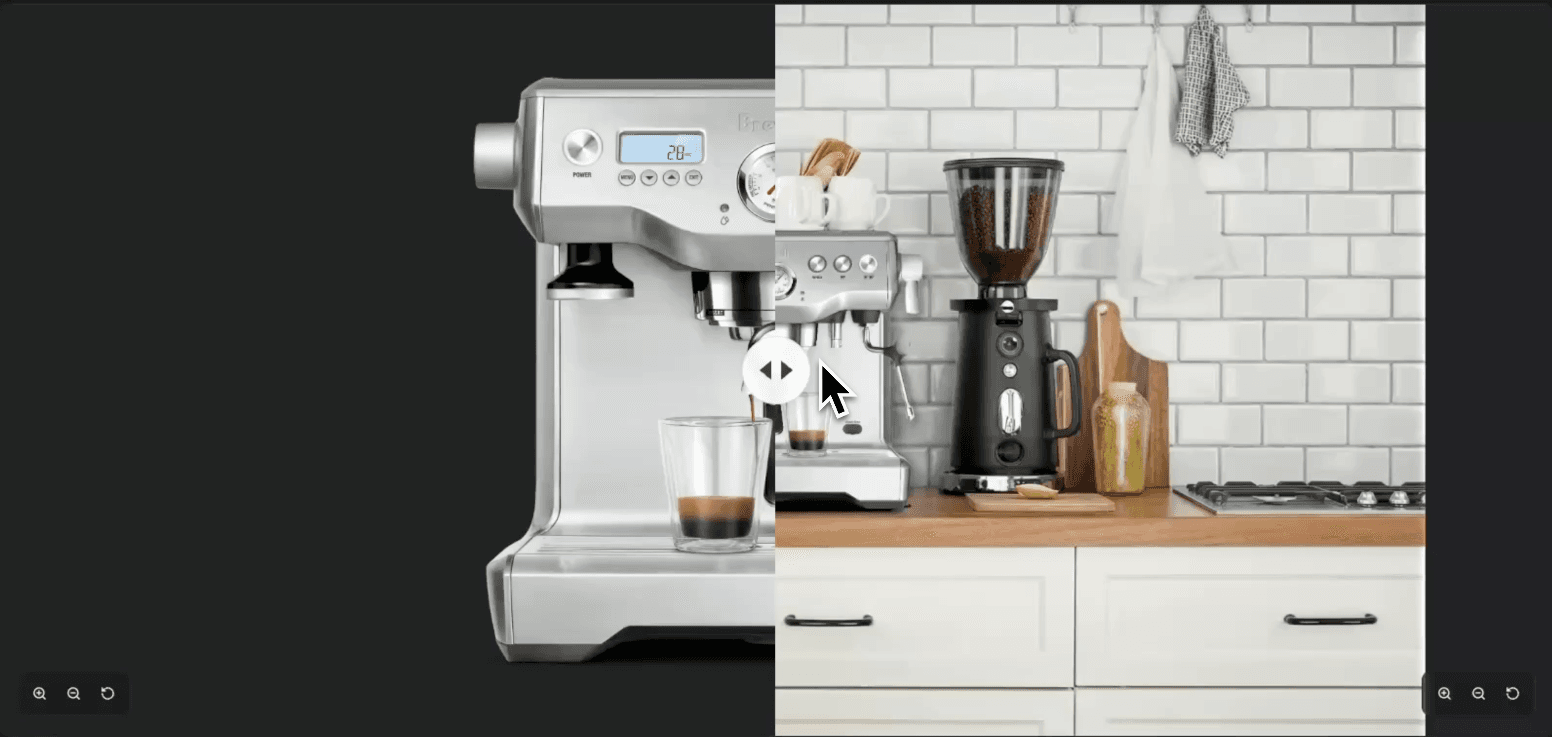
This playbook will replace the background of an existing image. This is typically used for e-commerce applications where we have a product photo and we want to place it in a scene. It is lossless as it uses Aeon's Lossless compositing technology, so 100% of the original product image pixels are maintained. However, this playbook doesn't have as much flexibility as using Nano Banana Pro on its own, which has total freedom to imagine the product. That said, if fine product details -- such as text labels, logos, etc -- are important, this is the way to go. This can also generate images up to 20 megapixels, much larger than any other approach.
Note: you should warn the user it may take up to a minute to generate, and is best used when their input image is 2K or higher.
- Ask the user for the image they would like with a new background.
- Confirm the desired aspect ratio and padding. Padding is how much of the product should occupy the final image. If it is a product where the background is not so important, say a laptop, then it can be 20-40%. However, if we would like more of a 'scene', say a jar of vitamins on a counter in a family home, it should be closer to 100%
- Create a prompt for the user. The prompt should only really contain nouns, use adjectives sparingly. Never use 'negative' prompts, only include words that describe positively what you would like to see. Mention the object we are placing in the scene, and include size information if the product size is not obvious.