Think of your YouTube video less like a TV broadcast and more like a conversation. That's the real magic behind interactive videos on YouTube—they turn passive viewers into active participants by giving them something to click, choose, or respond to. Getting this right can send your engagement, watch time, and viewer retention through the roof.
From Passive Viewing to Active Participation
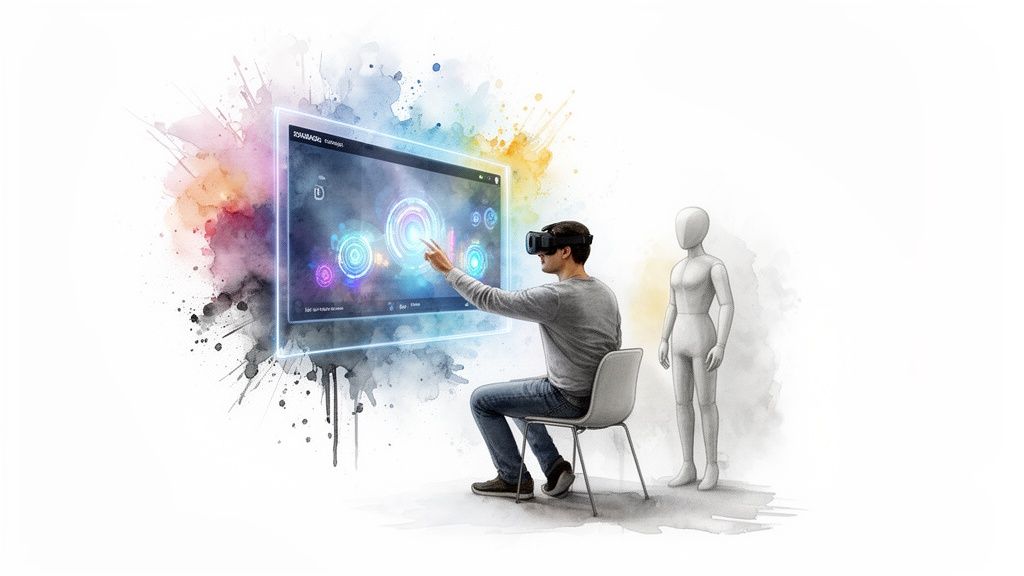
The old way of video was a simple "lean-back" experience. Someone hits play and just lets the content wash over them. Interactive video flips that script, creating a "lean-forward" moment where you’re asking the viewer to do something—click a link, answer a question, or even decide where the story goes next.
It's like the difference between a storefront mannequin and a great sales associate. The mannequin just stands there, showing off an outfit. The sales associate, on the other hand, asks what you’re looking for, makes recommendations, and guides you through the process. It's a far more personal and effective experience, right?
Why Interaction Matters More Than Ever
Let's be honest, today's audiences expect more. They've grown up with the internet and want to be part of the action, not just silent observers. This shift in expectation is completely changing how creators and brands need to think about video.
And the data backs this up. There's been a clear change in how people want to consume their media, with interactive video content seeing a massive 200% jump in engagement since 2021. If you dig into the latest video marketing statistics, you'll see this isn't just a blip on the radar.
This isn't just some fleeting trend; it's a direct response to audiences wanting more control and a deeper connection. When you make your videos interactive, you’re not just throwing information out there—you’re actually building a relationship.
The Building Blocks of Interactivity
The good news is that YouTube gives you a few native tools right out of the box to start these conversations. Think of these as the fundamental ingredients for turning a standard video into something much more engaging.
Here are the key features you can use right now:
- Cards: These are the small, clickable pop-ups that can appear during your video. You can use them to link out to other videos, playlists, your channel, or even approved external websites.
- End Screens: These are customizable graphics that you can place in the final 5-20 seconds of your video. They're perfect for pointing viewers to more of your content or asking them to subscribe.
- Polls: You can add simple, multiple-choice questions to your videos using Cards. It's a fantastic way to get instant feedback and make your audience feel heard.
Getting comfortable with these simple tools is the first real step toward creating more dynamic content that keeps people watching and encourages them to stick around.
Getting Your Hands Dirty with YouTube’s Built-In Interactive Tools
So you're sold on the idea of making your videos more interactive. Great. The good news is you don't need a bunch of fancy software or a massive budget to get started. YouTube has its own Swiss Army knife of built-in features, and all it takes is a little strategic thinking to turn passive viewers into active participants.
Each tool has a job, whether it's nudging someone toward their next binge-watch or straight-up asking for their opinion. Let's break down how to use these native features, starting with the two most common ones: Cards and End Screens. These are the modern successors to a now-retired feature; for a bit of a history lesson, you can check out this piece on YouTube annotations and their modern alternatives.
Before we dive into the details, here's a quick cheat sheet to help you keep these tools straight.
Your Guide to YouTube's Native Interactive Tools
This table gives you a quick-reference guide to YouTube's built-in features, their primary purpose, and a key best practice for each one.
Now that you have the lay of the land, let’s dig into how to make these features work for you.
Using Cards for In-Video Nudges
Think of YouTube Cards as those little pop-up notifications in the top-right corner of the player. You can schedule them to appear at precise moments to point viewers toward a related video, a whole playlist, or even your channel page.
The trick is timing. A poorly timed Card feels like a spammy pop-up ad. But a well-placed one? It feels like a genuinely helpful suggestion. The sweet spot is to trigger a Card right when you verbally reference the thing you're linking to or during a natural pause in your narration.
For instance, if you mention a previous video, you could say, "I actually did a deep dive on that right here..." just as the Card slides into view. That simple verbal cue makes the interaction feel intentional and useful, not random.
Designing Effective End Screens
The End Screen is your video's grand finale. It appears in the last 5-20 seconds and is your absolute best chance to tell your audience what to do next. Instead of letting them drift away or get snagged by a random video from YouTube's algorithm, you can serve them clear, compelling options.
A solid End Screen almost always includes these three things:
- A subscribe button: This one's non-negotiable if you want to grow your channel.
- A "best for viewer" video: Let YouTube's algorithm do the heavy lifting and pick the most relevant video from your channel for that specific person.
- A specific video or playlist: You can also take the wheel and manually select content that's the next logical step in their viewing journey.
Don't treat your End Screen as an afterthought. You should plan for it in your video edit, leaving clean, dedicated space for the elements. An uncluttered layout is way more effective than trying to cram clickable boxes over a busy closing shot.
As you map out these on-screen elements, keep in mind that most people are watching on their phones. We're talking over 3.7 billion people expected to watch videos on mobile in 2026. Considering that 90% of how-to videos are already watched on mobile, making sure your interactive elements are big, clear, and easy to tap is an absolute must.
Gathering Feedback with Polls and the Community Tab
Interactive video isn't just about sending people to other content. It's about starting a conversation. Polls, which you can run using Cards, are a fantastic way to engage your audience right inside a video. Ask for their opinion on a topic, get feedback on what you should film next, or just create a fun, lighthearted moment.
And the conversation doesn't have to stop when the video ends. Your Community Tab is a powerful, and often overlooked, hub for keeping your audience engaged. You can use it to:
- Post Polls: Ask your subscribers which of three video ideas they're most excited about.
- Share Behind-the-Scenes Content: Post photos or GIFs to give them an exclusive peek into your process.
- Promote Upcoming Videos: Build some buzz and get people excited before a new video drops.
When you engage with your audience on the Community Tab, you're building a real connection. They start to feel like part of a community, not just a bunch of anonymous subscribers. That loyalty makes them far more likely to show up and interact with your future videos.
While these native features are a great starting point, they are just the beginning. To explore more advanced options, check out our complete guide to interactive video software. By mastering YouTube’s own toolkit first, you build a solid foundation for creating videos that don't just rack up views—they build a loyal audience.
Designing Videos That Invite Interaction
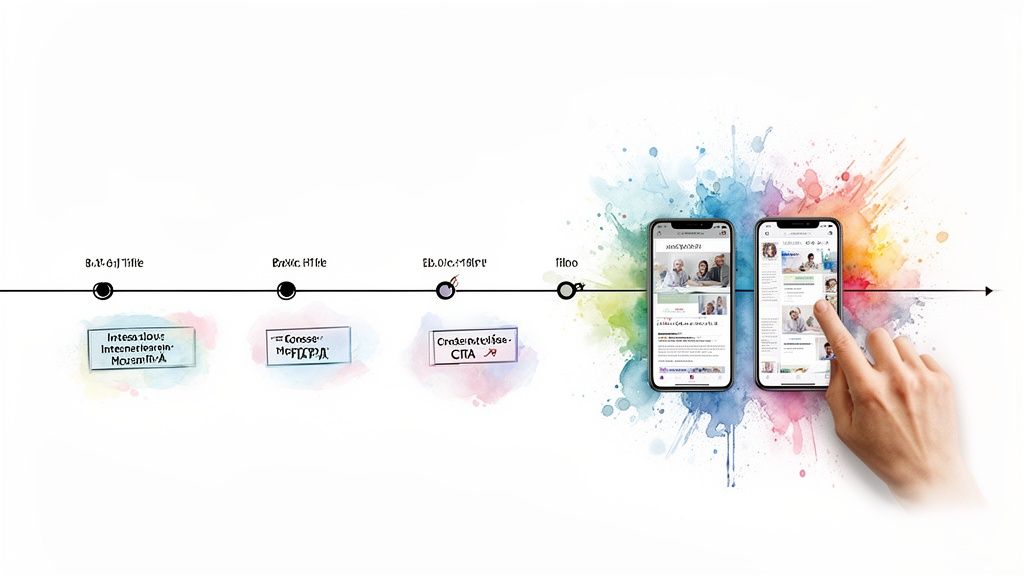 Knowing which buttons to click in YouTube Studio is one thing. Actually designing a video that makes people want to click them is another game entirely. The most effective interactive videos on YouTube are planned that way from the get-go, with moments of engagement woven right into the script and visual story.
This is the real shift: you move from just tacking on features to truly crafting an experience. Instead of slapping an End Screen on a finished video, you build the final scene with a clean, static background specifically designed to host those clickable elements. It’s all about being intentional.
Great interactive design should feel like a natural part of the story, not an interruption. The goal is to make clicking a link or answering a poll feel like the next logical step in the viewer's journey, not a jarring ad.
Scripting for Clicks and Engagement
A truly interactive video starts with the script. You have to think about where and how you’ll prompt your audience long before you even think about hitting record. The trick is to build your calls-to-action (CTAs) directly into the content itself.
Your most powerful tool here is your own voice. A simple line like, “If you want to see how we built this, I’ve linked that video right up here,” perfectly sets the stage for the Card that appears. Just telling people what to do and what to expect dramatically increases the odds they'll actually click.
The core principle is simple: Tell them, then show them. Announce the interactive element with your voice, and then present the clickable element on screen. This coordinated one-two punch removes any confusion and makes the interaction feel both helpful and intuitive.
Your on-screen graphics also need to be crystal clear. Use concise text and visually distinct designs for your CTAs. If you’re asking people to vote in a poll, make sure the on-screen text and the poll options are perfectly aligned to create a totally frictionless experience.
Mastering the Art of Timing
Timing is everything. Drop an interactive element at the wrong moment, and you can literally drive viewers away. You have to find the natural lulls in your content—those moments where someone can take an action without missing a critical piece of information.
Never, ever place a poll or a link card in the middle of a complex explanation, a big reveal, or a punchline. Instead, look for those transitional beats, such as:
- At the end of a major section before you pivot to the next topic.
- During a short musical break or a B-roll montage.
- Right after you’ve answered a key question and are pausing for effect.
This is where your YouTube Analytics become your best friend. Dive into your Audience Retention graphs and look for the peaks in engagement. These are often the perfect spots to pop in an interactive element because your audience is already leaning in. And just as importantly, avoid placing anything where your graphs show people tend to drop off.
Designing for a Multi-Device World
Don't forget: your audience isn't just watching on a sprawling desktop monitor. The vast majority are probably on a smartphone, where screen real estate is precious and thumbs do all the work. That reality has to shape your design.
For your mobile viewers, clarity and size are non-negotiable.
- Make Click Targets Large: Your End Screen elements need to be big enough to be tapped easily without frustrating, accidental clicks on something else.
- Use High-Contrast Designs: Make sure your CTAs pop against the video background. Think bold colors and easy-to-read fonts.
- Keep Text Minimal: On a small screen, less is always more. Use short, punchy text like "Watch Next" or "Subscribe" instead of long, flowery sentences.
When you design with a mobile-first mindset, you guarantee the interactive experience works smoothly for the biggest slice of your audience. That’s how you turn those well-timed prompts into real, measurable engagement.
Successful Interactive Videos in the Wild
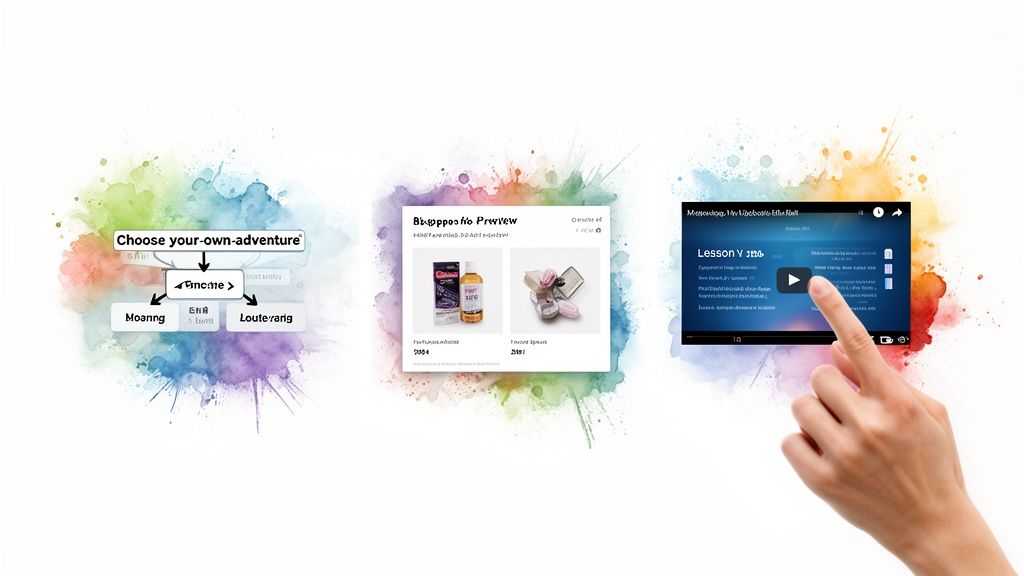 Theory and best practices are great, but nothing beats seeing these ideas in action. Let's look at how savvy creators and brands are using interactive videos on YouTube to bring their concepts to life.
These examples prove that interactivity is far more than a gimmick—it's a potent strategy for storytelling, education, and even driving sales. By breaking down a few real-world applications, you'll see how different YouTube features can be woven together to grab attention and get people to act.
Each one leverages YouTube's native tools in a clever way, turning a standard video into an engaging journey.
The Choose Your Own Adventure Narrative
One of the most inventive uses of YouTube's interactive features is the classic "Choose Your Own Adventure" (CYOA) format. This approach completely flips the script on linear video, creating a branching story where the viewer is in the driver's seat.
How does it work? Creators shoot multiple short video clips, each one a different path the story could take. At the end of a segment, they use End Screens to pose choices like "Open the door" or "Run away." Each option is a link to another unlisted video, pushing the adventure forward based on what the viewer decides.
This technique is a masterclass in boosting engagement and session watch time. Instead of just one view, a user might clock five or six as they explore different outcomes. That sends incredibly powerful, positive signals to the YouTube algorithm.
The Interactive Educational Hub
Interactive features can also transform a long, dense educational video from a lecture into a navigable, user-friendly curriculum. For anyone in the learning space, this is a total game-changer for the user experience.
Picture a comprehensive tutorial on a complex piece of software. Instead of making people scrub through an hour-long video, creators use Video Chapters to break it down into logical, bite-sized modules like "Initial Setup," "Key Features," and "Advanced Tips."
By using clear, descriptive chapter titles, you empower viewers to find exactly what they need, when they need it. This simple interactive layer transforms a video from a passive watch-along into an on-demand learning resource that viewers will return to again and again.
Better yet, creators can embed Cards within these chapters to link out to supplementary materials, like downloadable worksheets or other deep-dive videos. This creates a rich, multi-layered educational experience that keeps viewers locked in and learning on the platform.
The Shoppable Video Experience
For e-commerce brands, interactive videos are a straight line from discovery to purchase. By cleverly using Cards and pinned comments, brands can build a seamless shopping experience right inside the YouTube player.
A fashion brand, for instance, could drop a lookbook video showing off its new collection. As each outfit appears, a Card can pop up, linking directly to that specific product page. The creator can also drop a pinned comment with links to every featured item for quick access.
This move dramatically shortens the sales funnel, capitalizing on a viewer's interest the moment it peaks. The result is a highly effective, direct-response marketing tool that turns views into revenue and delivers crystal-clear ROI data.
This approach is especially powerful when paired with shorter, punchier formats. As of 2026, YouTube Shorts has a staggering 2 billion monthly active users. In the first half of 2025, it hit an impressive 7.91% engagement rate—the highest of any short-form video platform. Check out more of these YouTube Shorts statistics to see how you can apply these interactive strategies to the fastest-growing video format out there.
How to Measure and Optimize Your Results
Creating those engaging, interactive moments is a fantastic start, but it's only half the battle. If you're not tracking how viewers actually respond, you’re flying blind. Measuring the performance of your interactive videos is where you figure out what's working, what isn't, and how to get better.
This is the part where your creative instincts get backed up by cold, hard data. By digging into YouTube Analytics, you can see precisely how your interactive elements affect viewer behavior, turning a fuzzy concept like "engagement" into concrete numbers that guide your next move.
Finding the Right Data in YouTube Analytics
Your YouTube Analytics dashboard is command central. The trick is to ignore the vanity metrics (like total views) and zero in on the data points that show you how people are really interacting with your content.
Here are the key metrics to keep an eye on:
- Click-Through Rate (CTR) on Cards: This tells you the percentage of viewers who clicked on a card after you showed it. A low CTR might mean your timing was off, or your verbal cue to "click the link" wasn't punchy enough.
- End Screen Element Click Rate: This tracks how many people clicked on your end screen suggestions, like the "Watch Next" video or the subscribe button. It’s a direct measure of how well you’re keeping viewers in your ecosystem.
- Audience Retention Graph: This graph is your secret weapon. Look for sharp dips right after an interactive element pops up—that could signal you're interrupting the flow. On the flip side, a flat line or even a little bump during an interaction is a fantastic sign.
- Poll Participation: For videos with polls, you can see the percentage of viewers who actually voted. This is a powerful, direct signal of audience engagement.
For more ideas on tracking viewer behavior, it's worth checking out a comprehensive guide to analyzing YouTube Shorts performance—many of the same principles apply.
Turning Insights into Actionable Improvements
Data is just a bunch of numbers until you do something with it. The goal is to use these metrics to run informal A/B tests and constantly tweak your approach. If you notice a particular card has a dismal CTR, don't just shrug and leave it—optimize it.
Your analytics aren't just a report card; they're a roadmap. Every data point tells a story about what your audience wants and how they behave. Use these stories to make smarter decisions for your next video.
Get into this simple optimization loop:
- Hypothesize: "I bet my card CTR is low because I placed it right in the middle of a complicated explanation."
- Test: In your next video, try moving the card to a natural pause after the explanation and add a stronger, clearer verbal call-to-action.
- Measure: Once the video is live, compare the CTR of the new card to the old one. Is it better?
- Repeat: Take what you learned and apply it to all your future content.
This simple, iterative process is what connects your on-screen interactions to real business goals. Higher CTRs and better retention don't just feel good; they signal to the YouTube algorithm that your content is valuable, which can lead to more watch time and better discoverability. It's a foundational part of how you measure content performance and prove its value in a way that actually matters.
Scaling Interactive Video Production with AI
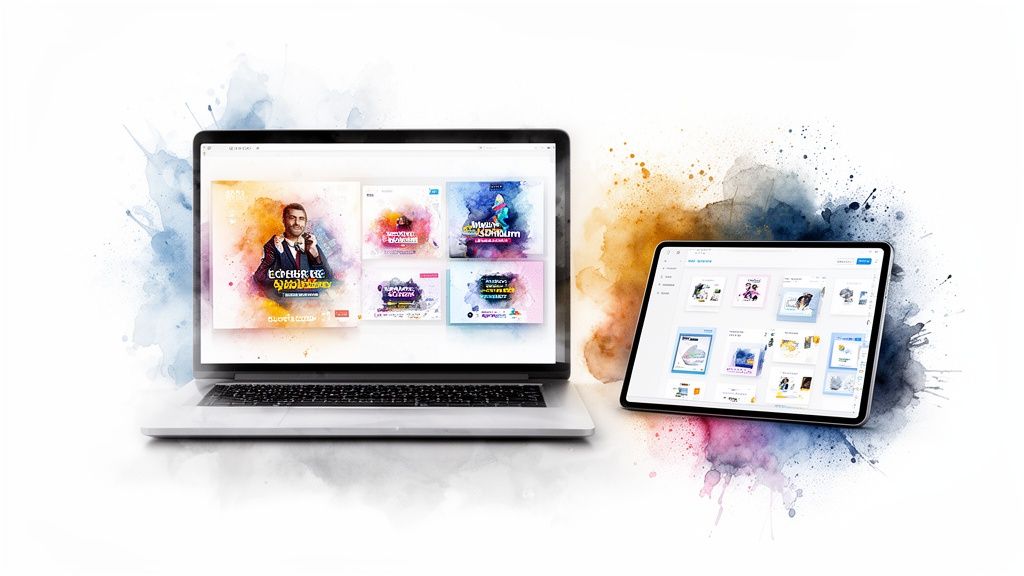
Let's be honest. While creating compelling interactive videos on YouTube is a great way to pull viewers in, the whole process can quickly become a production nightmare. For busy marketing teams, manually designing unique visuals for every Card, End Screen, and animated pop-up is a massive time sink.
This is where most teams get stuck. How do you scale up your interactive video efforts without sacrificing quality or completely burning out your creative staff?
The answer isn't to work harder; it's to shift from manual creation to an automated, AI-powered workflow. The right tools can take over the repetitive, time-guzzling parts of creating assets, freeing up your team to focus on what really matters—strategy, storytelling, and digging into the results.
Imagine this: instead of your design team spending a few hours tweaking a single End Screen graphic, an AI platform could spit out dozens of on-brand variations in minutes. That kind of speed is what makes a consistent interactive video strategy possible, turning it from a one-off experiment into a core part of your playbook.
Automating Your Interactive Asset Pipeline
Think of AI as a production assistant that’s available 24/7. Its main job is to streamline the creation of all those little visual pieces that make your YouTube videos click. No more starting from a blank canvas every single time. You can automate the whole process and keep your brand looking sharp and consistent with very little effort.
This is a game-changer for teams managing multiple channels or just trying to keep up with a demanding content calendar. It turns a slow, manual chore into a fast, repeatable system.
Here’s a quick look at what you can hand off to an AI:
- End Screen & Card Graphics: Instantly generate polished, high-resolution visuals that perfectly match your channel's branding. AI models can learn your logo, color palette, and fonts to create consistent assets for every video you publish.
- Animated Visuals: Need a simple, eye-catching animation for a specific CTA? You can create one without ever opening a complex piece of software. It’s an easy way to add a professional touch that makes your interactive elements pop.
- Backgrounds & Overlays: Quickly produce custom backgrounds designed specifically for your End Screens. This ensures your clickable elements are clear, legible, and easy for viewers to see.
From Manual Effort to Efficient Operations
Bringing AI into your asset creation process is about more than just clawing back a few hours. It's about making your entire interactive video strategy sustainable for the long haul. When you can produce all the necessary graphics in a fraction of the time, your team suddenly has the bandwidth to experiment more, test different calls-to-action, and optimize based on what the data is telling them.
The real win here isn't just making things faster; it's about unlocking the creative capacity of your team. By automating the grunt work, you empower creators to think more strategically about how and when to use interactive elements for maximum impact.
This shift lets you move from just tacking on interactive features to truly weaving them into your content strategy. For teams looking to build a more sophisticated content engine, it's worth exploring platforms that help you generate videos with AI, as this can automate the entire production line from start to finish.
Ultimately, an AI-driven approach solves the core problem of scale. It ensures that every single video you publish can have high-quality, on-brand interactive components without overwhelming your team. That consistency is exactly what it takes to create the engaging experiences that both the YouTube algorithm—and your audience—will reward.
Frequently Asked Questions
Even with the best strategy in hand, you're going to have questions as you start making more dynamic, interactive videos on YouTube. I've pulled together some of the most common ones I hear to give you direct, actionable answers. The goal here is to help you sidestep the usual pitfalls and get the most out of your hard work.
Think of this as your quick-start guide for clearing those initial hurdles. We'll cover everything from building out complex stories to understanding what all this really does for your channel's growth.
Can I Make a Truly Choose Your Own Adventure Video on YouTube?
You absolutely can. It's a bit of a clever workaround, but you can build a full-fledged "Choose Your Own Adventure" experience by linking a series of videos together. The basic idea is to create several short, unlisted videos that serve as the different branches of your story.
At the end of each video segment, you use End Screens to give viewers a couple of clear choices. Each choice then links out to a different unlisted video, letting the viewer steer the narrative based on what they decide. It takes some serious planning—seriously, draw out a flowchart—but it's a fantastic way to pull viewers deeper into your content and rack up that total watch time.
What Is the Biggest Mistake Creators Make with Interactive Elements?
The single biggest mistake is just doing too much. Bombarding your audience with a constant stream of cards or dropping a poll right in the middle of a big reveal feels jarring. It interrupts the flow, and more often than not, it'll just make people click away.
Your goal is to enhance the experience, not hijack it. The best way to do this is to be thoughtful. Use verbal cues to let your audience know an interaction is coming up, and place your elements at natural breaks in the action. Always, always check your audience retention graph to see if clicks are causing people to drop off at specific moments.
How Do Interactive Videos Affect the YouTube Algorithm?
This is where it gets really interesting. Interactive videos can give you a nice little boost with the YouTube algorithm because they light up all the engagement signals the platform loves to see. When people click on your cards, vote in your polls, or follow an End Screen to another video, they're sending a powerful message to YouTube: this content is good.
This kind of activity directly improves metrics like Audience Retention and Watch Time. And since the algorithm is designed to promote content that keeps people on the platform longer, a solid interactive strategy can get your videos recommended more often in "Suggested Videos" and on the homepage. That’s how you expand your reach and really start to grow.
Ready to scale your interactive content without all the manual overhead? Aeon combines strategic playbooks with production-grade AI to help your team create high-quality campaign assets in minutes. Discover how Aeon can streamline your creative workflow.