Ever found yourself wishing you could design a dress from scratch, but without the fashion school price tag or the complicated software? Good news: you absolutely can design your own dress online for free. A new wave of seriously powerful, browser-based tools is changing the game for creators and e-commerce teams, letting you go from a spark of an idea to a professional-grade mockup without spending a dime.
The New Era of Digital Dress Design
Welcome to the future of fashion design—a world where your studio is wherever your laptop is, and a big budget is no longer a barrier to entry. This guide is for all the e-commerce pros and content creators out there looking to bring fresh dress ideas to life. We're going to dive into how AI and 3D simulation have opened up the design process for everyone.
This is a huge leap from the old way of doing things, which was often slow and incredibly expensive. Forget the endless cycle of manual sketches and waiting weeks for physical samples. You can now work in a fast, digital-first way that saves a ton of time and opens up a world of new possibilities for your marketing campaigns and product catalogs.
The Power of AI in Fashion
The influence of artificial intelligence goes way beyond just being a neat design gadget. To really get a handle on where things are headed, it's worth understanding how AI is revolutionizing the e-commerce industry as a whole. For fashion specifically, these new tools bring some major advantages to the table:
- Speed: You can spin up dozens of unique dress concepts in a matter of minutes, not weeks.
- Cost-Efficiency: Need visuals for a marketing campaign? Skip the expensive photoshoots and physical prototypes for your initial launch.
- Accessibility: These are powerful, browser-based platforms. No need for a high-end computer or complicated software installations.
- Creative Freedom: Go wild experimenting with different fabrics, patterns, and silhouettes without any real-world commitment.
The digital fashion design space is blowing up right now. Brands are quickly jumping on board with 3D garment simulation and AI-powered workflows because the results speak for themselves. In fact, brands using these digital methods are reporting faster approvals and more reliable timelines compared to the old-school approach.
This shift from scattered, manual work to a streamlined digital system isn't just a trend—it's becoming essential to stay competitive. You can explore more findings on digital design trends and see what's on the horizon for the industry.
Top Free Online Dress Design Tools
Navigating the sea of available tools can be a bit overwhelming. To get you started, I've put together a comparison of some of the top free and freemium platforms out there. This table focuses on the features that matter most for marketing and e-commerce teams trying to create stunning visuals and test new ideas quickly.
Each of these platforms offers a unique entry point into digital dress design. Whether you need hyper-realistic 3D models for a product page or a simple tool to draft a pattern, there's a free or freemium option that can get the job done without breaking the bank.
Finding Inspiration and Defining Your Vision
Every great dress starts with a spark of an idea. But before you can design your own dress online for free, you need to turn that spark into a clear, focused vision. This is where AI tools can become your secret weapon, helping you zero in on a concept much faster than just scrolling through images.
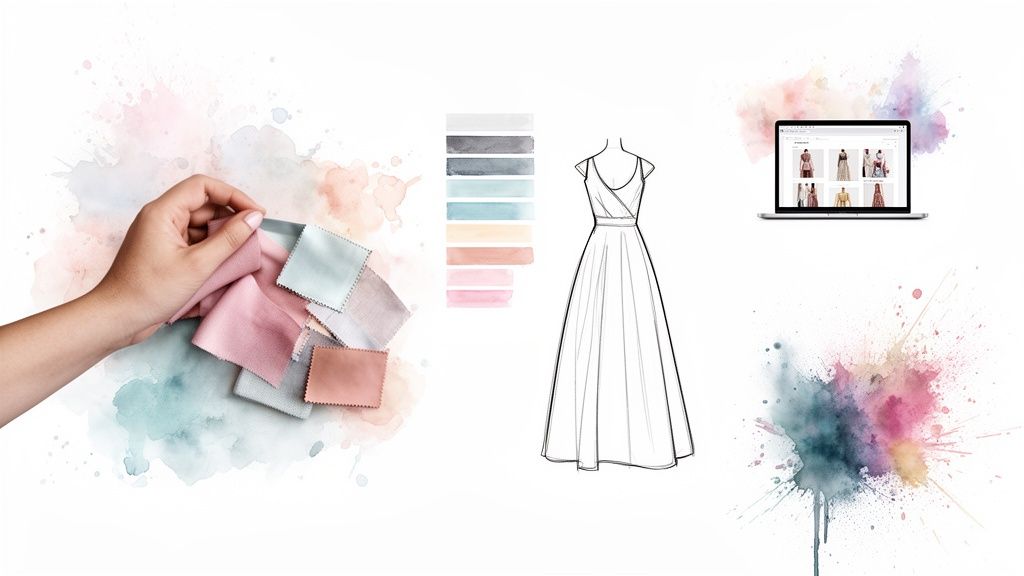
Forget endless hours lost on Pinterest. Modern AI platforms can analyze what's happening in fashion right now by scanning social media, runway shows, and street style blogs in real-time. This gives you an incredible edge, letting you see what's actually connecting with audiences today.
Artificial intelligence is completely changing the game for fashion design and trend forecasting. Brands are now able to predict emerging styles months ahead of time. These AI systems chew through massive amounts of visual data from global runways and platforms like TikTok and Instagram, turning trendspotting from a gut feeling into a data-backed strategy. You can discover more insights about AI's role in fashion to see just how deep this technology goes.
Crafting a Dynamic Mood Board
A traditional mood board is static—a fixed collection of images. An AI-powered one, on the other hand, is a living, breathing source of inspiration. Instead of just pinning pictures, you can use AI to build a dynamic concept board that actively suggests textures, color palettes, and silhouettes based on your initial ideas.
Here’s how you can really level up your mood boarding:
- Color Palette Generation: Found an image you love? Maybe a sunset or a piece of art? Upload it, and an AI tool can pull out a complete, harmonious color palette for your design.
- Texture Suggestions: Type in keywords like "flowing silk" or "structured tweed," and the AI can generate visual examples of how those fabrics would look on different dress shapes.
- Silhouette Exploration: Start with a basic idea, like "A-line dress," and let the AI show you dozens of variations, from vintage-inspired takes to more futuristic interpretations.
A well-defined vision is the foundation of any successful design. By using AI to analyze trends and generate concepts, you ensure your final dress is not just beautiful but also perfectly aligned with your brand and audience.
Using Specific Prompts for Better Results
The secret to getting amazing results from any AI is learning how to "speak" its language. Vague searches will only give you generic ideas. The real magic happens when you get specific and feed it detailed prompts that steer the AI toward your unique vision.
Think of it as the difference between asking an artist for a "nice painting" versus commissioning a piece with a specific subject, style, and color scheme.
Generic Prompt (Less Effective): "summer dress"
Specific Prompt (More Effective): "An ethereal, floor-length A-line dress in a watercolor botanical print. The design should feature delicate spaghetti straps, a soft cowl neckline, and be suitable for an elegant garden party theme. Emphasize a color palette of dusty rose, sage green, and cream."
This level of detail gives the AI concrete elements to work with, leading to targeted, high-quality visual concepts that are much, much closer to what you're imagining. Once you master this skill, the AI stops being a simple search engine and starts feeling like a true creative partner.
Bringing Your Digital Dress to Life
Alright, you’ve got your mood board and a clear vision. Now for the fun part: bringing that idea to life on screen. This is where we get hands-on and actually design your own dress online free, turning abstract concepts into a tangible, digital design.
To make this super practical, we'll walk through a common scenario from start to finish.
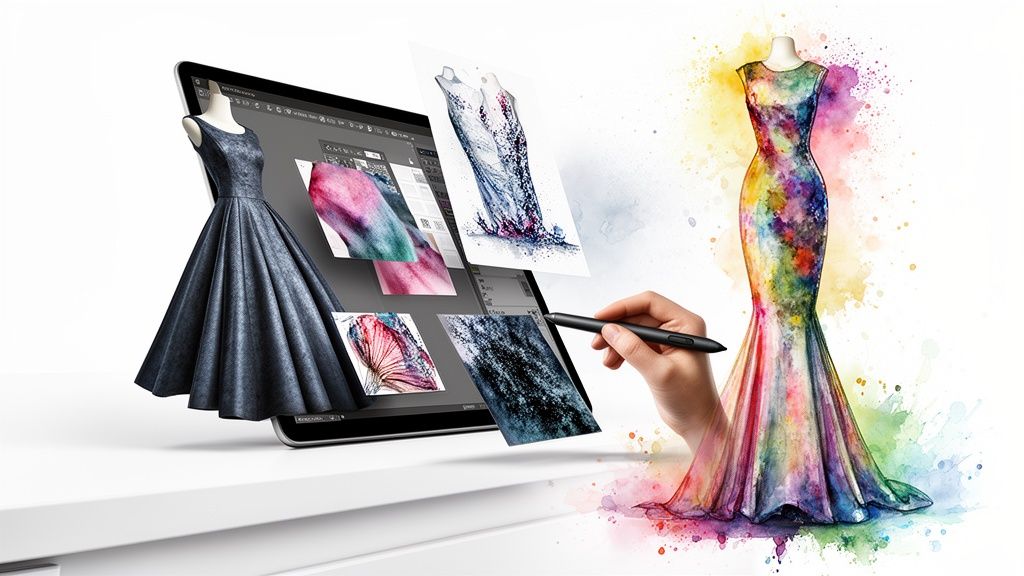
Let's say you're an e-commerce brand gearing up for a new spring collection. The goal is to create a versatile A-line midi dress—a real hero piece that’s easy to style and perfect for social media marketing. This simple goal will shape every choice we make in the design tool.
Starting With the Base Silhouette
The first move in any design software is picking a foundational shape. Think of this as the canvas for your creation. Most free platforms have a library of pre-made blocks, which is a huge time-saver.
For our spring dress, we're going with a classic A-line midi silhouette. It's a strategic choice. Why? Because it's a universally flattering cut that appeals to a massive audience, making it a pretty safe bet for a new collection launch.
You'll usually see other great starting points, like:
- Sheath: A sleek, form-fitting shape that’s perfect for professional looks or evening wear.
- Mermaid: Super dramatic and fitted through the body, flaring out at the knees—ideal for formal gowns.
- Empire Waist: Has a high waistline right under the bust, giving it a flowy, almost ethereal vibe.
Once we’ve locked in our A-line base, we can start tweaking it. I’d adjust the hemline to hit mid-calf and make sure the waist is defined but not cinched too tight. The goal is comfortable and chic.
Applying Digital Fabrics and Prints
This is where your design really starts to get its personality. The digital fabric libraries in these tools are game-changers. With just a click, you can test out different textures and patterns, simulating everything from delicate silk chiffon to a structured cotton twill.
For our dress, let's apply a lightweight digital linen in a soft sage green. It taps right into those earthy, natural tones that are always huge for spring.
And if you want a print? Just upload a custom pattern file, like a floral PNG. The software will realistically wrap it around the 3D model, showing you exactly how the pattern scales and repeats across seams—a critical detail that’s so easy to miss in a 2D sketch.
The ability to instantly visualize fabric drape and texture is a massive advantage of digital design. It eliminates guesswork and reduces the need for costly physical fabric swatches during the initial concept phase.
Adding Unique Details and Embellishments
With the core shape and fabric sorted, it's time for the final touches that make the dress uniquely yours. Even free tools usually offer a decent range of modifications to play with.
Let’s refine our A-line midi dress:
- The Neckline: We’ll swap the default round neck for a subtle V-neck. It’s a small change that does wonders for elongating the silhouette.
- The Sleeves: To really lean into the spring theme, let's add short, puffy sleeves with a delicate elastic cuff.
- The Fastenings: How about a row of digital pearlescent buttons down the front? It gives the dress a little touch of vintage charm.
These small adjustments transform a basic block into a distinct, on-brand design that’s ready for a digital-first world.
For creators looking to explore even more automated design options, an AI outfit generator can be a great next step for generating complete looks. And for designers transitioning from screen to stitch, a guide on adjustable mannequins for sewing offers the precision needed to achieve a perfect physical fit.
Visualizing Your Dress with Virtual Try-On
Alright, you've locked in your digital fabric and ironed out the final details. Now for the best part: actually seeing your dress on a model. This is that magic moment when your 2D design gets a photorealistic life of its own, all without ever stepping foot in a photo studio.
For e-commerce teams, this is a massive win. You get to produce high-quality, professional shots for a fraction of what a traditional photoshoot would cost in both time and money. Forget coordinating models, locations, and photographers—you can generate an entire campaign's worth of images right from your desk.
From 2D Pattern to 3D Model
The whole process is surprisingly simple. You start by uploading your finished 2D design file or even a flat sketch into the virtual try-on tool. The software is smart enough to wrap that design around a 3D avatar, showing you exactly how the fabric would hang and fold on a real person.
This isn't just a static picture, either. It’s an interactive preview. You can spin the model 360 degrees, zoom in on the stitching, and even see how the dress moves. It’s an incredibly useful way to catch potential fit problems or awkward pattern placements long before a single stitch is ever sewn.
Generating Inclusive and Diverse AI Models
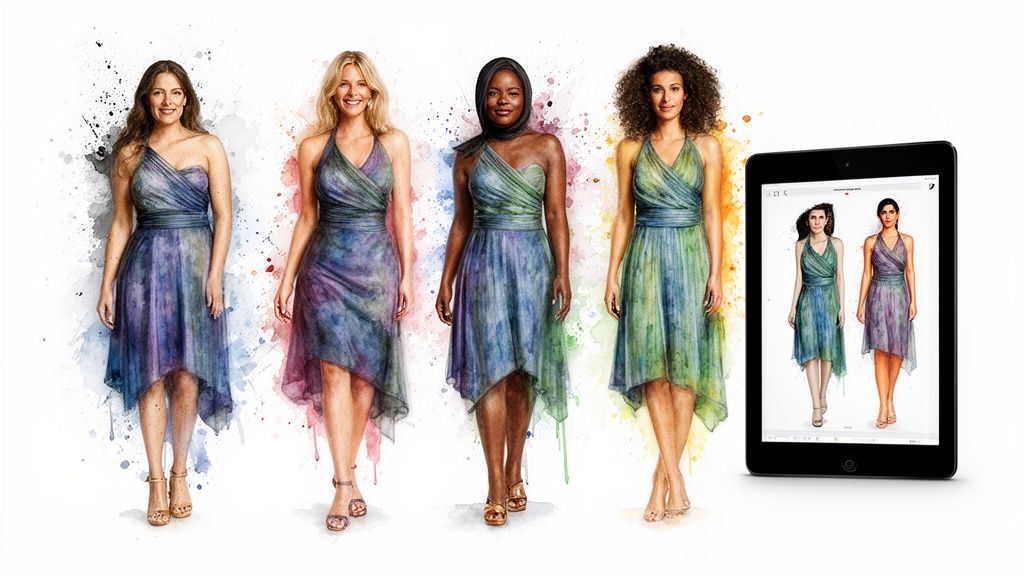
One of the most powerful features of these platforms is the ability to generate a diverse lineup of AI models. This is a complete game-changer for creating inclusive marketing that actually connects with a wider audience. You’re no longer stuck with the models available for a specific photoshoot.
With just a few clicks, you can showcase your dress on models of various:
- Body Types: See how your A-line dress drapes on a size 2 versus a size 18.
- Ethnicities: Create imagery that truly reflects the diversity of your customers.
- Ages and Poses: Display your design in different contexts, from relaxed poses to dynamic action shots.
This capability lets you build a product page where customers can genuinely see themselves in your clothes—a proven driver for connection and conversion. You can dive deeper into how these tools are changing the game by reading our guide on Fitroom AI technology.
By 2026, virtual try-on tech and AI-generated visuals will be a core part of e-commerce fashion. They're already boosting conversion rates and cutting down on costly returns by creating realistic, personalized shopping experiences. The best platforms are closing the gap between flat product photos and interactive 3D realities, paving the way for the next generation of product pages.
Fine-Tuning the Final Look
Once your dress is on the virtual model, the last step is to get the styling just right to create a truly compelling visual. Think of yourself as the digital art director for your own shoot.
- Adjusting Fit: Does the waist need to be cinched a bit more? Is the hemline falling where it should? Most tools let you make small tweaks to simulate that perfect fit.
- Styling and Accessorizing: Some of the more advanced platforms even let you add digital accessories like shoes, bags, or jewelry to pull the whole look together.
- Setting the Scene: You can swap the background from a plain studio gray to a lifestyle setting, like a bustling city street or a quiet beach, to match your campaign's vibe.
These final touches are what turn a simple product mockup into a powerful marketing asset—one that's ready for your ads, product listings, and social media feeds.
From Digital Design to Marketing Asset
So, your digital dress design is done. It looks amazing on screen, a perfect visual ready for its debut. But don't pop the champagne just yet—the work isn't quite over. Now comes the really crucial part: turning that creative file into a powerful, versatile asset for your business.
This is where your design starts making money, whether it's powering a marketing blitz or heading off to a manufacturer for prototyping.
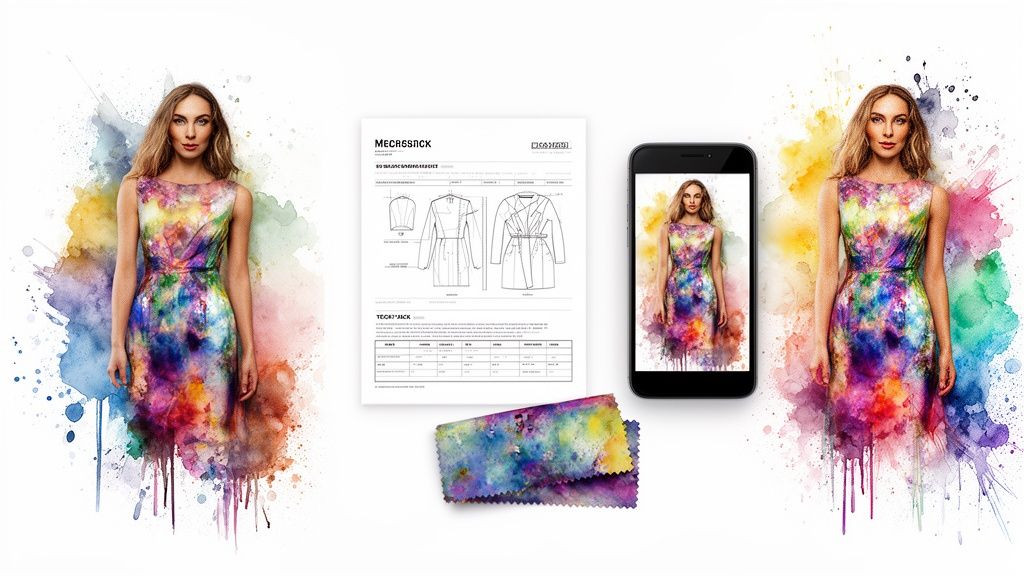
This transition is all about capitalizing on your hard work. It means exporting the right files, prepping them for different channels, and making sure every single pixel is ready to perform.
Getting Your Files Ready for the Real World
First things first, you need to export your design in the right formats. And trust me, the format you choose is everything—it all depends on what you plan to do with it. A one-size-fits-all approach just doesn't cut it here.
Think about these common situations:
- Social Media Ads: You’ll want a high-resolution PNG file with a transparent background. This gives you the freedom to drop the dress onto any backdrop you dream up for your ad creatives.
- E-commerce Product Pages: Speed is key. Export multiple angles (front, back, and side views) as optimized JPEGs. This keeps your page load times snappy without a huge hit to image quality.
- Physical Prototype: This is where a tech pack comes in. Many of the more advanced design tools can export a detailed PDF that includes everything a manufacturer needs: flat sketches, all the measurements, fabric specs, and construction notes.
A well-prepared digital file is the bridge between your creative vision and its real-world application. Exporting the right format for each channel ensures your design looks professional everywhere it appears, from an Instagram ad to a manufacturer's workshop.
Building a Full Suite of Promotional Assets
One of the best things about when you design your own dress online free is how easily you can spin up an entire library of marketing materials from just one design. Instead of a single static image, you can create a whole suite of dynamic assets to fuel your campaigns.
Don't just stick with the standard front-on shot. Get creative with your 3D model and capture:
- Close-Up Detail Shots: Zoom in on what makes the dress special—the intricate embroidery, a unique button, or the texture of the fabric. These shots are gold for sparking curiosity and showing off quality.
- Multiple Angles and Poses: Generate images from a three-quarter view, show the dress in motion, or place it on models in different poses. This creates a much more engaging visual story.
- Background Variations: Drop your dress into different settings to match specific campaigns. Think a breezy beach background for a summer promo or a sleek urban backdrop for a city collection.
This approach multiplies the value of your initial design work tenfold, giving your marketing team a ton of content to work with. For some great ideas, check out how top brands use high-quality fashion images to build their campaigns.
The Final Pre-Launch Checklist
Before you hit "publish" or send that tech pack off to the factory, do one last check. A few minutes of review now can save you from major headaches later on.
- Resolution Check: Are all images high-res? Aim for at least 300 DPI for print and 1080px wide for web.
- Color Consistency: Do the colors in the exported files actually match your original vision? Screens can be deceiving.
- File Naming: Are your files named logically (e.g., "A-Line_Midi_Dress_Front_View.png")? Good organization is a lifesaver.
- Tech Pack Completeness: If it's for production, does the tech pack have every single detail? Don't leave anything to guesswork.
Once you’ve ticked these boxes, your digital dress is no longer just a cool concept. It's a powerful asset, ready to go out and get results.
Common Questions About Online Dress Design
Jumping into AI-powered fashion design is exciting, but it’s totally normal to have a few questions. This is a new way of working, after all.
Let's walk through the most common things we hear from e-commerce teams and content creators. My goal is to clear up any uncertainties so you can start designing with confidence.
Can I Really Design a Dress for Free?
Yes, you absolutely can. Many of the best online design platforms offer really generous free plans. These are perfect for whipping up digital mockups, testing out fresh concepts for a marketing campaign, or just playing around with your own creative ideas without spending a dime.
Sure, some of the super-advanced features—like exporting in ultra-high resolution or accessing massive proprietary fabric libraries—might be part of a paid plan. But you can still take a design from a simple idea to a finished concept without ever pulling out your credit card. The key is just to glance at the terms of service, but the tools we've discussed give you incredible power for free.
What Kind of Computer Do I Need?
Here's the best part: you probably already have everything you need. The vast majority of modern AI design tools are browser-based. That means you don’t need a beast of a computer or any special software.
If you’ve got a stable internet connection and a standard web browser like Chrome, Firefox, or Safari, you're good to go. This makes it so much easier for teams to collaborate because you don't have to deal with pricey software licenses or annoying compatibility issues.
The shift to browser-based tools has completely opened up the design process. It tears down the old technical and financial walls, letting anyone with a creative vision design their own dress online for free, no matter what hardware they’re running.
How Realistic Is Virtual Try-On?
The technology behind virtual try-on has gotten seriously impressive. Is it going to capture every single microscopic fold in a piece of silk chiffon? Maybe not perfectly. But modern AI gives you a surprisingly realistic preview of how a dress will fit, drape, and move on different body types.
For what you need—creating marketing visuals and e-commerce product shots—the results are more than good enough to produce slick, professional-quality content. It gives you a solid, reliable idea of the final look without ever needing a physical sample, which is a massive win for saving time and money.
Can I Use My Design for Commercial Purposes?
This is a big one, and the answer really comes down to the platform's specific terms of service. Most free tools are perfectly fine with you using your creations for digital marketing, social media ads, and other promotional materials.
However, if your plan is to actually manufacture and sell the physical dress, you need to read the licensing agreement carefully. Some platforms require you to upgrade to a commercial license for any designs you intend to produce and sell. It’s always best to double-check the policy before you make the leap from a digital file to a physical product.
Ready to stop wondering and start designing? Aeon gives you the AI-powered tools to bring your fashion ideas to life in minutes. Create stunning, professional-grade visuals for your next campaign without the cost or complexity. Try it out and see what you can create at https://www.project-aeon.com.