In the world of online retail, your fashion images are everything: your digital storefront, your star salesperson, and your brand story, all wrapped into one. They are often the single most important factor that turns a casual browser into a loyal customer. In short, professional, compelling visuals are completely non-negotiable.
Why High-Quality Fashion Images Are Non-Negotiable
Let's get past the obvious. Of course, good pictures sell products. But the real impact goes so much deeper than that.
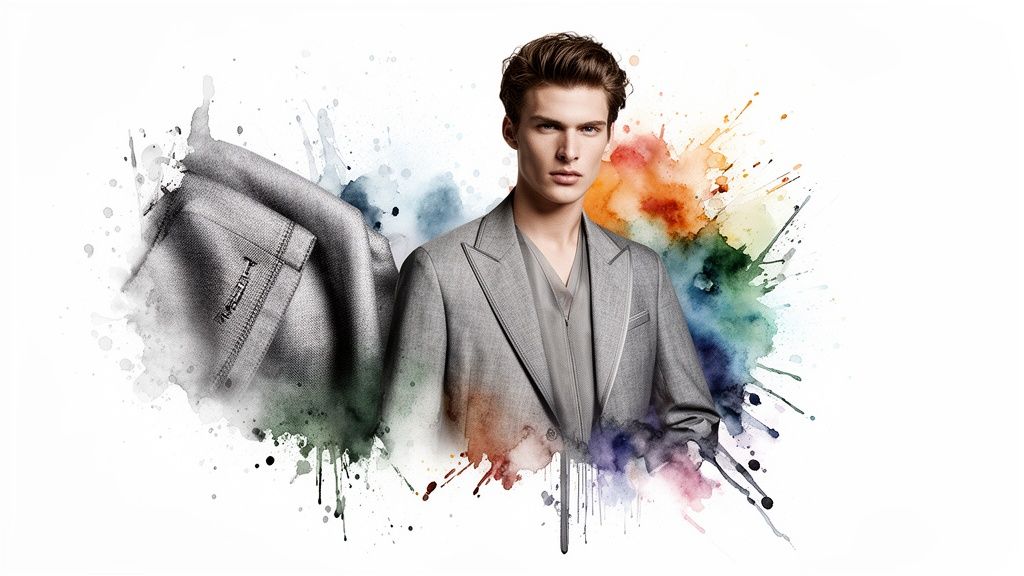
Exceptional fashion photography forges an emotional connection, letting shoppers truly see themselves wearing your clothes. This visual experience is powerful enough to build rock-solid brand trust and can even dramatically cut down on return rates.
Think about it: when a customer can zoom in on the specific weave of a fabric, see the true drape of a dress, or get a clear sense of the fit on a model, their confidence to click "buy" soars. It’s not just about showing an item; it’s about conveying its quality, feel, and soul in a way words never could.
The Psychology of Visual Commerce
At its core, a fashion e-commerce purchase is an emotional one. Someone isn't just buying a shirt; they're buying the confidence, the style, or the feeling that shirt represents. Your images have to bridge that gap between their screen and a real-life dressing room. This is exactly why the biggest brands pour so much into their visual strategy.
- Building Trust: Crisp, clear, and professional photos instantly signal a brand you can count on. Blurry or poorly lit images? They can make a business look amateurish and unreliable.
- Answering Questions: Every single image should proactively answer a customer's unspoken questions. How does it look from the back? What's the texture really like? A comprehensive photo set leaves no room for hesitation.
- Reducing Returns: When the product that arrives in the mail is a perfect match for the gorgeous, high-res images online, customer satisfaction goes through the roof—and the chance of a return plummets.
Effective fashion imagery is a conversation. It tells the customer, "We care about quality, we are transparent about our products, and we want you to feel amazing wearing them." This silent dialogue is what ultimately drives conversions.
To help you get started, here's a quick overview of the essential components we'll cover and why each is so critical for boosting engagement and sales.
Key Elements of High-Impact Fashion Imagery
Each of these elements plays a vital role in creating a visual experience that not only looks great but also performs brilliantly.
Setting the Standard in a Crowded Market
Let's be real: the bar for visual excellence is always rising. Recent e-commerce photography analyses revealed that top brands use an average of eight images per product. What's more, over 61% of them use dimensions larger than 1000x1000 pixels. This isn't just for show; it's a strategic commitment to giving shoppers a crisp, detailed view that builds absolute confidence.
You can dig deeper into current e-commerce photography statistics and see how leading brands are using visual data to their advantage. This is where modern tools, especially AI, are becoming game-changers, allowing brands of all sizes to produce studio-quality visuals at a scale we've never seen before.
How to Plan Your Photoshoot for Flawless Results
Here’s a truth every seasoned creative knows: exceptional fashion images are never a happy accident. They’re born from meticulous, strategic planning. The groundwork you lay before anyone even steps in front of the camera will dictate the success of your entire shoot and save you from the gut-wrenching headache of costly reshoots.
It all starts with defining a crystal-clear creative concept that ties directly to your campaign goals. Are you launching a summer collection that needs to feel spontaneous and free? Or is it a winter line that should scream luxury and warmth? Answering that question is the first domino—it shapes every decision that follows.
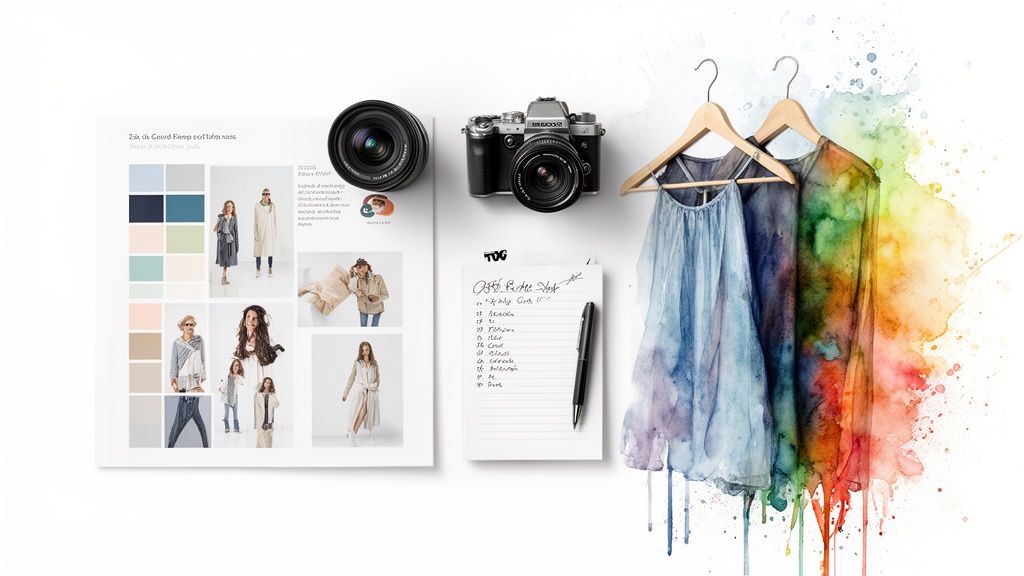
This vision then gets broken down into a detailed shot list. Forget just listing "shots of the dress." A professional shot list gets specific about angles, compositions, and crucial details. For instance, you might map out a full-length look, a close-up on the fabric's texture, a detail shot of the buttons, and a lifestyle image of the model in motion.
Crafting a Vision with a Mood Board
Think of a mood board as your visual blueprint. It's the single most effective tool for getting your entire team—from the photographer to the stylist and model—on the same page. It’s how you align everyone on the desired aesthetic, color palette, and overall feeling of the shoot.
I find that a mix of digital and physical elements works best to build a real, tactile sense of the shoot. A great mood board always includes:
- Color Palettes: Swatches that clearly define the tonal direction.
- Lighting Examples: Images that show the exact kind of light you want, whether it's soft and dreamy or hard and dramatic.
- Styling Inspiration: Tear sheets and screenshots of hair, makeup, and accessory pairings.
- Pose References: Photos that capture the specific attitude and energy you want from the model. You can find some fantastic ideas for directing your talent by studying professional guides on modeling poses in western dress.
This visual guide kills the guesswork and empowers your team to execute your vision flawlessly. And if you're working with a tighter budget, don't worry—it's still possible to get professional results. You can explore some valuable affordable product photography tips that can seriously elevate your setup without breaking the bank.
Assembling Your Creative Team and Location
Choosing the right model is about so much more than just their look; it’s about finding someone who genuinely embodies your brand’s personality. Their ability to channel the right emotion can make or break your final images.
In the same way, your location isn't just a backdrop—it's a character in your brand story.
Whether you're shooting in a sleek, minimalist studio or a sun-drenched field, the environment must reinforce the narrative of your collection. A cohesive team and the perfect location are the final, critical pieces of your pre-production puzzle.
This is the careful, unseen work that separates amateur shots from professional, high-impact visuals that truly connect with an audience and drive sales. It’s what ensures your final assets are exactly what you envisioned from the start.
Mastering Light and Style on Your Shoot
 Once you've locked in your vision and brought your team together, the real magic happens on set. This is where all that careful planning comes to life, turning concepts into stunning fashion images. But it all boils down to two things: light and styling. Nail these, and you've got a high-fashion statement. Get them wrong, and you've got a forgettable snapshot.
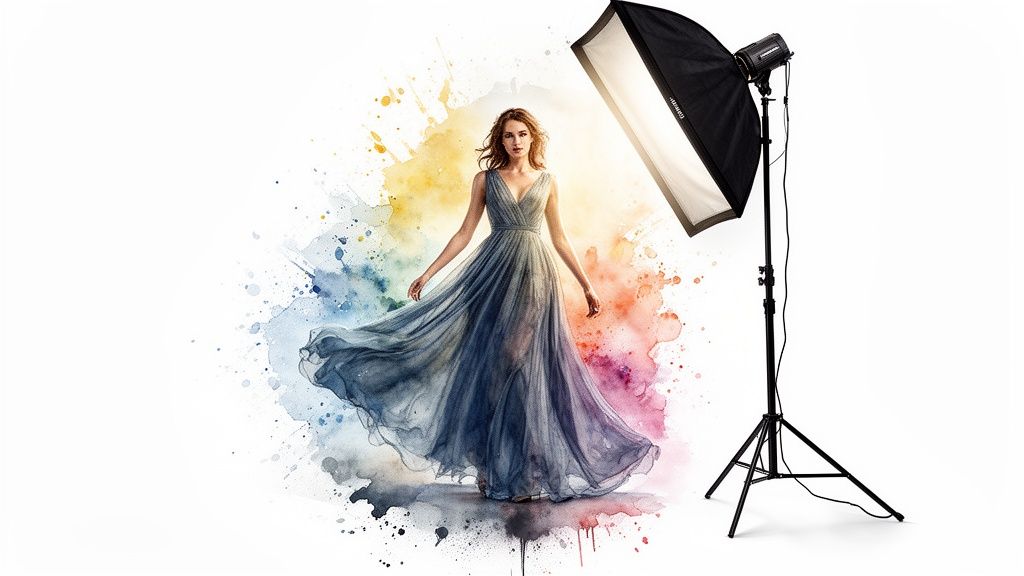
Think of light as the language of your photograph. It sets the mood, carves out shapes, and tells the viewer’s eye exactly where to look. There are really only two types of light you need to get your head around, and each tells a completely different story.
Understanding Hard and Soft Light
Hard light is what you get from a small, direct source—like the sun at high noon or a bare flashbulb. It creates sharp, dramatic shadows and punchy contrast. This is your go-to for an edgy, high-fashion vibe. It’s all about bold lines, chiseled features, and a moody atmosphere that grabs you by the collar.
Then you have soft light. This comes from a large, diffused source, like a cloudy day or a big studio softbox. It wraps around your subject, smoothing out shadows and creating a much more flattering, gentle look. For those clean, bright e-commerce shots where every product detail needs to be seen, soft light is your best friend.
The choice between hard and soft light isn't just a technical one; it's completely strategic. It's the difference between a gritty editorial that tells a story and a crisp product shot that drives a sale.
Essential Camera Settings for Fashion Photography
Getting your camera settings right is how you translate your creative ideas into a technically perfect image. While every shoot is different, most pros have a core set of settings they start with to get consistently sharp, compelling photos.
Here are the key settings to get comfortable with:
- Aperture (f-stop): To get that classic portrait look where the model is sharp and the background is a beautiful blur, open up your aperture to something like f/1.8 or f/4. If you're shooting a group or a flat lay where everything needs to be in focus, you'll want to stop down to f/8 or f/11.
- ISO: Keep your ISO as low as you can, period. Stick to 100-400 for the cleanest, most detailed images. Only bump it up if you're in a low-light jam and have no other choice.
- Shutter Speed: Models move. To freeze that motion and keep every detail razor-sharp, you need a fast shutter speed. I wouldn't go below 1/250s, and often shoot even faster.
On-Set Styling and Posing Secrets
Styling on set goes way beyond just putting clothes on a model. It’s about perfection. Every garment needs to be steamed meticulously—wrinkles are the enemy. Use clips and pins on the sly to make sure every piece fits the model perfectly, showing off its intended shape.
How you direct your model is just as important. Static, stiff poses are a killer. Get them moving. Ask them to walk, spin, or play with the set. This is how you show the way fabric actually drapes and flows in real life. That kind of dynamic energy brings your fashion images to life and makes them feel authentic and desirable.
There's a reason 95.6% of top e-commerce fashion sites use models. As detailed in PixelPhant’s latest fashion photography analysis, they often mix posed shots with more dynamic ones for a complete picture. It's that blend of professional polish and genuine energy that gives you total creative control on set.
Bringing Raw Images to Life in Post-Production
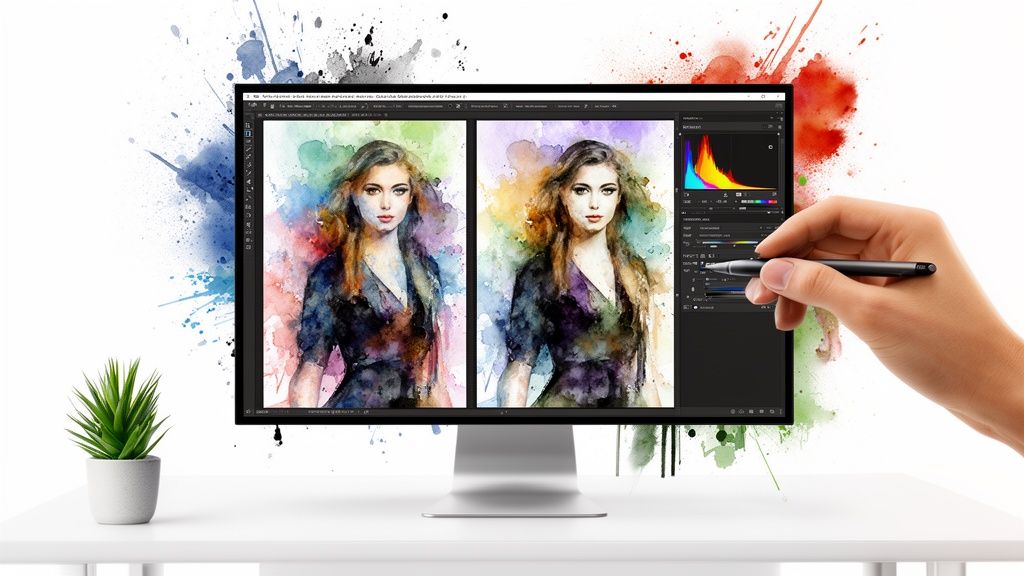
The photoshoot is really just the beginning. The magic that turns good shots into iconic fashion images happens in post-production. This is your chance to transform solid raw files into stunning, brand-aligned assets.
The goal isn’t to create a fantasy; it’s to enhance the truth of your products. You’re making sure the colors are spot-on and every little detail shines through.
I always start with the fundamentals. The first pass is all about batch-correcting the exposure and white balance across every photo from a single setup. This simple step creates a consistent foundation that makes all the detailed, creative edits that follow so much easier.
Once everything is consistent, you can get into the more creative side of things, like color grading. This is where you bake your brand’s aesthetic right into the images—whether that’s a warm, sun-drenched vibe or something more cool and minimalist.
Advanced Retouching and Compositing
With the core corrections handled, it's time to zoom in on the finer details that separate a standard product shot from a truly professional one. This means subtle skin retouching to handle temporary blemishes without erasing the model's natural look. You also have to obsess over the product itself—removing any dust, stray threads, or wrinkles that were missed on set.
For e-commerce, nothing beats a clean, uniform background. This is one area where AI-powered tools have completely changed the game. What used to take hours of meticulous pathing in Photoshop can now be done in seconds, letting you batch-remove backgrounds from thousands of fashion images with perfect consistency.
This tech is also a lifesaver for more complex tasks:
- Ghost Mannequin Effects: You can seamlessly stitch together shots of a garment's interior and exterior to create a floating 3D effect, no mannequin in sight.
- Color Swapping: Instead of reshooting a product in every single color, AI can accurately change the hue on an existing model shot. Think of the time and money that saves. You can explore how an AI image dress changer makes creating endless product variations from one shoot totally doable.
These techniques are essential for building that polished, cohesive look across your entire catalog.
Post-production is your final quality control checkpoint. It’s the last chance to ensure the image not only looks incredible but also represents your product with complete accuracy, building customer trust and reducing returns.
How AI Has Upended Editing Workflows
The single biggest shift in post-production has been the rise of AI. It’s here to handle the repetitive, mind-numbing tasks, freeing up creatives to focus on the high-impact decisions that really matter. A brand can now process an entire season’s catalog, ensuring every single product is on a perfectly white background, in a fraction of the time it used to take.
This efficiency isn’t just about speed; it unlocks new creative potential. Suddenly, you can experiment with dozens of different backgrounds, generate on-brand lifestyle scenes, or create endless variations for A/B testing your ads—all from the same set of base images.
The modern workflow is a blend of human artistry and machine precision. The result? Higher quality fashion images produced at a scale we couldn't have imagined just a few years ago.
Optimizing and Repurposing Your Fashion Images
Getting that perfect shot is a fantastic feeling, but it’s really only half the battle. If your stunning fashion images aren't properly optimized, they can actually slow down your site and stay completely invisible to search engines. The real magic happens when people actually see your work.
This all starts with getting the technical details right before you even think about uploading. Your first move should be to use a next-gen image format like WebP. It offers way better compression and quality than old-school formats like JPEG, which means you can shrink file sizes without losing those crisp details you worked so hard to capture. Since page speed is a massive factor in SEO, this isn't a step you want to skip.
Next up: your filenames and alt text. A filename like IMG_8034.jpg is meaningless to a search engine. A simple change to something descriptive, like black-leather-moto-jacket-front-view.webp, gives Google immediate, valuable context about the image.
Writing Alt Text That Actually Works
Alt text is easily one of the most powerful—and most overlooked—tools in your SEO kit. Its main job is accessibility, making your site usable for visually impaired visitors who rely on screen readers. But it also feeds search engines critical information about what's in your photos.
If you have any background in visual merchandising in retail, you'll get this instantly. Think of your alt text as the digital version of styling a mannequin; it needs to be both descriptive and compelling.
So, instead of a lazy "woman in jacket," you want to write something like: "Model wearing a black leather moto jacket with silver zippers, styled with dark wash jeans and a white t-shirt." That description is perfect for both accessibility and SEO.
Think of every image as a potential front door to your brand. Optimizing it properly is like unlocking another way for customers to find you. It’s a non-negotiable step for getting the most visibility and reach out of your hard work.
Your Image Optimization Checklist
Here's a quick checklist you can use to make sure your fashion images are ready to perform online, covering both the technical side and the user experience.
Following these steps for every image will give your content a serious competitive edge, helping you rank higher and provide a better experience for all your visitors.
Turning Static Shots into Dynamic Video
The real value of your photoshoot multiplies when you start repurposing your images. A single session can fuel your content calendar for weeks if you think beyond just static grid posts. One of the best ways to do this? Turn those high-quality stills into short, snappy videos for social media.
Visual storytelling has completely changed fashion marketing. With online sales rocketing towards $1.2 trillion by 2025, that growth is being fueled by compelling visuals on platforms dominated by Gen Z and Millennials. This audience wants fast, high-impact content, which is exactly where repurposing shines.
It’s surprisingly simple. Just take five to seven of your best model shots from a new collection. With a tool like Aeon’s Quick Ad Maker, you can instantly bring those static images to life in a dynamic video ad.
Here’s a quick workflow you can steal:
- Pick Your Hero Shots: Grab a few images with different vibes—a full-length look, a close-up on a unique detail, and maybe a candid motion shot.
- Add Movement and Text: Apply a subtle zoom or pan (often called the Ken Burns effect) to make the stills feel alive. Overlay some clean, punchy text like "New Autumn Collection" or "Sustainable Fabrics."
- Sync It with Audio: Slap a trending audio track over it that fits your brand’s personality. The right song can totally change the emotional impact of the video.
In just a few minutes, you’ve turned a static photoshoot into an engaging video ad ready for Instagram Reels or TikTok. This not only extends the life of your creative assets but also maximizes the return on your investment. To see how top brands are nailing their visual strategy, check out our deep dive into the world of image fashion and how it’s shaping the industry.
Your Top Questions About Fashion Images, Answered
When you're deep in the world of visual commerce, you start to see the same questions pop up again and again. Whether you’re a seasoned pro or just getting your e-commerce store off the ground, a little clarity on the common sticking points can make a huge difference.
We're going to tackle the most frequent questions we hear about creating fashion images that actually perform. The goal here is simple: straightforward, actionable advice to help you sidestep the usual pitfalls and make smarter moves for your brand.
How Many Images Should I Really Use For Each Product?
There’s no single magic number, but the brands that get it right consistently land around eight images per product. This isn't just about hitting a quota; it's about telling a complete visual story that leaves no room for a customer's doubt.
Your best bet is to offer up a mix that covers everything someone would want to inspect in a physical store. We're talking front, back, and side views, of course, but also detailed close-ups of the fabric, the stitching, and any hardware. And you absolutely need at least one lifestyle shot that puts the item in a real-world context.
For pieces where fit and movement are everything—like a flowy dress or performance activewear—you might need even more. The objective is to visually answer every single question a potential customer could have. Get this right, and you'll build the kind of confidence that has been shown to slash return rates.
What's The Best Way To Keep My Brand's Look Consistent?
Consistency is the absolute bedrock of a memorable brand. Your first move should be creating a detailed visual style guide. This is your brand's bible, defining the non-negotiables for lighting, color grading, background choices, and even the specific model poses you use.
Using consistent presets or actions in your editing workflow is also a game-changer for maintaining a uniform feel across your entire catalog. This is what makes a photo from last year’s collection look perfectly at home next to your latest drop.
AI-powered tools are a huge advantage for brand consistency. They can automatically apply your specific brand rules—like logos, fonts, and color palettes—to generate perfectly on-brand assets every time. It works for everything from a simple product shot to a full-blown campaign creative.
Can AI Truly Replace Our Traditional Photoshoots?
Let’s reframe that. Think of AI less as a replacement and more as a powerful creative partner. There's no substitute for a traditional photoshoot when it comes to capturing your unique brand story, authentic human moments, or the specific vision of a creative director. Those moments are essential.
Where AI really shines is with tasks that demand scale, speed, and variation. For instance, instead of booking a costly reshoot just to show a jacket in a new color, AI can repurpose your existing model photos with flawless accuracy. It can also spin up hundreds of ad variations for A/B testing or create clean, perfect backgrounds for your entire product catalog in minutes.
The smartest approach is a hybrid one. Use professional photography for your big hero campaigns and key product launches. Then, lean on AI to scale your catalog, refresh your marketing assets, and experiment with new creative ideas without blowing your budget.
How Do I Make My Fashion Images SEO-Friendly?
Making your fashion images work for search engines comes down to being descriptive and accessible. First, always use descriptive filenames. A file named blue-denim-jacket-front.jpg is infinitely more useful to Google than IMG_4321.jpg.
Even more important is writing detailed alt text for every single image you upload. This text pulls double duty: it describes the image for visually impaired users who rely on screen readers, and it tells search engines exactly what your image is about. For example: "Model wearing a blue denim jacket with silver buttons, styled with a white t-shirt."
Finally, don't forget to compress your images. Fast page load speeds are a massive ranking factor for Google and absolutely essential for keeping your customers from bouncing.
Ready to scale your creative output without sacrificing an ounce of quality? With Aeon, you can turn simple prompts into polished, high-converting ads and studio-quality visuals in minutes. Explore Aeon's production-grade AI tools and launch your free trial today!