Creating an AI video means taking something you already have—like an article, an audio file, or even some raw footage—and using a smart platform to turn it into a polished, on-brand video. This isn't just a new tool; it's a completely different way of thinking. It replaces the slow, expensive grind of traditional video production with a scalable workflow, letting content teams pump out a high volume of quality videos without burning out.
It's a strategic shift from treating video as a one-off project to building a streamlined video engine.
The End of Traditional Video Production
For years, making a video has been a huge headache for publishers and marketing teams. The whole process was just slow, expensive, and a massive drain on resources. It demanded specialized skills, long shoots, and tangled post-production work that could sideline key people for days or even weeks just for a single video.
That old model is completely broken.
The demand for video has exploded across websites, social media, and e-commerce, and traditional methods just can't keep up. Content teams are constantly pressured to do more, faster, and for more platforms, all while budgets stay flat. This usually leads to a painful choice: pour everything into a few big-effort videos or just skip video entirely and miss out.
A Modern Approach to Video Creation
AI-powered video creation cuts right through those problems. Instead of building every single video from the ground up, this new workflow treats video as a format you can generate systematically. Think of it less like filmmaking and more like running a content factory where your existing articles and assets are the raw materials.
This is more than just a tech upgrade; it’s a strategic pivot. By automating the tedious, technical parts of video production, teams can finally focus on what actually matters: strategy, storytelling, and keeping everything on-brand. The goal is to build a repeatable system that anyone—not just the video guru—can use to produce consistent, high-quality videos whenever they're needed.
And this isn't some niche trend. The market is booming. In 2024, the global AI video generator market hit USD 614.8 million and is projected to blast off to USD 2,562.9 million by 2032. You can learn more about these market trends and what they mean for publishers.
Key Takeaway: The fundamental change is moving from viewing video as a high-cost, one-off project to treating it as a scalable, automated part of your content operations. This allows you to multiply your output without multiplying your resources.
Platforms designed for this new reality, like Aeon, provide a central hub for managing this entire process. A content team can see multiple video projects at once, transforming text articles into different video formats for all their channels.
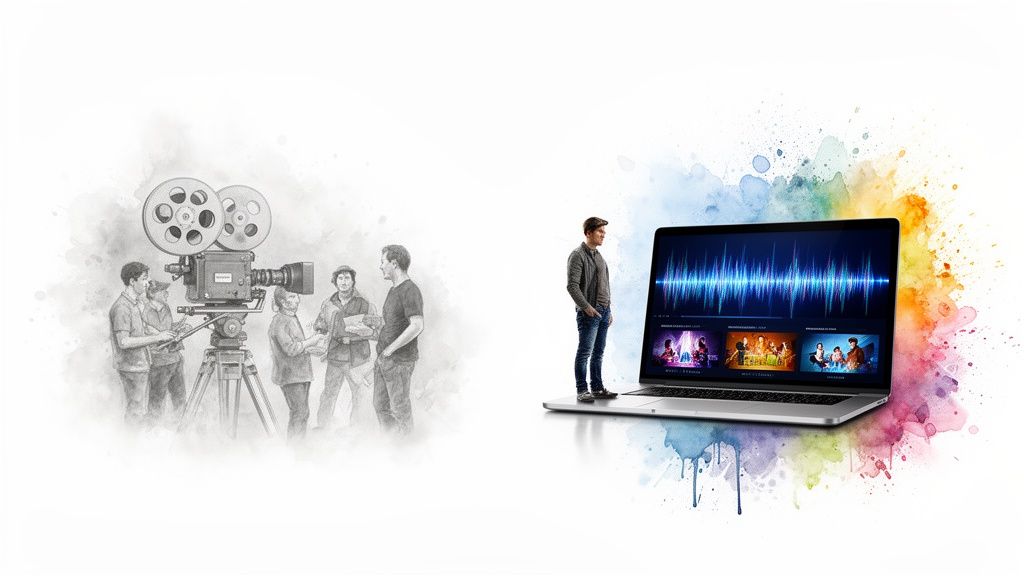
The interface brings the entire workflow together, from feeding in the source content to spitting out platform-specific versions, making the whole process of creating AI video manageable and incredibly efficient.
Building Your Repeatable AI Video Engine
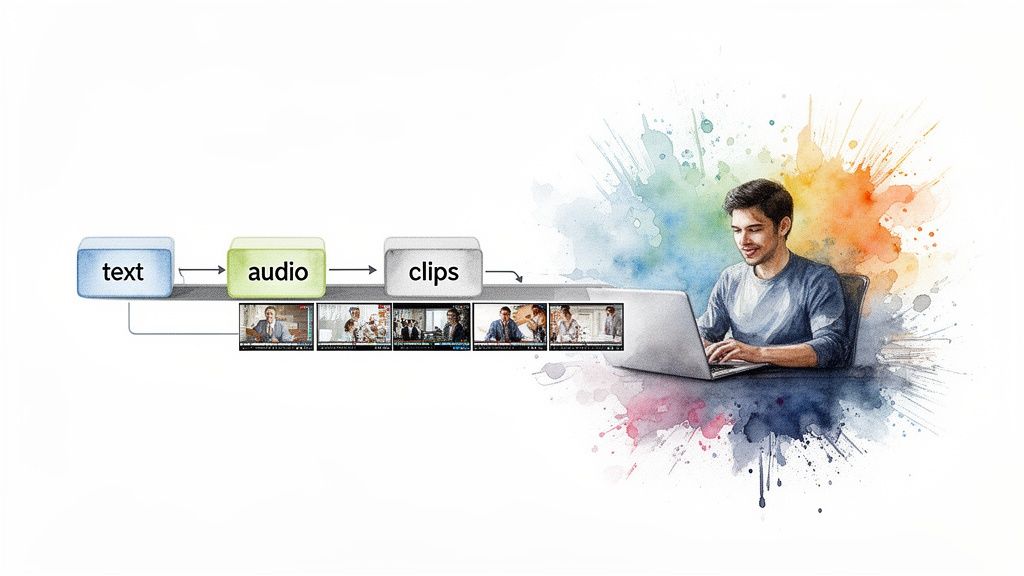
Moving into AI-driven video isn't about making a single video here and there. The real magic happens when you build a repeatable system that can consistently turn your existing content—blog posts, podcasts, you name it—into a steady flow of high-quality video.
Think of it as building an engine for your content operations. This engine ensures every video is on-brand and efficient to produce, letting you scale up without burning out your team.
It all begins with your source material. Whether you're starting with a massive blog post, a podcast transcript, or a pile of raw video clips, getting your inputs ready for the AI is the first, most crucial step.
Auditing and Preparing Your Source Content
Before you can even think about hitting "generate," you need to know what you're working with. A quick content audit will help you pinpoint your best-performing assets. Look for the articles, case studies, or audio files that already resonate with your audience. These are your low-hanging fruit, the perfect candidates to become videos.
Once you have your winners, it's time to prep them. This is more than just a copy-and-paste job; you're fundamentally rethinking the content for a visual, auditory format.
For instance, that 2,000-word blog post won't work as-is. It needs to be distilled into a punchy script. Long, winding sentences have to be chopped into shorter, conversational bites that an AI narrator can deliver without sounding like a robot.
Here’s a practical checklist I use for prepping assets:
- Make Text Narration-Ready: Go through the script and slash any jargon or weird phrases. Seriously, read it out loud. You'll immediately catch what sounds clunky and unnatural.
- Structure for the AI: Break your text into logical scenes. I use simple notes like
[Scene: Introducing the problem]or[B-roll: Team collaborating at a whiteboard]to give the AI clear instructions. - Get Your Media in Order: If you're using your own footage or images, don't just dump them in a folder. Create a clean, structured system with clear file names (e.g.,
product-shot-01.jpg). This makes batch processing a thousand times easier.
This initial prep work has a massive impact on the final video. A clean script and organized media library let the AI do its job faster and more accurately, which means way less time spent on manual fixes later.
Creating Master Templates for Consistency
If you want to achieve any kind of scale, you need templates. A master template is basically a blueprint for a specific video type, locking in your brand colors, fonts, pacing, and overall style. This is how you ensure every video looks like it came from the same creative team, even when it was generated automatically.
We've found success creating a few different templates for our core content formats:
- News Brief Template: Built for quick, punchy updates. Think prominent text overlays, fast cuts, and a runtime of under 60 seconds. Perfect for social media.
- Explainer Video Template: For deeper dives. This template has slower pacing, dedicated spots for charts and graphs, and uses a more authoritative narrator.
- E-commerce Product Showcase: All about the visuals. It prioritizes clean product shots, uses minimal text, and has an upbeat, benefit-focused script.
By setting up these templates first, you empower anyone on your team to create a perfectly on-brand video without needing a designer to sign off. The big creative decisions are baked in, and the AI handles the execution.
This is what separates sporadic video creation from a truly scalable video engine. You can see how these templating features work on a powerful https://project-aeon.com/blogs/text-to-video-platform in a real-world setting. To really get this engine humming, you'll also want to familiarize yourself with the best AI video generators on the market.
Your goal is to build a concrete process that removes the guesswork. With a well-organized content library and a suite of smart templates, your team can go from idea to published video faster than ever. This is the system that unlocks what AI can really do for your content strategy.
Embedding Your Brand into Every Frame
Automation is meant to amplify your brand’s voice, not silence it. As you figure out how to create AI video, mastering the details that make each frame feel authentic is what separates generic, forgettable content from a powerful brand asset.
Think of it this way: an AI video engine is only as good as the brand identity you feed it. Without clear direction on voice, visuals, and messaging, the AI will produce videos that are technically correct but completely soulless. They simply won't connect with your audience.

Choosing an AI Voice That Matches Your Brand
The narrator’s voice is often the first thing your audience notices, setting the entire tone of the video. Choosing the right AI voice is a lot like casting an actor for a role—it needs to embody your brand’s unique personality.
Are you a serious, authoritative news outlet? You’ll want a voice that’s clear, steady, and professional. Or maybe you're a fun e-commerce brand. In that case, a more energetic and casual voice is probably a much better fit.
Modern AI platforms offer a huge library of voices, but the real power is in the customization. Don’t just pick a default and move on. Take the time to experiment with the settings:
- Pacing and Speed: Adjust the words per minute to match the energy of your content. A quick social media clip needs a faster pace than a thoughtful, in-depth explainer video.
- Pitch and Inflection: Tweak the pitch to avoid that classic monotone delivery. Adding subtle inflections is key to making the AI sound more human and engaging.
- Pauses: Don't underestimate the power of a good pause. Insert them strategically to emphasize key points or give viewers a moment to digest complex information.
Getting the voice right is a critical step in making your AI-generated videos feel less robotic and more relatable. The goal is to find a voice your audience would actually trust.
Applying Visuals with Brand Kits and Templates
Visual consistency is absolutely non-negotiable for brand recognition. An AI video platform becomes exponentially more powerful when you build a comprehensive brand kit directly within it. This essentially creates a centralized library of your visual assets, ensuring every single video automatically adheres to your guidelines.
A solid brand kit should include:
- Your Logos: Upload primary and secondary logos, including different versions for light and dark backgrounds.
- Color Palette: Define your exact hex codes for primary, secondary, and accent colors.
- Fonts: Specify your brand’s typography for headings, subtitles, and captions.
Once your brand kit is locked in, you can build master templates that pull from these assets. For example, a template might automatically place your logo in the top-right corner, use your primary brand color for text overlays, and apply your specific font to all captions. Our guide on how to style AI video content dives much deeper into strategies for this process.
Pro Tip: Create a “lower third” template for introducing speakers or topics. This small but incredibly professional touch instantly elevates the quality of your videos and reinforces your brand identity in every scene.
AI video platforms offer a suite of customization features that are crucial for maintaining brand consistency. These tools give you the creative control needed to ensure every video feels like it came directly from your team, not a machine.
Here's a look at some of the most important features to look for:
Key AI Video Customization Features
Ultimately, these features bridge the gap between automated production and creative expression, making AI a true partner in your content strategy rather than just a production tool.
Sourcing B-Roll and On-Brand Media
The visuals that accompany the narration are just as important as the voice itself. While many AI platforms can automatically select stock footage based on your script, you'll always get better results with a bit of human curation.
Look for b-roll that not only matches the script's keywords but also aligns with your brand's aesthetic. If your brand is warm and people-focused, you'll want to avoid cold, corporate-style clips. Many platforms integrate with premium stock libraries like Getty Images or Shutterstock, giving you access to high-quality footage that can make a real difference.
The impact of this brand-centric approach is significant. For publishers, AI-driven videos can lift time-on-page by 88% and reduce bounce rates. For e-commerce, the text-to-video AI market is exploding—projected to hit USD 0.9 billion by 2027—as branded videos boost engagement by 49% over static images.
By embedding your unique brand identity into every voice, color, and clip, you transform an automated process into a powerful storytelling tool. This ensures your AI-generated videos don't just add to the noise but actively build brand equity with every view.
Scaling Production and Cross-Platform Distribution
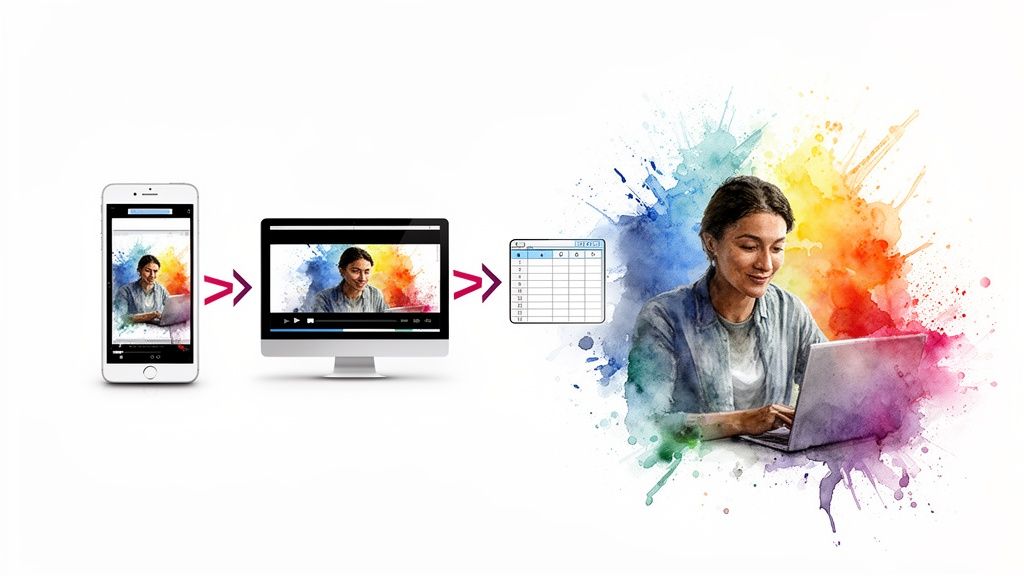
This is where your AI video engine really starts to flex its muscles. Moving from one-off videos to producing them at scale is the operational leap that changes everything for your content team. You're no longer thinking in terms of single projects but a continuous production flow.
Instead of a painstaking, one-by-one process, you can generate dozens of high-quality, on-brand videos all at once. This is what lets you fill your content calendar, arm ad sales with custom assets, and populate product pages with engaging video—all without burning out your team.
From Single Videos to Batch Processing
Batch processing is how you put your scalable system to work. It’s all about using a single command or a simple data source—like a spreadsheet or an RSS feed—to kick off the creation of multiple videos at the same time.
Imagine your editorial team just published five new articles. Instead of tasking someone to manually create five separate videos, you just feed the article URLs into your AI platform. The system gets to work, automatically pulling text, applying the right brand template, sourcing relevant visuals, and rendering five unique videos for your review.
This is a game-changer for all kinds of use cases:
- Editorial Content: Automatically turn every new blog post into a summary video for your social channels the moment it’s published via your RSS feed.
- E-commerce Product Pages: Upload a single spreadsheet with product names, features, and image URLs. The AI can then pump out a unique video for every single SKU in your catalog.
- Ad Sales Campaigns: Quickly create a dozen versions of a promotional video, each customized with a different client's logo or call-to-action, just by providing the variations in a simple list.
Key Takeaway: Batching flips video creation on its head. It’s no longer a slow, creative task but a predictable, automated operation. Your team handles the strategy and prepares the inputs; the AI takes care of the repetitive heavy lifting at a scale that would be impossible for humans to match.
The efficiency gains here are massive. A professionally crafted video used to cost anywhere from $1,000 to $5,000 and take a week to produce. AI generators can deliver a comparable asset in minutes for less than $10. With 1 billion daily video views across major platforms, this kind of speed is no longer a luxury—it's essential. You can dig into more of these cost-saving trends in AI video generation to see the full picture.
Optimizing for Every Platform
Let's be real: your audience acts differently everywhere. A landscape video that looks great on your website is going to flop on TikTok. A long-form YouTube explainer is dead on arrival in an Instagram Story. When you start making AI video at scale, you have to plan for these differences from the very beginning.
Manually reformatting videos is one of the most soul-crushing tasks in content production. Exporting, re-importing, cropping, adding new captions, and exporting again for every single platform is a colossal time sink. This is exactly where automation becomes your best friend.
Creating and Applying Platform Presets
A truly smart workflow involves building platform-specific presets right inside your AI tool. Think of them as variations of your main brand templates, but they come pre-loaded with the technical specs and stylistic touches for each channel.
Here’s what a set of presets might look like in practice:
Once these presets are dialed in, the whole process becomes incredibly smooth. When you generate a video from a source article, you can just tick the boxes for "YouTube," "TikTok," and "LinkedIn." The AI then automatically renders three different versions, each one perfectly optimized for where it’s going.
This isn't just about looking good—it's about performance. Algorithms on platforms like Instagram and TikTok actually favor content that uses their native formats, giving your videos a much better chance of being seen. This kind of multi-platform strategy is a cornerstone of modern digital outreach. To learn more, check out our guide on the fundamentals of what multi-channel marketing entails and how video plugs in.
By pairing batch processing with automated, platform-specific formatting, you build a powerful distribution machine. Your team can focus on creating great source content, knowing it will be instantly transformed into an arsenal of high-performing video assets ready for every channel.
Your Quality Control and Performance Playbook
AI gives your video workflow a massive speed boost, but that speed is totally useless if the quality isn't there. This is where human oversight becomes your most valuable asset. The point isn’t to micromanage the AI; it’s to build a smart, fast quality assurance (QA) process that catches the obvious mistakes before your audience does.
A high-velocity workflow demands a high-velocity QA process. You just can't spend hours picking apart every video when you're pumping out dozens a week. What you need is a quick, focused checklist that helps your team spot the most common AI blunders in minutes.
A Fast and Focused QA Checklist
The biggest mistakes AI makes usually come down to context and pacing. It might grab a visual that technically matches a keyword in your script but completely misses the emotional tone. Or it might just rush through a key point because the narration is a little too fast.
Your team's job is to be the human filter that catches these subtleties. A quick review, guided by a simple checklist, is often all it takes to turn a decent AI video into a really good one.
Here’s a practical checklist you can adapt for your team to give each video a quick once-over before it goes live:
- Pacing and Flow: Does the narration feel natural, or is it rushed and robotic? Listen for awkward pauses or moments where the timing just feels off.
- Visual-Script Mismatch: Do the images and b-roll actually support what's being said? Keep an eye out for visuals that are way too literal or just plain weird.
- Brand Consistency Check: Are the right logos, fonts, and colors being used? A quick glance is usually all you need to confirm the brand kit was applied correctly.
- Caption and Text Accuracy: Read through any on-screen text or burned-in captions. Typos are the fastest way to make your content look unprofessional.
This kind of rapid-fire review lets you maintain high standards without killing the very efficiency that made you want to use AI in the first place. It’s about making small, high-impact tweaks, not starting from scratch.
Key Insight: Your QA process shouldn't be a bottleneck. It should be a final, human touchpoint that elevates the automated output. The goal is to catch 80% of potential issues with 20% of the effort of a full manual edit.
Once you’ve got a solid quality check in place, the next step is proving this whole thing is actually working. Generating videos is easy; generating results is what matters.
Measuring What Actually Matters
How do you know if your AI video engine is driving real business value? You've got to move beyond simple vanity metrics like view counts and start tracking the numbers that connect directly to your goals, whether that's audience engagement, lead generation, or sales.
The trick is to define your key performance indicators (KPIs) before you start scaling up production. This makes sure you're not just making videos for the sake of making videos, but are actively working toward a measurable outcome.
For most publishers and content teams, the most meaningful metrics are tied to how video impacts on-page behavior.
- Audience Retention: This is a huge one. Dive into your video analytics and see where people are dropping off. A steep drop in the first 10 seconds? That might mean your intros aren't grabbing attention.
- Time on Page: Does adding a video make visitors stick around longer? Use your site analytics to compare the average time on page for articles with video versus those without.
- Click-Through Rate (CTR) on CTAs: If your videos have a call-to-action, are people actually clicking it? This is a direct measure of how persuasive your content really is.
A Framework for A/B Testing and Refinement
Once you have your baseline metrics, you can start actively improving them. A/B testing is your best friend here. It lets you test different variables in a controlled way to see what really resonates with your audience.
You don’t need some complex setup to get started. Just isolate one variable at a time and see how it moves the needle on your KPIs.
Here are a few simple A/B tests you can run right away to refine your AI video strategy:
By constantly testing and refining, you turn your AI video workflow into a feedback loop. Every video you publish gives you data that helps make the next one even better. This is how you build a truly intelligent system—one that combines the speed of AI with the strategic insights of your team to drive real, measurable results.
Common Questions About AI Video Workflows
Switching to an AI-driven workflow is a big move, and it's totally normal to have questions. For most publishing and marketing teams I talk to, the big concerns usually boil down to creative control, quality, and simply where to start.
Let's clear the air on those so you can move forward feeling confident.
Do I Lose Creative Control with AI Video Generators?
This is probably the biggest myth out there. The fear is that you hand everything over to a machine and lose your brand's unique touch.
In reality, it’s the opposite. You're not losing control; you're just shifting your focus to what really matters. Instead of getting bogged down in the tedious stuff—like manually trimming clips or painstakingly syncing audio—your team gets to concentrate on the high-level creative strategy.
You still define the core of every video: the script, the brand voice, the visual templates, and the source material. The AI just becomes your ultra-efficient production assistant, handling the repetitive assembly work. This frees up your best creative minds to think bigger about storytelling and strategy.
Can AI Videos Match Human Production Quality?
For the huge volume of content needed for social media, news summaries, article-to-video posts, and product explainers? Absolutely. The key is using AI for the right jobs—the ones where speed and scale are make-or-break.
Modern platforms give you access to premium stock media libraries and custom voice cloning, so the final videos look and sound completely professional.
Sure, if you’re producing a cinematic brand film for the Super Bowl, you’ll probably still hire a traditional production crew. But for the day-in, day-out content that keeps you relevant and engaging your audience, AI is the perfect tool for the job.
AI excels at creating the everyday video content that fuels modern marketing and publishing. It’s about producing consistently good content at scale, not just a single perfect video.
This lets you maintain a constant presence across all your channels without the killer costs and long timelines of old-school video production.
What Is the Best Way to Start Integrating AI Video?
Don't overcomplicate it. The smartest and safest way to begin is by working with what you already have. Look at your existing content and find your winners.
Start by identifying your top-performing blog posts or articles. These are your low-risk, high-reward assets. You already know the topic resonates with your audience, so you're not gambling on a new idea.
Here’s a simple pilot project to get your feet wet:
- Pick 5-10 of your top articles. Go for evergreen content or pieces that are still driving a lot of traffic.
- Turn them into short videos. Create a simple template and generate summary videos formatted for your website and maybe one or two key social platforms.
- Watch the metrics. Keep a close eye on time-on-page, audience engagement, and click-through rates on any CTAs in the content.
Once you’ve run this small batch, you’ll have ironed out your workflow and, more importantly, you'll have real data showing the return on your effort. That's how you build the confidence—and the business case—to scale up. From there, you can start creating videos for new content and even automate the process right from your RSS feed.
Ready to build your own scalable video engine? With Aeon, you can transform your existing articles and content into high-quality, on-brand videos in minutes, not days. See how our platform can revolutionize your workflow at https://www.project-aeon.com.