Creating an explainer video comes down to a simple, effective process. Start with a script that zeros in on a single pain point for your viewer, pick a visual style that actually fits your brand—like animation or a clean screen recording—and use an accessible tool to bring it to life.
What you get is a short, powerful asset that makes your message crystal clear and gets people to act.
Why Explainer Videos Are a Growth Engine, Not a Gimmick
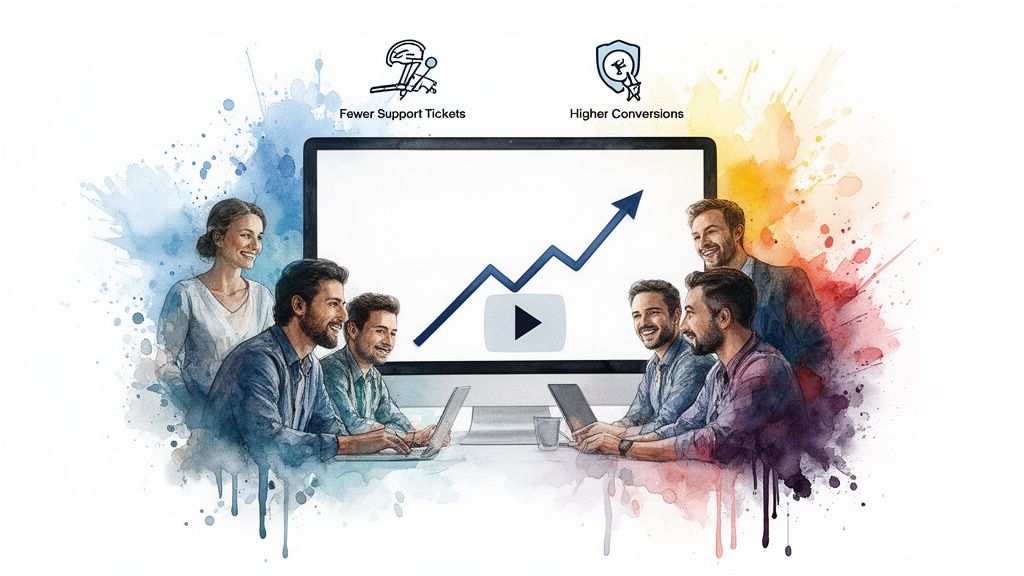
Okay, let's get past the obvious. You already know explainer videos make complicated ideas simple. But their real power? They’re a strategic growth engine. Think of them less as a creative one-off and more as a core business tool that sharpens your brand story, boosts engagement, and directly impacts your bottom line.
The psychology behind why they work so well is beautifully simple. Our brains are wired to process audio and visual information together, which makes concepts stick. When a potential customer can see and hear how you solve their problem, it clicks in a way that text alone just can't match.
Real-World Impact on Business Goals
I see this all the time. Take a SaaS startup buried in customer support tickets. They create a straightforward, 90-second animated video walking users through their dashboard. Suddenly, they've answered the most common questions before they're even asked. That one video can slash support tickets by 40%, freeing up the team for higher-level problems.
Or think about an e-commerce store. A quick video on a product page, showing the item in action, does what a gallery of static photos never could. It helps customers imagine the product in their own lives, building the confidence they need to click "buy."
Explainer videos aren't just about explaining; they're about persuading. They bridge the gap between a user's problem and your solution in a format that is both easily digestible and highly convincing.
The Data-Backed Case for Video
This isn't just about gut feelings—the numbers tell a compelling story. Explainer videos are conversion machines.
- Websites with video can see conversion rates jump by up to 80%.
- Emails with an embedded video often get a 200-300% higher click-through rate.
- A staggering 85% of people are more likely to buy a product after watching a video about it.
And for content teams, the SEO boost is huge. Pages with video are 53 times more likely to rank on Google. If you want to go deeper, these explainer video statistics lay out the full potential.
The bottom line is that knowing how to create an explainer video is no longer a luxury skill for big companies with massive budgets. Modern AI tools like Aeon have made high-impact video production accessible for everyone, turning a once-complex process into a scalable strategy for real business growth.
Building the Foundation of a Powerful Explainer Video
Before you even think about software, animation, or voiceovers, the real work of a high-converting explainer video begins. The magic happens in the strategic planning phase, where you turn your big marketing goals into a simple, compelling story.
This is the stuff that separates a video that drives real action from one that just gets scrolled past.
It all starts with one crucial question: What's the one big idea your viewer absolutely must remember? If they forget everything else, what’s the single message that needs to stick? Trying to cram in five different benefits just creates noise and leaves your audience confused.
For instance, a project management tool could focus on "effortless team collaboration" or "slashing meeting times by half." Pick one. That singular focus becomes the bedrock of your entire video.
Pinpoint Your Audience's Core Problem
Once you've got your big idea, you have to connect it to a genuine frustration your audience is feeling right now. A great explainer video doesn't just show up with a solution; it first validates the viewer’s problem. It enters the conversation that's already happening inside their head.
So, get specific about your ideal viewer. What keeps them up at night? What part of their day is a total grind?
- For a SaaS company: Is it the pure chaos of juggling a dozen different spreadsheets?
- For an e-commerce brand: Is it the nagging uncertainty of buying something online without seeing it first?
- For a service provider: Is it the mind-numbing repetition of administrative busywork?
By nailing this specific pain point, you set the stage for your product to be the hero. You’re not just selling a feature; you’re selling relief from a problem they know all too well.
An explainer video that starts by describing the problem a viewer is currently facing is far more powerful than one that immediately jumps into listing features. It shows empathy and builds an instant connection.
Master the Problem-Agitate-Solution Script Formula
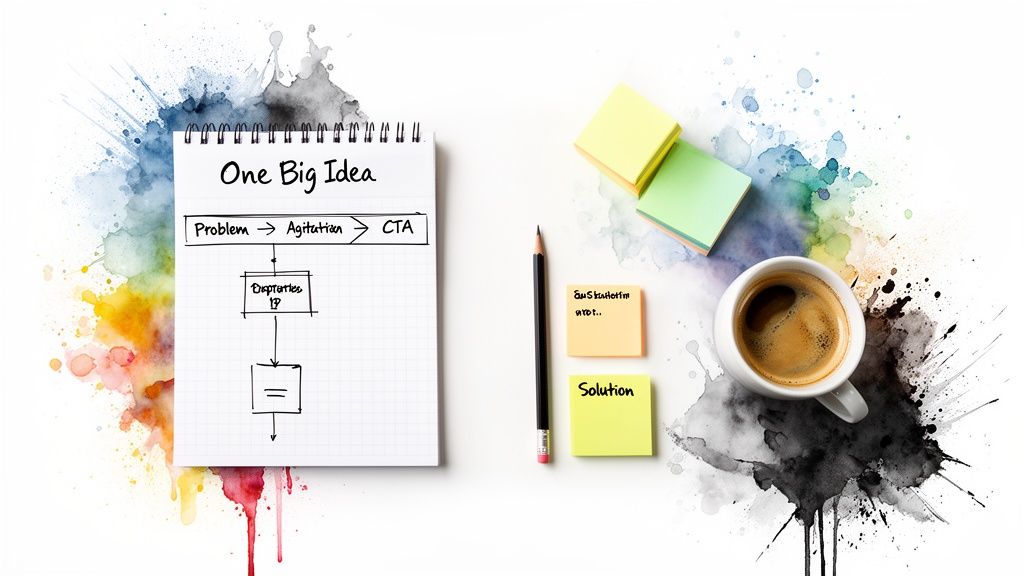
With your core message and pain point locked in, it's time to build your script. There's a battle-tested formula that works like a charm for short explainer videos: Problem-Agitate-Solution (PAS), capped off with a clear Call to Action.
It’s simple, direct, and taps into basic human psychology. Here’s the breakdown:
-
Problem: Kick things off by stating the pain point you just identified. Open with a relatable scenario that gets the viewer nodding along. "Tired of digging through endless email threads just to find one stupid attachment?"
-
Agitate: Don't just state the problem—twist the knife a little. Paint a picture of the negative consequences. This is where you build the emotional tension. "It wastes your day, creates confusion for your team, and brings critical projects to a screeching halt."
-
Solution: Now, you swoop in with the answer. Introduce your product as the clear, obvious fix for the tension you just built. "That's why we built [Your Product Name]. It's one central hub where all your project files live—organized and instantly accessible."
-
Call to Action (CTA): Finally, tell them exactly what to do next. No ambiguity. "Click the link to start your free trial," or "Visit our website to see how it works."
This simple structure gives your video a natural story arc that hooks the viewer, makes the problem feel urgent, and positions your solution as the perfect hero.
Visualize the Flow with a Storyboard
You don't need to be a Disney animator to make a storyboard. Seriously. A simple shot list or a few rough stick-figure sketches will do the trick. The whole point is to map your script to your visuals to make sure the story flows.
For an animated video, a storyboard can be as simple as a sequence of text descriptions:
- Scene 1: Animated character looking super frustrated at a laptop screen overflowing with messy emails. (This lines up with the "Problem.")
- Scene 2: A clock face with the hands spinning wildly out of control. (Here's the "Agitation.")
- Scene 3: The software's clean, organized dashboard appears, magically tidying the chaos. (And that's the "Solution.")
Taking this one simple step helps you spot awkward transitions or confusing visual ideas before you're deep in production. It saves a massive amount of time and ensures your visual story and your script are working together perfectly.
Choosing Your Production Path: Manual vs. AI-Powered
You’ve got a solid plan and a sharp script. Now comes the big decision: how are you actually going to make this thing? The path you choose here will dictate your timeline, budget, and frankly, how many more videos you can create down the line.
You’re basically looking at two main roads: the traditional, hands-on manual route, or the faster, more modern AI-powered approach.
The Classic Approach: Manual Production
Going the manual route is the way it’s always been done. You assemble a crew of specialists: a voiceover artist, an animator or videographer, and a video editor to stitch it all together. This high-touch process gives you immense creative control over every single frame, sound effect, and transition.
For a flagship brand video or a story that needs a very specific, nuanced touch, that level of control can be exactly what you need.
But it’s not without its drawbacks. Finding, hiring, and managing a team of freelancers is a job in itself. Production timelines can easily stretch from weeks into months, and the costs can climb into the thousands of dollars. It’s just not a sustainable model for teams that need to put out video content regularly.
The Modern Alternative: AI-Powered Production
Now, let's look at the other path: AI automation. Tools like Aeon have completely changed the game for content teams. Instead of coordinating a whole team, you use a single platform that can turn your script into a finished video in a tiny fraction of the time.
These AI platforms are built for speed and scale. You feed it your script, and the system generates visuals, adds a professional-sounding AI voiceover, and applies your brand’s colors and logos automatically. What used to take weeks of back-and-forth can now be done in minutes, right from your browser.
This isn’t just about making one video faster. It’s about being able to create video at scale.
Imagine A/B testing five different ad creatives or creating personalized video messages for different customer segments. With manual production, that would be a budget-breaking nightmare. With an AI tool, it’s just another Tuesday.
The real power of AI isn't just speed—it's scalability. It lets teams graduate from making one-off videos to building a continuous video production engine that can react to any marketing need on the fly.
Manual vs Automated Explainer Video Production
Deciding between manual and automated production really comes down to your project's specific needs. To make it clearer, let's break down the key differences. This table should help you weigh the pros and cons based on what matters most to your team right now.
Ultimately, the best approach depends on your specific goals. An AI platform gives you the speed and scale for day-to-day content, while you might still call in the specialists for that one big, high-stakes project.
Making the Right Choice for Your Project
So, how do you decide? It all comes down to your goals, your resources, and your deadline.
Go with Manual Production when:
- The stakes are exceptionally high. For a major brand launch or a cornerstone marketing campaign, the bespoke quality of manual work might be worth the investment.
- You need a unique, artistic style. If your concept requires a very specific animation or live-action look that an AI can't replicate, a human artist is the only way to go.
- Budget and time aren’t your main worries. You have the resources to invest in a longer, more involved, and collaborative creative process.
Choose AI-Powered Production when:
- You need to create content consistently. For turning blog posts into videos, pumping out social media content, or creating regular product updates, AI offers efficiency you can’t beat.
- Speed is everything. You need to jump on a market trend or get a campaign live now.
- You need to create multiple versions. A/B testing ad copy, localizing content for different regions, or personalizing outreach is incredibly simple with AI. If this sounds like you, there are many AI video creation tools out there to fit different workflows.
The impact of AI on video is impossible to ignore. It’s completely changing how teams get things done. By 2025, it's estimated that 54% of marketers will be using AI tools to cut costs and speed up their work. The market is booming, with some forecasts predicting a 17.3% CAGR for animation platforms through 2034.
When you factor in that personalized videos can lead to a 3x-4x boost in customer loyalty, the strategic advantage is crystal clear. For a deeper dive, you can discover more insights about video marketing statistics on The Desire Company.
If you’re leaning toward AI, checking out the best AI video generators is a great next step. The modern content creator has room for both approaches in their toolkit; the real skill is knowing when to use each one.
Crafting Your Video With Compelling Visuals and Audio
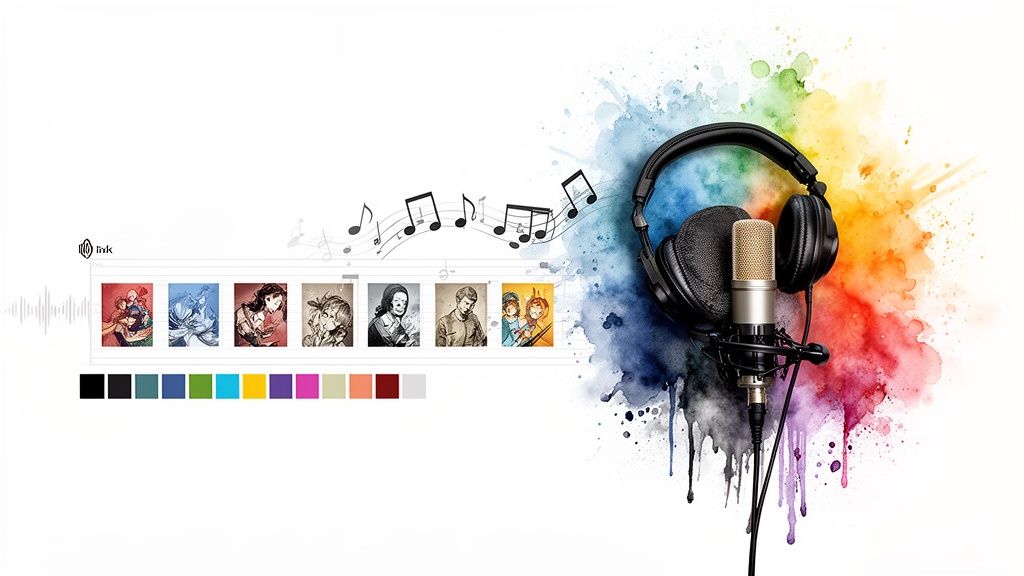
This is where the real magic happens. A great explainer video isn't just about what you say; it's about how sight and sound come together to tell a single, cohesive story. Getting these elements right is what separates a forgettable video from one that genuinely captivates and persuades.
It all comes down to making deliberate creative choices. Every single element, from the visual style that broadcasts your brand's personality to the audio that sets the emotional tone, plays a vital role in reinforcing your core message.
Choosing a Visual Style That Fits Your Brand
The first thing anyone will notice is the look of your video. It has to instantly feel like you and be appropriate for the complexity of your topic. There’s no single “best” style here; the right choice is completely dependent on your brand and your goals.
- 2D Animation: This is a classic for a reason. It’s fantastic for breaking down abstract concepts and injecting personality into your brand with custom characters and slick motion graphics.
- Screen Recordings: When you're doing a software demo or product walkthrough, nothing beats a clean screen recording. It’s direct, shows your product in action, and builds immediate trust.
- Live-Action: Want to build a strong human connection? Use real people. This style is perfect for testimonials, telling your company's origin story, or showing off a physical product in a real-world setting.
Really think about who you're talking to. A playful, animated style might be perfect for a new consumer app, while a polished screen recording would be much better suited for a complex B2B SaaS platform. Consistency is everything.
The Power of a Professional Voiceover
Don't ever underestimate your audio. It’s just as important as the visuals—arguably, even more so. A clear, engaging voiceover is the narrative backbone that guides your viewer through the story with confidence.
Even the most stunning visuals can feel cheap and unprofessional if the audio quality is bad.
Traditionally, getting this right meant hiring a voice actor. That process involves auditions, scheduling studio time, and dealing with re-recording costs if your script changes. It works, but it can be painfully slow and expensive.
Today, AI voice generators have become an incredibly powerful alternative. They give you the flexibility to instantly generate professional-sounding narration in dozens of styles and make script tweaks on the fly—with zero extra cost or delay.
This modern approach guarantees consistency across all your videos. For any team trying to produce content at scale, being able to spin up a flawless voiceover in minutes is a massive advantage.
The narration is a huge part of your explainer's success. For more tips, check out our guide on how to write a voice over script that truly connects.
Setting the Mood with Music and Sound
The final layer of polish is the soundtrack. Background music and sound effects are subtle, but they are incredibly powerful tools for shaping how your viewer feels.
Selecting Background Music
The right track enhances the mood without ever overpowering the narration. An upbeat, optimistic track can make your solution feel exciting and inspiring. A more subdued, ambient score can create a sense of focus and professionalism.
Just be sure to always use royalty-free tracks to avoid any legal headaches down the road. Most video platforms, including Aeon, provide a built-in library of pre-cleared music you can use without a second thought.
Using Sound Effects for Emphasis
Sound effects (SFX) are the secret ingredient that makes a video feel dynamic and alive.
- A subtle swoosh can make a transition between scenes feel seamless.
- A gentle click can highlight an important on-screen action.
- A soft ding can draw attention to a new feature popping up.
The key is to use them sparingly for emphasis and polish. When done right, SFX guide the viewer’s attention and make the whole experience more engaging and memorable.
Distributing and Optimizing Your Video for Maximum Impact
Creating a fantastic explainer video is a huge accomplishment, but it's only half the battle. A brilliant video that nobody ever sees has a return on investment of exactly zero.
This final, critical stage is all about getting your creation in front of the right audience and then proving its value with cold, hard data. Your distribution strategy shouldn't be an afterthought; it needs to be baked into your plan from the very beginning.
Mastering Video SEO for Discovery
Search is often the first place potential customers will find you, making video SEO an absolute must. Whether you’re posting on YouTube or your own website, a few key tweaks can dramatically boost your visibility.
It all starts with your title. It has to be compelling for humans and stuffed with the right keywords for search engines. Ditch a generic title like "Our New Feature" for something specific and benefit-driven, like "How to Automate Invoicing and Save 10 Hours a Week."
Your video description is another goldmine for SEO. Use this space to expand on the title, weaving in primary and secondary keywords, adding relevant links, and even dropping in a full transcript. This gives search algorithms a ton of context to understand what your video is all about.
The thumbnail is your video's billboard. It’s often the single deciding factor in whether someone clicks play or just keeps scrolling. Invest time in creating a custom, high-contrast thumbnail with a clear focal point and minimal text that sparks curiosity.
A Multi-Channel Distribution Strategy
Putting all your eggs in one basket is a recipe for missed opportunities. A real distribution strategy means formatting and promoting your video across every relevant channel where your audience actually spends their time.
- Your Website: Embed your video on key pages. Put it on your homepage to greet new visitors, on product pages to drive conversions, and within blog posts to break up text and explain complex ideas.
- Email Campaigns: Video and email are a powerhouse combo. Including a video can send your click-through rates soaring. Just use an enticing thumbnail that links out to a landing page where the video lives.
- Social Media: Every platform has its own rules. For Instagram and TikTok, you'll need a punchy, vertical version. On LinkedIn, a version with burned-in captions is essential, as a staggering 85% of social videos are watched with the sound off.
The demand for clear, concise video content is skyrocketing. The global explainer video services market is set for massive growth through 2030, driven by businesses needing to simplify complex ideas. AI-driven platforms like Aeon are fueling this boom, allowing teams to turn simple text into polished, brand-aligned videos with incredible speed.
Measuring What Truly Matters
To prove your video's worth and refine your strategy, you have to track the right metrics. View count is a start, but it's mostly a vanity metric. The numbers that really tell the story are much deeper.
Key Performance Indicators (KPIs) to Track
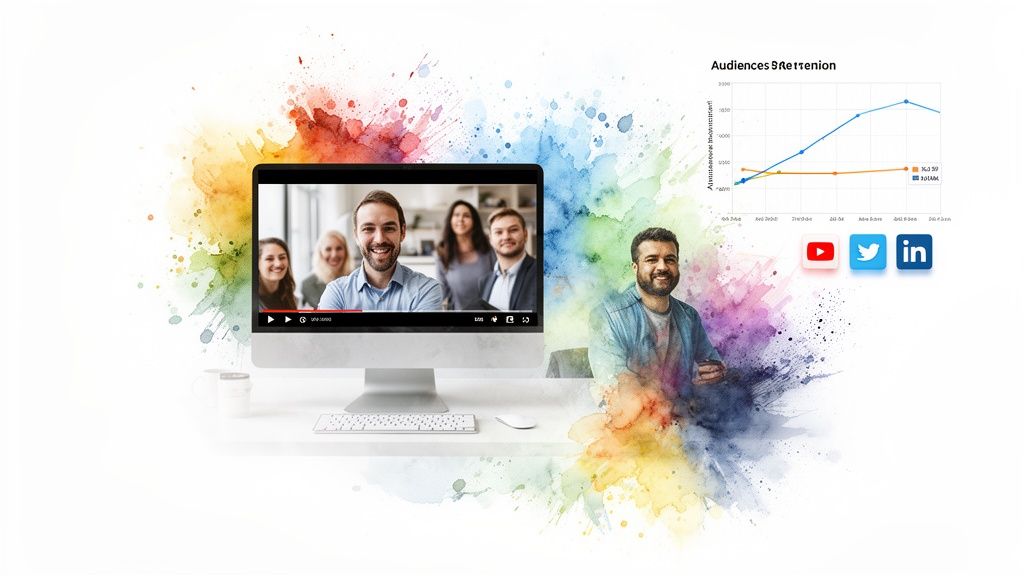
- Audience Retention: This graph shows you the exact moment viewers are dropping off. A steep drop in the first 10 seconds might mean your hook isn't strong enough. A dip in the middle could signal a confusing section.
- Click-Through Rate (CTR): This tracks how many people clicked on your video after seeing the thumbnail. A low CTR often points to a weak title or an unappealing thumbnail.
- Conversion Rate: This is the ultimate measure of success. How many people took the desired action—like signing up for a trial or making a purchase—after watching?
Analyzing this data isn't just about writing a report; it's about learning. If you want a masterclass in interpreting these numbers, check out our in-depth guide on how to optimize videos for engagement and visibility. Use these insights to A/B test different thumbnails, tweak your calls to action, and make your next video even better.
Ultimately, the goal is to create videos that drive action. Learning how to make product demo videos that convert can offer valuable insights for turning your explainer content into a high-impact tool. By treating distribution and optimization with the same care you put into production, you turn your video from a creative asset into a measurable, high-performing engine for growth.
Of course. Here is the rewritten section, crafted to sound like an experienced human expert and match the provided examples.
Still Have Questions? Let's Clear Things Up.
Even with the best game plan, you're going to hit a few snags. It happens to everyone. Getting straight answers to the most common roadblocks can save you hours of frustration and lead to a much stronger video.
Here are the questions we hear all the time from teams just getting their feet wet with explainer videos.
How Long Should My Explainer Video Be?
This is the big one. And the answer is almost always shorter than you think.
For most topics, 60 to 90 seconds is the sweet spot. That’s just enough time to hook the viewer with a problem, present your solution, and give them a clear next step—all before their attention starts to wander.
We’ve seen the data time and again: viewer engagement falls off a cliff after the two-minute mark. You’re not trying to make a documentary. The goal is to land one powerful message as efficiently as you can. If your script is creeping past 90 seconds, it’s a red flag that you’re trying to cram too much in.
A great explainer video respects the viewer's time. Zero in on the one core idea you need them to remember and be ruthless about cutting everything else. Brevity is your best friend here.
What’s the Best Style for an Explainer Video?
There’s no magic bullet. The "best" style is whatever feels right for your brand, your audience, and the story you're telling.
That said, a few formats consistently get the job done:
- 2D Animation: This is perfect for breaking down abstract or complex ideas. It also lets you inject a ton of personality with custom characters and slick motion graphics.
- Screen Recording: The undisputed champion for software demos and product walkthroughs. It shows your product in action, which builds immediate trust and understanding.
- Live-Action: Nothing builds a human connection faster. Think customer testimonials, a message from the founder, or a peek behind the scenes.
The trick is to pick a style that feels authentic. A fun, quirky animation might be perfect for a new consumer app, but a clean, professional screen recording is probably a better bet for a complex B2B analytics tool.
How Much Is This Going to Cost?
The budget for an explainer video can be anything from nearly free to the price of a small car. It all comes down to how you decide to produce it.
If you go the traditional route and hire a professional agency or a team of freelancers, you can easily expect to pay $5,000 to $15,000+ for a polished animated video. You get a completely custom product, but it's a major investment in both time and money.
On the flip side, you could take a DIY approach with a modern, AI-powered platform. These tools can cost as little as a monthly subscription and give you the power to create high-quality videos at a tiny fraction of the cost and in a sliver of the time. For most content teams, this is a much more scalable way to operate.
Can I Actually Make an Explainer Video Myself?
Absolutely. Not too long ago, you needed a specialized skillset in animation, video editing, and sound design to create anything that looked professional.
Today, that barrier is completely gone.
Platforms like Aeon were built from the ground up to let content creators produce amazing videos without any technical background. The software automates the hardest parts—like generating visuals, creating voiceovers, and applying your branding. You just bring the idea and the script, and the platform does all the heavy lifting for you.
Ready to stop wondering how to create explainer videos and start actually doing it? Aeon gives you the power to turn your scripts into professional, brand-aligned videos in minutes, not weeks. Discover how Aeon can scale your video production today.