An image dress changer AI is a slick piece of tech that lets e-commerce brands and marketers digitally swap outfits on their model photos, and they can do it in minutes. The upshot? It pretty much eliminates the need for costly, repetitive photoshoots for every single product variation, letting you spin up endless visual assets from just one source image.
The End of Endless Photoshoots
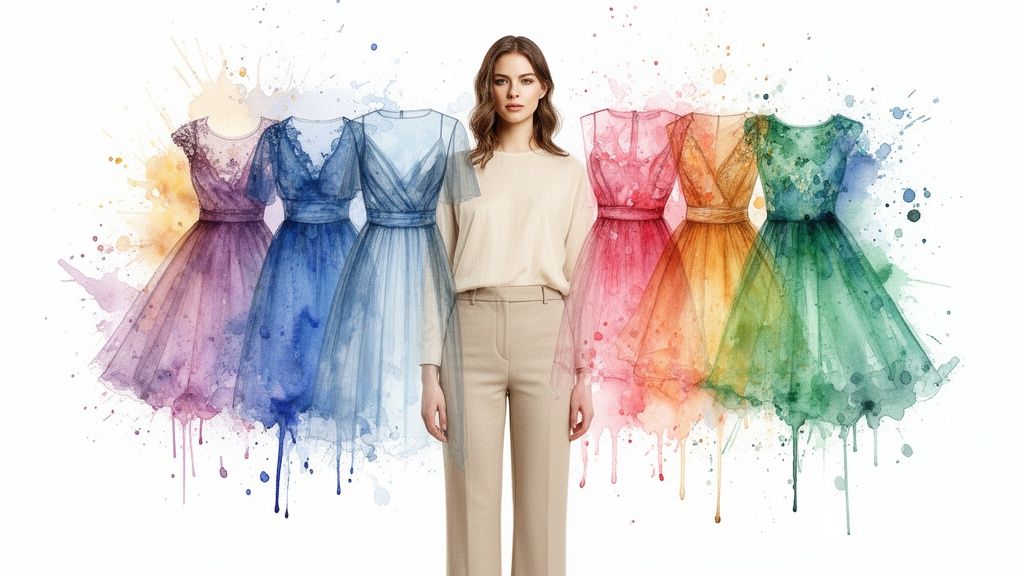
For decades, anyone in fashion and retail has known the grind. The cycle of visual production has always been a bottleneck, involving painstaking planning, pricey model shoots, and a ton of post-production work for every single item.
Got a new dress in ten different colors? That used to mean ten separate logistical nightmares or a mountain of editing work. That whole approach isn’t just expensive; it’s slow. It kills a brand’s ability to jump on market trends the moment they hit.
This is where an AI-powered image dress changer completely flips the script. Instead of booking more studio time, content teams can take a single, killer photo of a model and digitally dress them in an entire product catalog. It's a massive shift from a physically demanding process to a digitally nimble one.
From Creative Expense to Strategic Asset
Now, while this tech opens up a new world of efficiency, let's not forget why these visuals are so important to begin with. Many pros still see traditional product photography as a performance lever, and they're right—it’s not just a creative line item. The whole point is to show off products in a way that gets people to click "buy."
An AI dress changer takes that same principle and cranks it up to eleven, enabling a level of scale and personalization that was just a pipe dream before. It gives brands the power to:
- Launch Collections Faster: Slash the time it takes to get from product design to market-ready visuals.
- Maximize Photoshoot ROI: Turn one day's shoot into a library of assets that can fuel an entire season.
- Enhance Personalization: Whip up tailored ad creative for different audiences without ever needing a new camera.
- Maintain Brand Consistency: Keep all your product visuals looking sharp and consistent by using the same model and setting across the board.
This isn’t just about playing digital dress-up; it’s about completely rethinking visual merchandising for a world that lives online. Think of its close cousin, the virtual try-on, which lets shoppers see how a garment might look on different body types or even themselves. To see that in action, check out our guide on how precision fashion virtual try-on is changing the game for customers.
By breaking free from the old constraints of physical shoots, e-commerce and marketing teams can finally run a more dynamic, cost-effective, and responsive visual content strategy. The focus is no longer on the grunt work of production but on smart, strategic creative direction.
How AI Digitally Tailors and Renders Apparel
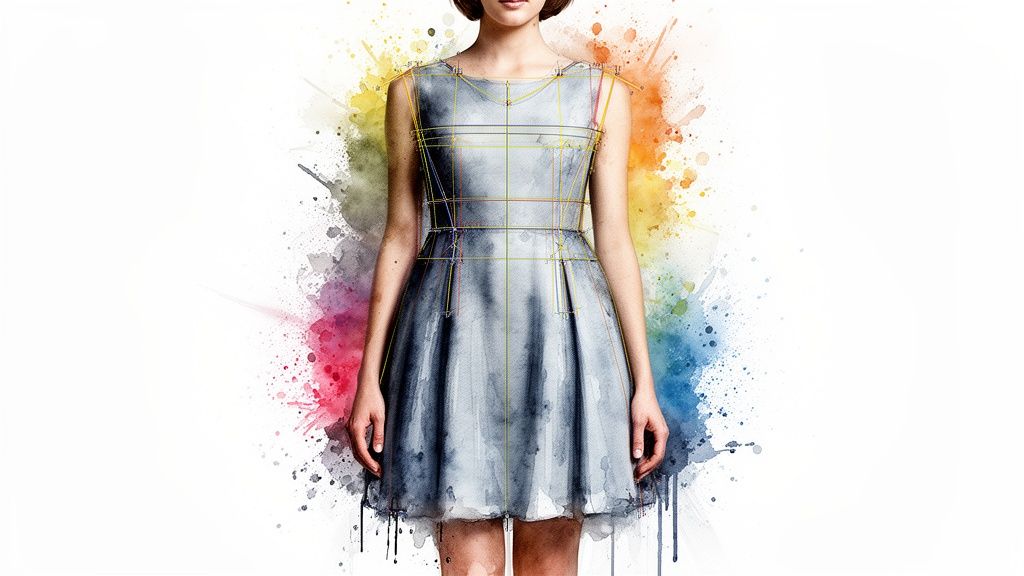
The magic behind an image dress changer AI isn't just a simple copy-paste job. It’s actually a sophisticated, multi-stage process that pulls off the work of an entire creative team in a matter of seconds. To really get what’s happening, let’s pull back the curtain and meet the digital artisans working behind the scenes.
Think of it as a three-part assembly line. It starts with precise deconstruction, moves to intelligent fitting, and finishes with artistic rendering. Each step builds on the last to create a final, photorealistic image that’s ready for your campaign.
Step 1: The Precision Artist and Segmentation
The whole process kicks off with image segmentation. This is where the AI acts like a meticulous artist using a digital scalpel. Its main job is to analyze the original photo and create a perfect outline—or "mask"—that cleanly separates the model from their clothes and the background.
This isn't some clumsy crop. The AI identifies everything right down to the pixel, telling the difference between skin, hair, the specific garment being swapped, and the environment. Getting this right is absolutely critical; a high-quality segmentation model is the foundation for everything that follows. If it messes up and masks part of the model’s arm as the dress, the final result will be a mess.
What you're left with is a clean slate: a model who is ready for a new outfit, with all the crucial information about their pose and body shape perfectly preserved.
Step 2: The Digital Tailor and Garment Warping
With the model cleanly isolated, the next specialist on the assembly line takes over: the digital tailor. This part of the AI takes a flat, 2D product photo of the new dress and masterfully fits it onto the model’s 3D form. In the industry, we call this garment transfer or texture warping.
Here's where the AI’s grasp of physics and anatomy really shines. It doesn't just stretch the dress image over the model. It actually calculates how the fabric should realistically bend, fold, and cling to the body’s curves based on the specific pose.
A study on a new custom image generation model for fashion revealed that the AI must understand not just the human body, but the nuances of clothing—like how different materials fold, stretch, and drape. This is what separates a realistic render from an obvious fake.
To make the fit look natural, the AI has to consider a few key factors:
- Pose and Posture: It intelligently adjusts the garment whether the model is standing, sitting, or even mid-motion.
- Body Contours: The fabric is "warped" to wrap realistically around the torso, arms, and legs.
- Perspective: The pattern and texture of the dress are adjusted to match the original camera angle.
At this point, the new dress is technically on the model, but it still looks fake—flat and out of place. It’s missing the depth, lighting, and texture that trick our eyes into believing it’s real. That’s where the final, most artistic step comes in.
Step 3: The Generative Artist and Final Rendering
The final stage is where the real artistry happens, and it’s all handled by a generative AI model. These are seriously powerful systems, often built on technologies like Generative Adversarial Networks (GANs) or Diffusion models, that have been trained on millions of images to learn what makes a photo look authentic.
This AI artist takes the composite image from the previous step and adds all the crucial finishing touches. Its job is to blend everything together so seamlessly that it’s impossible to tell the outfit was ever changed in the first place.
Here are the key tasks happening in this final render:
- Lighting and Shadow Recalculation: The AI analyzes the original photo’s light sources and then paints in new, accurate shadows on and around the dress. This crucial step is what keeps the garment from looking like it’s just floating on the model.
- Texture Generation: It adds realistic fabric details, like the specific weave of cotton or the subtle sheen of silk, to make the material look tangible.
- Crease and Fold Refinement: The model enhances the natural creases and folds that were mapped out during the warping stage, adding a final layer of depth and realism.
This entire, coordinated process is what makes a modern image dress changer AI so incredibly effective. It’s not just one trick but a symphony of specialized AI components working together.
While this technology is a game-changer for apparel, other tools can help you build entire visual concepts from the ground up. You can learn more about creating full scenes in our guide to using an AI outfit generator.
Building Your E-Commerce Catalog at Scale
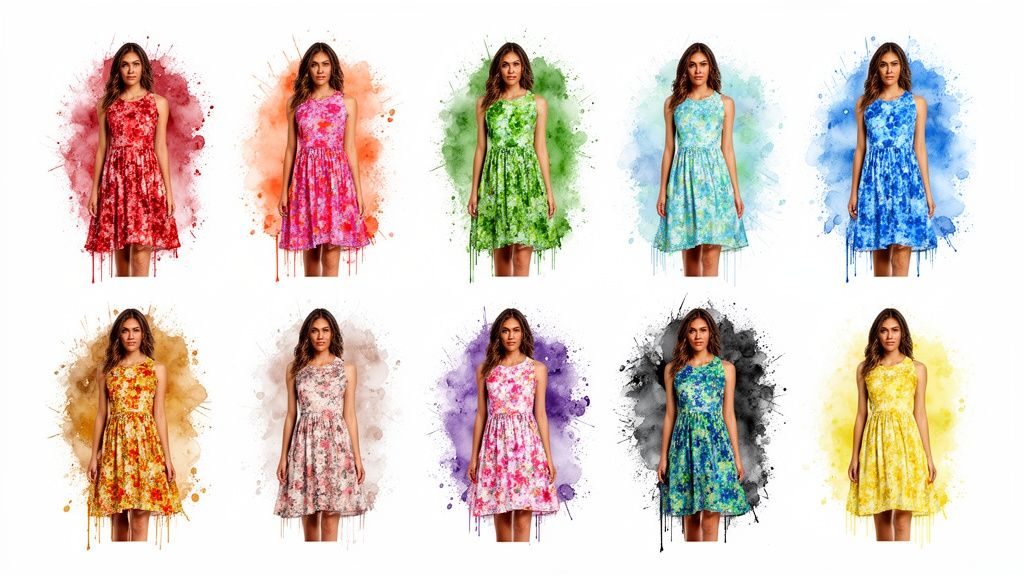
This is where the real magic of an image dress changer AI kicks in, offering an immediate and tangible win for e-commerce brands. The single biggest operational advantage? Generating an entire product catalog from just one high-quality photoshoot.
Think about the old way of doing things. You're launching a new dress in ten different colors and patterns. That meant a logistical nightmare—either shooting every single variation or sinking tons of time and money into post-production, often with results that just didn't look right.
With AI, the whole game changes. You get that one perfect shoot, with one model, wearing one version of the dress. From that single photo, you can spin up professional, consistently styled images for all ten variations in minutes. It completely dismantles the old barriers of production cost and time.
The New Economics of Visual Merchandising
The business case for this technology is crystal clear because it directly hits the bottom line and gets you to market faster. By ditching the need for endless photoshoots, brands can shift huge chunks of their budget and team's energy away from production logistics and toward marketing and product development—where it really counts.
It's not just about saving money, either. AI dress changers empower brands to easily create custom product images that speak to different customer segments without having to book another studio day. This turns your product visuals from a static cost into a dynamic, powerful marketing tool.
The results are tangible and fast:
- Drastically Reduced Production Costs: Say goodbye to fees for models, photographers, studio time, and travel for every single product variant.
- Accelerated Time-to-Market: New collections and colorways can go live almost as soon as you have the product designs ready.
- Enhanced Catalog Cohesion: Every single product is showcased on the same model, in the same pose, with the same lighting. This creates a stunningly professional and cohesive online store.
This shift creates a much more agile and responsive e-commerce operation, one that can jump on trends and meet customer demand with incredible speed.
The table below breaks down just how different the two approaches are.
Comparing Traditional Photoshoots with AI Dress Changing
Simply put, the AI approach gives brands a massive competitive edge in a fast-moving market.
Real-World Application From a Single Photo
So, how does this actually work day-to-day? A fashion brand can take a single "hero shot" of a model and use it as the template for an entire season's visual assets.
- Select the Master Image: You start with one high-resolution photo with a clean pose and great lighting. This becomes the foundation.
- Prepare Product Flats: Next, you just need clean, flat-lay images of the new dresses or patterns you want to showcase.
- Generate Variations: Upload the master image and the product flats into the AI tool. The system gets to work, rendering new, photorealistic images for each garment.
- Review and Deploy: After a quick quality check, the new product images are ready for your e-commerce store, social media feeds, and ad campaigns.
This workflow turns a process that used to take weeks into an afternoon's task. It gives content teams the power to build and refresh catalogs at a scale that was totally out of reach before.
Creating Dynamic Ad Creative That Converts
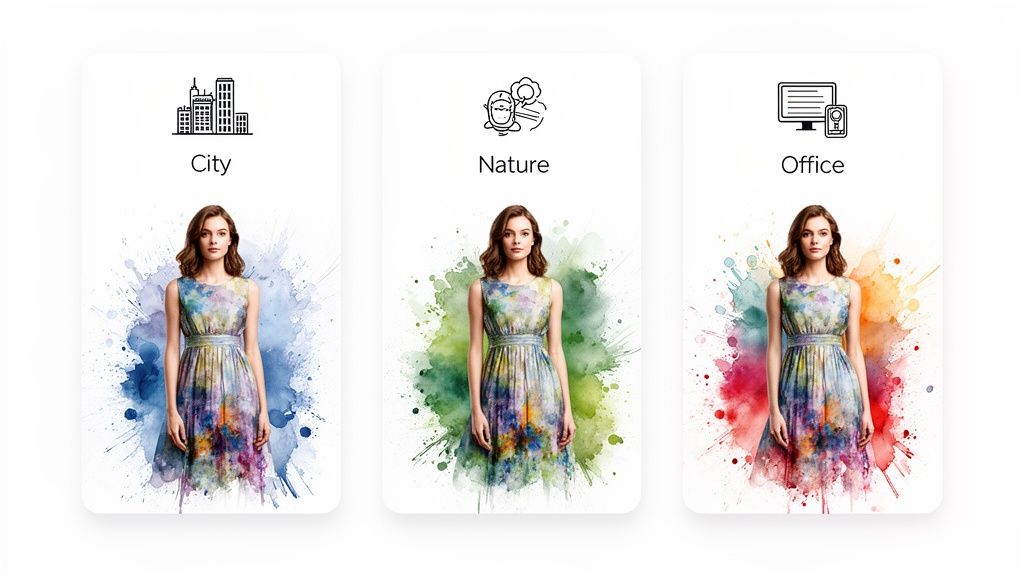
For marketers, the gap between a winning campaign and a wasted budget often comes down to one thing: creative agility. An image dress changer AI is a game-changer here. It lets you move past static, one-and-done product shots and unlocks a level of speed and personalization that was simply out of reach before.
This isn't just about making pretty pictures. It’s a tool built for the realities of modern digital marketing, where A/B testing and sharp audience segmentation are non-negotiable.
Imagine launching a new blouse. Instead of one hero image, you could instantly spin up dozens of variations. Show the blouse in blue for a Facebook ad targeting one demographic, switch it to green for an Instagram story aimed at another, and maybe even a floral pattern for a Pinterest campaign—all without a single reshoot.
That’s the power of AI-driven creative. It gives marketing teams the ability to react to performance data on the fly, refreshing ad visuals without getting stuck in long production cycles or working with a limited set of assets.
Hyper-Personalization at Scale
The real edge an image dress changer AI gives you is hyper-personalization. Instead of blasting out a generic ad and crossing your fingers, you can tailor visuals to specific contexts. This massively boosts ad relevance, click-through rates, and, most importantly, conversions.
This isn’t just surface-level stuff. It’s about connecting with audiences in a far more meaningful way. For instance, you could:
- Adapt to Local Trends: Showcase a jacket in a color that’s blowing up in a specific city.
- Align with Seasonal Events: Instantly whip up holiday-themed creative by dropping a new sweater design onto a festive background.
- Target User Data: If a user has been browsing red dresses, your retargeting ads can show them your latest collection in that exact color.
This kind of tech is quickly becoming table stakes. Consumer and enterprise adoption of AI image generation has exploded. In fact, enterprise users are projected to account for about 42% of all AI image editing spending through 2030, showing just how seriously big players are investing. For marketers, this means AI image generation is no longer a fun experiment—it’s a core function your competitors are already using. You can dig into more data by checking out these AI image statistics from PhotoRoom.com.
Fueling a More Agile Marketing Engine
Beyond just making ads look good, this technology completely overhauls the creative testing workflow. The ability to generate endless variations lets you run much smarter, more effective A/B tests to figure out what actually makes your audience tick.
An image dress changer AI gives marketers the ability to test hypotheses at a speed and scale that traditional creative production could never match. You can isolate and test single variables—color, pattern, even background—to gain precise insights into what drives performance.
This data-first approach leads to continuous campaign optimization. Let's say a green version of a dress outperforms the blue one by 25% with a key audience segment. You can immediately double down on that winner and shift your ad spend. Your creative strategy stops being a guessing game and becomes a scientific process.
The operational perks are huge, too. Creative teams are under constant pressure to churn out new assets. An image dress changer AI takes that weight off their shoulders, freeing up designers and marketers to think about big-picture strategy instead of grinding out repetitive production work. We dive deeper into this shift in our article on the intersection of image and fashion. It's a fundamental change that turns your creative team from an asset factory into a strategic growth engine for the business.
Integrating AI Into Your Creative Workflow
So, how do you actually get an image dress changer AI to deliver real-world results? It's not about just hitting "generate" and hoping for the best. The real magic happens when you build a structured, reliable system that turns this powerful tech from a neat experiment into the core of your content engine.
This process starts long before you create a single image. It’s about laying a solid foundation with high-quality assets and crystal-clear brand guidelines. Without those fundamentals, even the smartest AI is just guessing.
The end goal is a repeatable playbook for your team. A system that lets you pump out consistent, on-brand, and high-converting visuals at scale, ensuring every AI-generated image reinforces who you are and what you’re trying to sell.
Preparing Your Core Assets
It’s the oldest rule in the book: garbage in, garbage out. The quality of your final images is a direct reflection of the assets you feed the AI. Think of it like cooking—you can't make a Michelin-star meal with subpar ingredients. For this AI, your key ingredients are your model photos and your product "flats."
Your model photos are the canvas. To get clean, believable swaps, these shots need to be on point.
- Choose Clear Poses: Stick to images where the model’s posture is well-defined. You want the original clothing to be clearly visible, without a ton of bunching or complicated folds that can confuse the AI.
- Use Clean Backgrounds: Simple, uncluttered backgrounds are your best friend. They make it much easier for the AI to isolate the model and perform a clean segmentation.
- Prioritize High Resolution: A sharp, high-res source image gives the AI more data to work with. More detail in, more photorealism out. Simple as that.
The same goes for your product flats. These need to be pristine, well-lit studio shots of the garment laid out, capturing its true color, texture, and shape.
Establishing a Quality Control Framework
Once the AI starts churning out images, you absolutely need a rock-solid quality control (QC) process. This isn't about micromanaging the machine; it’s about making sure every single visual that sees the light of day aligns perfectly with your brand's standards. Your QC checklist is the final gatekeeper between the AI and your customers.
The most successful teams don't just use AI; they direct it. A strong QC process combined with clear brand safety guidelines ensures that technology serves the brand strategy, not the other way around.
Your review process needs to be systematic, not random. Designate a person or a small team to review every batch of generated images against a predefined set of criteria.
Your checklist should cover the basics:
- Realism Check: Does the fabric look like it’s actually on the model? Are the lighting and shadows consistent with the original photo, or does something feel "off"?
- Artifact Inspection: Hunt for any visual glitches. We're talking distorted patterns, blurry edges, or weird textures that scream "this was made by a computer."
- Brand Alignment: Does this image feel like your brand? Is the color of the product spot-on? Does the overall vibe match your aesthetic?
This step is non-negotiable for maintaining customer trust. One sloppy, obviously fake image can tank the credibility of your entire catalog.
Implementing Brand Safety Guidelines
Beyond just technical quality, you need to set up brand safety guidelines specifically for your AI-generated content. These are the creative guardrails that keep the AI on track, ensuring that no matter how many variations you create, your brand’s essence stays intact.
These rules should dictate everything from acceptable model poses and expressions to the types of backgrounds that are allowed. For example, you might decide that all product images must have a neutral, studio-style background to keep things clean and minimalist. Or you might have a strict rule that the AI can only change the clothing—never the model's physical features.
By creating and enforcing these standards, you give your team the confidence to use the image dress changer AI to its full potential. They can work fast and generate assets at scale, all while knowing they're operating within a safe framework that protects the brand you’ve worked so hard to build.
Of course. Here is the rewritten section, designed to sound like an experienced human expert, following all your specific instructions and matching the provided style examples.
A Reality Check: Limitations and Ethical Guardrails
As exciting as AI dress-changing tech is, we need to have a frank conversation about where it stumbles and the ethical lines we can't cross. This isn't a magic wand you just wave over an image. Think of it as a powerful but specialized tool that needs a skilled, thoughtful hand to get it right.
For starters, the technology has its limits. The AI really shines with simple fabrics and clean silhouettes. But it can get a bit clumsy when you ask it to render highly complex textures—think fine lace, intricate beadwork, or shimmering sequins. The final look also hinges entirely on the quality of your source images. A blurry, poorly lit photo is almost guaranteed to give you a result that screams "fake."
Navigating Consent and Consumer Trust
Beyond the technical side, there are some serious ethical considerations to tackle. AI image generation has exploded, creating billions of images in just 1.5 years. To put that in perspective, traditional photography took nearly 150 years to hit that same milestone. This incredible acceleration means we're writing the rulebook as we go. You can dig deeper into this growth with these key AI statistics from Digital Silk.
The absolute cornerstone of this new rulebook is model consent. You can't just grab a model's photo and start creating new versions of it without their explicit say-so.
Standard modeling contracts were written for a different world; most don't cover AI manipulation. It's now critical to update your agreements with specific clauses that permit using a model's likeness for AI-generated visuals. This ensures they know exactly what they're signing up for and are compensated fairly for it.
This brings us to the next big piece of the puzzle: transparency with your customers. The goal might be photorealism, but deceiving your audience is the fastest way to burn through the trust you’ve worked so hard to build. Brands should be proactive about how they disclose their use of this tech. Some common-sense practices include:
- Clear Labeling: A simple, subtle watermark or a note in the caption can clearly signal that an image is AI-assisted.
- Honest Communication: Be upfront about how you’re using technology to give customers a better look at your products.
- A Focus on Inclusivity: Instead of just swapping outfits, use AI to show your garments on a diverse range of body types. This turns the tech from a simple tool into a powerful statement for representation.
By facing these challenges head-on, you can use this incredible technology with integrity and build an even stronger, more trusted brand in the process.
Of course. Here is the rewritten section, designed to sound completely human-written and natural, following all the provided instructions and examples.
Your Questions About AI Dress Changers, Answered
As brands and marketers start to explore what image dress changer AI can do, a lot of practical questions pop up. It’s a technology that opens up entirely new creative avenues, but it’s smart to get a handle on the specifics before jumping in. We’ll tackle some of the most common questions here to clear things up.
The idea is to give you straightforward answers so you can make a confident call on whether this kind of tool fits into your content strategy. Let's get into the big ones: realism, ease of use, and the legal side of things.
How Realistic Are the Final Images?
Honestly, the realism you can get from a modern dress changer AI is incredible, especially with platforms that have advanced refinement models built in. The secret to getting photorealistic results really comes down to what you feed the machine: a sharp, well-lit photo of your model and a clean shot of the product are absolute must-haves.
The AI is surprisingly good at mimicking how fabric drapes and casting realistic shadows, which makes the new clothes look like they were there all along. That said, really complex patterns or sheer fabrics can sometimes still be tricky for certain systems. Most professional-grade tools solve this with quality control checks to make sure every image is up to snuff, and the tech is getting better every day.
Do I Need to Be a Tech Whiz to Use This?
Not at all. The best AI tools today are built for marketers and creators, not developers. They have simple, intuitive interfaces where you just upload your model photo and the clothing item you want to swap in. The AI does all the heavy lifting behind the scenes.
The whole process is designed to be user-friendly, with no coding or deep technical background needed. That's what makes it possible for any creative team to start producing visuals at a much bigger scale.
It’s about focusing on your creative vision, not getting bogged down in technical details. If you can use a social media scheduler or a simple photo editor, you've got all the skills you need.
What Are the Legal Considerations for AI Model Photos?
This is a huge one, and you can’t afford to get it wrong. You absolutely must have explicit rights and consent from the model to use their likeness for any kind of AI manipulation. The standard contracts most brands have been using for years often don't cover this specific use case because the technology is so new.
It’s crucial to update your model agreements with a clause that specifically permits creating derivative, AI-generated work using their image. This keeps you legally protected and ensures the model is compensated fairly for this new way of using their likeness.
- Review Existing Contracts: Take a look at your current agreements to see if they allow for this level of digital alteration.
- Draft an AI Clause: Work with a lawyer to add specific language that covers AI-generated visuals.
- Communicate Clearly: Be totally transparent with your models about how you plan to use their images.
When in doubt, always talk to a legal professional to draft or review your contracts. It ensures everything is compliant and fair for everyone involved.
Ready to stop spending on endless photoshoots and start creating at scale? With Aeon, you can generate an entire product catalog from a single image, create dynamic ad creative in minutes, and maintain perfect brand consistency across every channel. Try our production-grade AI tools and see the difference for yourself. Start your $5 trial today.