Ever had a killer video project grind to a halt just because you were waiting on a voiceover? It’s a classic story. Your visuals are polished, the edit is tight, but everything is stuck in limbo, waiting weeks for a voice actor to get back to you from their studio.
Then come the retakes. The scheduling conflicts. The budget that seems to stretch with every minor script change. This production bottleneck is exactly why so many content teams are making a change.

This is where text to speech for videos comes in. It’s not just a workaround; it's a fundamental shift in how we think about producing, scaling, and distributing video content. For creators, it's the difference between a project stalling for weeks and launching right on schedule.
Escaping the Old Production Cycle
Let's be honest: the traditional way of getting narration is slow, expensive, and inflexible. Finding the right talent, booking studio time, and dealing with endless back-and-forth over tiny edits creates a ton of friction.
AI voice technology simply dismantles those barriers, offering a much faster and more agile way to work. And this isn't some niche trend—it's happening at scale. The global Text-to-Speech (TTS) market was valued at USD 4.0 billion in 2024 and is on track to hit USD 7.6 billion by 2029. That explosive growth is all thanks to creators who need to generate realistic voiceovers instantly, without the usual production headaches and costs.
It's More Than Just a Budget Cut
Thinking of TTS as just a way to save a few bucks is missing the point. It’s a strategic lever that opens up entirely new possibilities for your content.
Suddenly, you can:
- Scale at lightning speed: Knock out voiceovers for a dozen videos in the time it used to take to record one.
- Go global, instantly: Translate and narrate your content for international markets without juggling multiple voice actors and languages.
- Open up your content: Easily add audio descriptions to make your videos accessible to viewers with visual impairments.
By breaking free from the old way of doing things, text to speech for videos lets creators get back to what they do best: focusing on storytelling and strategy instead of getting bogged down in logistics.
To really grasp how big this shift from human to AI is, it helps to check out an ultimate guide to AI-powered video creation. It sets the stage perfectly, showing how AI is quickly becoming the new, indispensable voice of video.
Why AI Voices Are A Game Changer For Video Production
Bringing text to speech for videos into your workflow does more than just speed things up—it completely rewires the production process. What was once a slow, step-by-step slog becomes a dynamic, parallel operation where multiple stages can happen at once.
Instead of everything grinding to a halt waiting for a voice actor, your team can move forward on other fronts. The result? Timelines that once stretched for weeks are now crunched into a matter of hours. This isn't just a nice-to-have; it's a massive strategic advantage.
Achieve Unthinkable Scale And Speed
Let’s get real for a moment. Imagine you need to create a 50-part e-learning course. With the old way of doing things, just recording and editing the audio is a monster of a task. We're talking months of coordinating schedules, booking studios, and then pulling your hair out over costly re-records for tiny script changes. It’s a classic production bottleneck.
Now, picture that same project with AI voices. A single person can generate consistent, professional-sounding narration for all 50 videos in one afternoon. Need to tweak a sentence at the last minute? That’s a few seconds of typing, not a few days of logistical nightmares.
This shift completely levels the playing field, giving small teams the production power of a massive studio. Video production goes from being a resource-draining marathon to a nimble, iterative sprint.
Slash Your Production Costs Dramatically
The financial case for using AI text to speech is refreshingly simple. Traditional voiceover work is notorious for its long list of expenses that nickel and dime your budget into oblivion, making it a non-starter for many creators.
An AI-first approach flips the script. It gets rid of most of those unpredictable costs and swaps them for a clear, predictable model that scales with you.
Let’s break down the real-world difference.
Human Voiceover vs AI Text To Speech Comparison
When you're weighing the options, it helps to see a direct comparison of where your money and time actually go. The table below lays out the key differences between hiring a voice actor and using a modern TTS platform.
This cost-effective model finally makes high-volume video creation a reality for teams of any size. It tears down the financial barriers that once kept professional narration out of reach. Plus, AI voices are a huge unlock for a smart content repurposing strategy, letting you effortlessly convert blog posts and articles into engaging video content.
Enhance Accessibility And Global Reach
Beyond the practical benefits of speed and savings, AI voices are a powerful force for inclusivity. Creating audio versions of your videos is a critical step in connecting with audiences who have visual impairments or learning disabilities. It's a key part of meeting the Web Content Accessibility Guidelines (WCAG).
This isn't just about checking a compliance box; it's about making sure your message reaches everyone. With TTS, generating an audio description track becomes a simple part of your workflow, not an expensive afterthought.
And then there's localization. Going global becomes astonishingly efficient. Forget the headache of finding and managing voice talent in a dozen different languages. You can generate localized voiceovers for international markets in an instant.
This allows you to:
- Test new markets with practically zero financial risk.
- Launch global campaigns simultaneously across different regions.
- Maintain a consistent brand voice with the same tone and style, no matter the language.
Suddenly, your content is no longer a single-language asset. It’s a global communication tool, opening doors to new audiences that were previously locked behind huge logistical and financial walls.
How To Choose The Right AI Voice For Your Brand
Picking the right AI voice for your video isn't a technical decision—it's a casting call. Think about it: you're choosing the lead actor who will represent your brand in every tutorial, ad, and social media clip. This voice becomes the definitive sound of your company, the sonic personality that greets every single listener.
This is about more than just finding a pleasant tone. The right voice can immediately signal trust, authority, or excitement, all depending on your brand's core identity. Get it wrong, and no matter how clear the audio is, you risk creating a disconnect that undermines your entire message before your audience has even heard it.
Defining Your Sonic Brand Identity
Before you press play on a single sample, you need to figure out what your brand should sound like. This "sonic identity" is just as important as your visual logo or color palette. It all starts with a few foundational questions.
Is your brand:
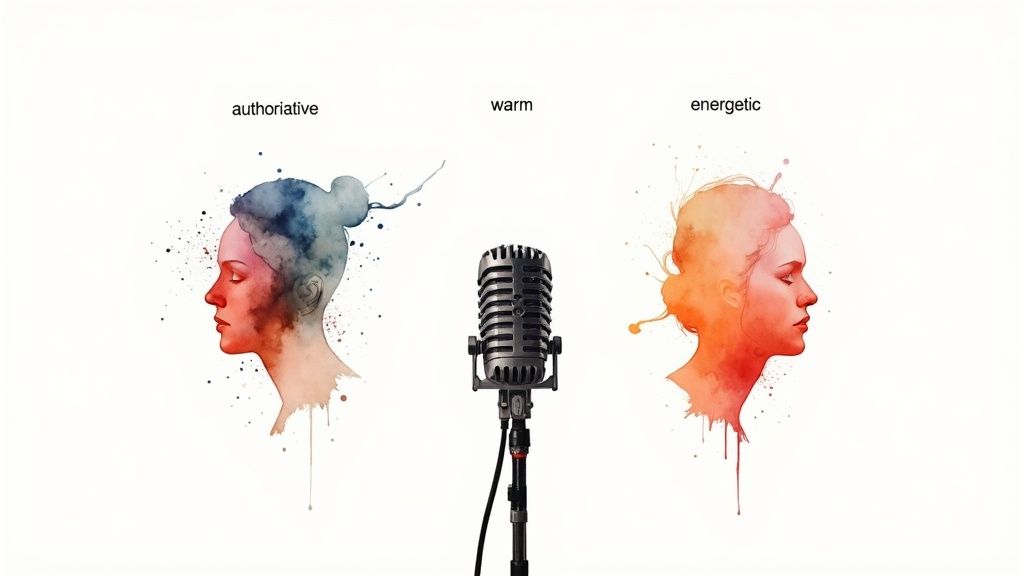
- Authoritative and Trustworthy? Think of a financial services firm or a detailed software tutorial. You'll want a steady, clear, and confident voice that commands respect.
- Warm and Comforting? This is the sweet spot for healthcare content, non-profit stories, or wellness brands. The voice needs to feel reassuring and deeply empathetic.
- Energetic and Enthusiastic? Perfect for promotional videos, new product launches, or any content aimed at a younger crowd. The delivery has to be upbeat, engaging, and full of life.
Once you have a solid picture of this persona, then you can start searching for the AI voice that brings it to life. This simple first step ensures you’re not just picking a voice you happen to like, but one that strategically serves your brand’s goals.
Standard Voices Versus Advanced Neural TTS
Not all text to speech for videos is created equal. The AI voices on the market today fall into two main camps, and knowing the difference is critical for producing professional-sounding content.
Standard TTS voices are the entry-level option. They're functional and clear, but can sometimes lack the subtle inflections of natural human speech, occasionally tipping into that slightly robotic territory. They're fine for straightforward, informational content where clarity is the one and only goal.
Advanced neural TTS voices, on the other hand, are in a completely different league. These systems use sophisticated machine learning to generate speech that's brimming with lifelike emotion, pacing, and intonation. They can navigate complex sentences and convey subtle emotional shifts, making them nearly impossible to distinguish from a human voice actor. This leap in quality is fueling explosive growth—the AI Voice Generator market is expected to jump from USD 3.58 billion in 2024 to a staggering USD 36.43 billion by 2032. You can read more about these AI Voice Generator market trends and see how personalization is changing the game for video engagement.
For any brand that's serious about creating compelling video, a high-quality neural voice isn't just a nice-to-have; it's non-negotiable. It's the difference between a video that simply gives information and one that actually connects with people.
A Practical Framework For Voice Selection
With your sonic identity locked in, it’s time to find the perfect match. Just follow this simple framework to test and select the best AI voice for the job.
- Audition Multiple Candidates: Don't just settle on the first voice you hear. Create a shortlist of three to five voices that seem to fit your brand persona. Test each one with a sample script that’s representative of your typical content.
- Fine-Tune Pitch and Pacing: Once you’ve narrowed it down, start playing with the controls. Slowing the pace down can make complex ideas easier to absorb, while bumping the pitch up slightly can inject more energy. These tiny adjustments can make a massive difference.
- Use SSML for Precision: For the ultimate level of control, get comfortable with Speech Synthesis Markup Language (SSML). This lets you insert simple tags directly into your script to fine-tune pronunciation, add strategic pauses, and place emphasis on specific words. It's the key to a truly polished final product. For even deeper customization, you can look into platforms that offer unique AI character voices.
By methodically testing and refining your choice, you'll move beyond a generic AI narrator to a truly customized sonic signature—one that strengthens your brand with every video you publish.
Your Step-By-Step Guide to Adding TTS to Videos
Turning a script into a polished AI voiceover and weaving it into your video might sound complex, but it's actually quite straightforward. Think of it like a recipe: follow the steps, and you'll end up with something great. Each stage builds logically on the one before it.
This guide will walk you through the entire process, from prepping your script to exporting the final narrated video.
Step 1: Prep Your Script for the AI Voice
The journey starts with your words, not your video editor. The quality of your AI narration hinges entirely on the quality of your script. A well-written script is like a detailed set of instructions for the AI, guiding its delivery for a smooth, natural-sounding performance.
Writing for an AI is a little different than writing for a human actor. Because the AI reads every comma and period literally, you have an incredible amount of control. Your script is the blueprint.
To get the best results, keep these points in mind:
- Punctuation is Pacing: Use commas to create small, natural pauses. A period marks a full stop. For a more dramatic pause between two big ideas, just add an extra line break in your script—the AI will know exactly what to do.
- Keep it Clear and Concise: Long, winding sentences can trip up an AI's rhythm. Break down complex thoughts into shorter, punchier sentences for a much cleaner delivery.
- Spell Everything Out: The AI reads precisely what it sees on the page. If you want it to say "two thousand twenty-four," you need to write that out instead of just "2024." This goes for acronyms and symbols, too.
Step 2: Generate the Audio File
Once your script is ready, it's time to bring it to life inside your text-to-speech platform. Just copy and paste your text, select your brand voice, and make any last-minute tweaks.
This is your chance to really fine-tune the performance. Listen to the preview and adjust the pitch or pacing if something sounds off. For tricky words or brand names, use the platform’s phonetic editor to nail the pronunciation. When you’re happy with how it sounds, generate the audio and download it, usually as an MP3 or WAV file.
Pro Tip: Generate your audio in smaller chunks—maybe paragraph by paragraph. This gives you way more flexibility when you get to the video editing stage, making it a breeze to time specific phrases to your visuals.
Step 3: Import and Sync in Your Video Editor
With your audio files in hand, it's time to head over to your video editing software, whether that's Adobe Premiere Pro, DaVinci Resolve, or Final Cut Pro. This is where you'll combine your visuals, narration, and any background music into a single, cohesive video.
The basic workflow is pretty much the same across any editor:
- Create a New Project: Fire up your editor and set up a new sequence with the right resolution and frame rate for your video.
- Import Your Media: Bring in all your assets—video clips, music, and the AI audio files you just created. Keep things organized in folders to save yourself a headache later.
- Lay Down the Narration: Drag your main voiceover track onto the timeline first. This audio will be the backbone of your edit, setting the pace for everything that follows.
- Sync Visuals to Audio: Now, play through the narration and start placing your video clips. If the narrator mentions a specific feature, make sure the shot of that feature appears on screen at that exact moment.
- Mix Your Audio Levels: This final touch is what separates amateur videos from professional ones. You’ll want to lower the volume of your background music whenever the narrator is speaking. The goal is to make sure the voice is always clear and easy to understand, with the music supporting it, not overpowering it.
Following these steps will help you seamlessly integrate high-quality AI narration into your video projects. For a deeper dive, you can explore some proven strategies to enhance your videos with AI voice and find even more tips for creating content that connects.
Best Practices For Professional Sounding AI Narration
So, you’ve generated an audio file with a text-to-speech platform. That’s a great start, but it's just the first step. The real magic happens in the fine-tuning, the subtle tweaks that take an AI voice from just okay to genuinely professional.
Think of it like a film director. They don't just point a camera and yell "action!" They guide the performance. You need to do the same with your AI voiceover to get a polished, human-like result. This isn't about getting bogged down in technical details; it’s about being thoughtful. By focusing on a clear script, smart pacing, and perfect timing, you can create an AI narration that's practically impossible to tell apart from a human actor.
Edit Your Script For The Ear, Not The Eye
This is the big one. The single most important thing you can do for a natural-sounding AI voice is to write a script that’s meant to be spoken, not just read on a page. Sentences that look perfectly fine in an article can sound incredibly clunky and confusing when read aloud. Your goal is to make the language easy for a listener to digest.
Here’s how to nail it:
- Simplify Your Sentences: Chop up those long, complex sentences with multiple clauses. Break them into shorter, more direct statements. This instantly improves clarity and gives the narration a much more conversational rhythm.
- Use Simpler Words: Don't reach for the thesaurus. Swap out complex vocabulary for more common words whenever you can. This makes your content easier to follow and helps prevent the AI from tripping over strange pronunciations.
- Read It Aloud: This is the ultimate litmus test. Read your script out loud to yourself. If you find yourself stumbling, getting tongue-tied, or running out of breath, that's a dead giveaway. It’s time for a rewrite.
Master The Power Of The Pause
In a real conversation, the silences are just as important as the words. Pauses add emphasis, build a little suspense, and give your audience a moment to let key information sink in. Most text to speech for videos platforms read punctuation literally, which is fantastic because it puts you in complete control of the pacing.
Your secret weapon for a dynamic narration is strategic punctuation. A comma creates a short beat. A period signals a full stop. An extra line break can insert a longer, more deliberate pause between big ideas.
This is also where you can start injecting a bit of emotion into the delivery. By carefully placing pauses, you can build a far more engaging and impactful story. If you want to dive deeper into this, check out our guide on how to explore text to speech emotion to enhance digital voices.
Sync Audio Flawlessly With On-Screen Visuals
The final piece of the puzzle is making sure your narration and your visuals are working together. A perfectly timed voiceover reinforces what people are seeing, guides their attention, and makes the whole video feel tight, cohesive, and professional.
This simple workflow shows you exactly how to fit your generated audio into your video editing process.
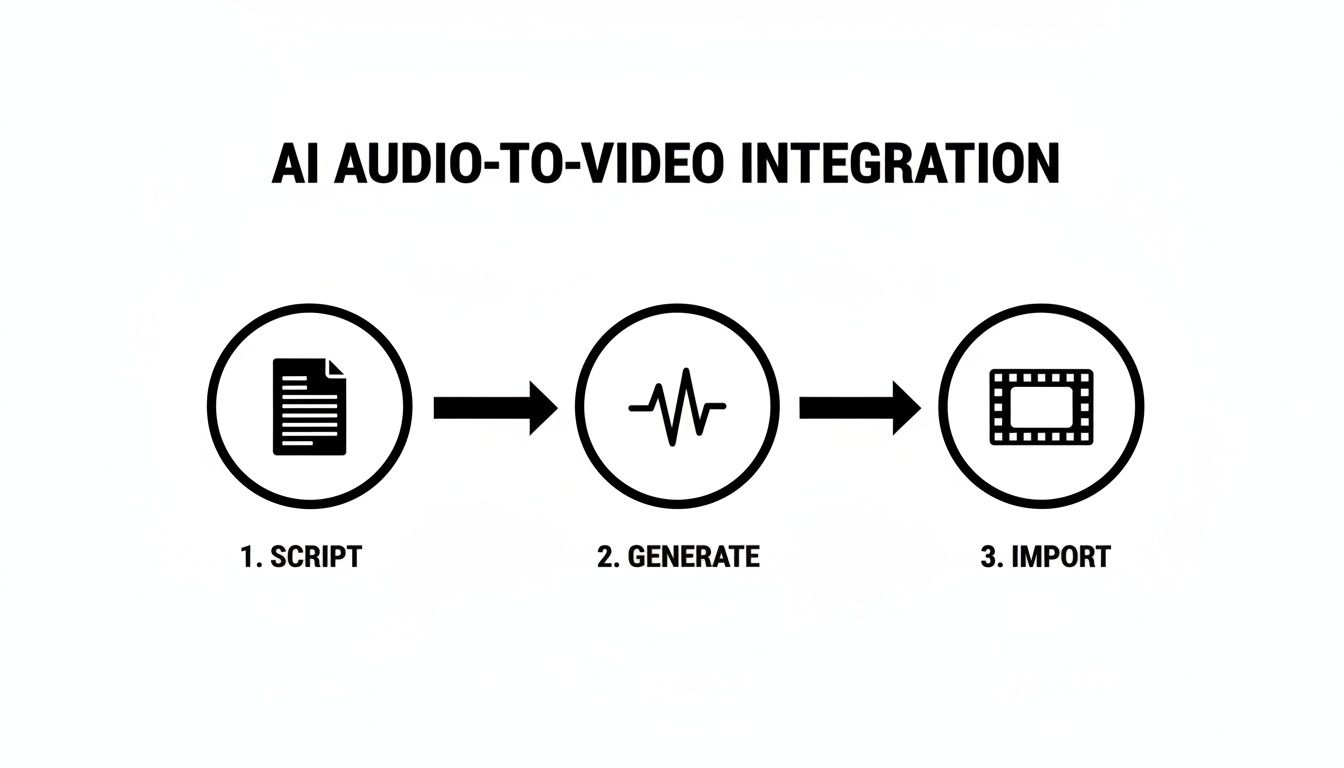
The key takeaway here is that you generate the audio before you lock in your final video edit. This lets you build the visual story around the narration, not the other way around.
The growing world of Text-to-Video AI, where scripts are turned directly into complete videos, really drives home how crucial this audio layer is. This market was valued at USD 0.4 billion in 2025 and is projected to hit USD 1.18 billion by 2029. This boom is directly linked to the massive demand for engaging content from the 4.8 billion social media users around the globe. You can dig into more stats in the Text-to-Video AI market report on researchandmarkets.com.
Measuring The Real ROI Of Your TTS Strategy
So, you’re thinking about bringing in a new piece of tech. The first question from anyone holding the purse strings is always the same: "What's the value?" While using text to speech for videos just feels more efficient, you need to show your stakeholders the real, concrete numbers to get their buy-in.
The return on your investment isn't just one magic number. It's a combination of things you can easily count—like cost savings—and things that are a bit harder to pin down, like productivity boosts and happier audiences.
To build a solid business case, you have to track both. This isn't just about justifying the cost; it's about proving how this strategy directly contributes to the company's bottom line. The conversation shifts from "How much does this cost us?" to "Look how much value this is creating."
Tracking Quantitative Wins
The easiest place to start is with the direct cost savings. These are the hard numbers that finance folks love to see because they show up right on the balance sheet.
Think about all the traditional production costs you can now just... stop paying for. Here’s what you should be tracking:
- Voice Actor Fees: It's a simple comparison. Pit the cost of hiring professional voice talent against your TTS platform's subscription fee. For a series of just 10 videos, this switch alone can save you thousands of dollars.
- Studio and Equipment Costs: Goodbye, studio booking fees. You can also cross sound engineers and pricey microphones off your expense list.
- Revision Costs: Remember the pain of re-booking a voice actor for a tiny script change? Calculate the hours and fees you used to spend on re-recordings. With TTS, those tweaks take seconds and cost absolutely nothing.
But it's not just about direct savings. Think about speed. If using TTS lets you launch a marketing campaign two weeks ahead of schedule, what’s that extra time in the market worth? Putting a number on that speed-to-market advantage adds a whole other compelling layer to your ROI argument.
Assessing Qualitative Impact
Not every benefit fits neatly into a spreadsheet. Some of the most significant wins from using text to speech for videos show up in how your audience behaves and how they see your brand—both of which are huge drivers of long-term value.
These metrics tell the story of how TTS is improving the viewer's experience:
- Audience Engagement: Dive into your analytics. Are people watching your videos for longer? Is the completion rate going up? A clear, consistent, and accessible voiceover often hooks viewers and keeps them around.
- Global Reach: Keep an eye on your viewership map after you launch localized videos. Did you suddenly see a spike in engagement from Germany after releasing a German-language version? That’s a direct return on your investment.
- Accessibility Feedback: Pay attention to your comments section and user feedback. When people leave positive comments about your audio descriptions or how clear the narration is for them as non-native speakers, those are powerful testimonials.
When you put it all together—the hard data on cost savings, the undeniable proof of audience growth, and the glowing user feedback—you build an ironclad case. It shows that AI voices aren't just a nifty production shortcut; they're a genuine engine for business growth.
Your Questions About TTS For Video, Answered
When you're thinking about bringing text to speech for videos into your workflow, it's natural to have a few questions pop up. From the actual sound of the voices to the nitty-gritty technical details, getting clear answers is the first step toward making a confident decision. Let’s jump into some of the most common questions we hear from creators.
Think of this as your quick guide to understanding the real capabilities of modern AI narration.
Can AI Voices Actually Sound Natural, Or Are They Still Robotic?
Absolutely. The old-school, monotone robot voices are a thing of the past. Today's neural TTS technology is built on sophisticated machine learning that generates speech with lifelike intonations, natural pacing, and even emotional color. Frankly, they're often tough to tell apart from human narration.
The best platforms don't stop there; they give you the knobs and dials to fine-tune the delivery. The real trick is to pair a top-tier provider with a script that's written for the ear, guiding the AI's performance to get a result that feels genuinely authentic and keeps your audience hooked.
How Do I Get The AI To Say Our Brand Name Or Industry Jargon Correctly?
This is one of those make-or-break features that separates the professional-grade tools from the basic ones. Most high-end platforms include custom dictionaries or lexicons. This is where you can manually teach the AI how to say tricky words by inputting specific phonetic spellings for brand names, acronyms, or technical terms it might otherwise stumble on.
For instance, you can train the AI to perfectly pronounce a unique company name like "XyloTech," locking in brand consistency across every single video you produce. That level of control is non-negotiable for maintaining a professional sheen.
And for those who need pinpoint accuracy, many tools also support Speech Synthesis Markup Language (SSML). This lets you slip simple tags right into your script to control pronunciation, add emphasis to certain words, or insert pauses with surgical precision.
Is Using Text To Speech For Videos Actually Good For SEO?
Yes, and it can give your video SEO a serious leg up in a couple of ways. The moment you use TTS, your script is basically a finished, ready-to-go transcript for your video.
When you add that transcript to your webpage, you’re handing search engines like Google a block of perfectly crawlable text. This helps them figure out what your video is all about and start ranking it for the right keywords.
On top of that, TTS makes creating and adding accurate, time-synced captions almost effortless. This move has a powerful one-two punch:
- It makes content accessible: You’re opening your videos up to viewers who are deaf or hard of hearing.
- It grabs more eyeballs: It hooks viewers on social feeds where a staggering 85% of videos are watched with the sound off.
Search algorithms love these kinds of positive user signals—like longer watch times and better accessibility—which can translate directly into better rankings and more visibility for your videos.
Ready to see how easy content production can be? With Aeon, you can turn any piece of text into a polished, professionally narrated video in minutes. Start creating with Aeon today and discover a smarter way to scale your video strategy.