So, what do we actually mean when we talk about syncing audio to video?
At its core, it's the process of perfectly aligning sound that was recorded separately with its matching video footage. It’s making sure that what you see on screen lines up exactly with what you hear. When an actor speaks, their lips have to move in perfect time with their words. When a door slams shut, you need to hear that sound at the precise moment it closes.
This isn't just a technical detail—it's the bedrock of creating a professional, believable video.
Why Flawless Audio Sync Is Non-Negotiable
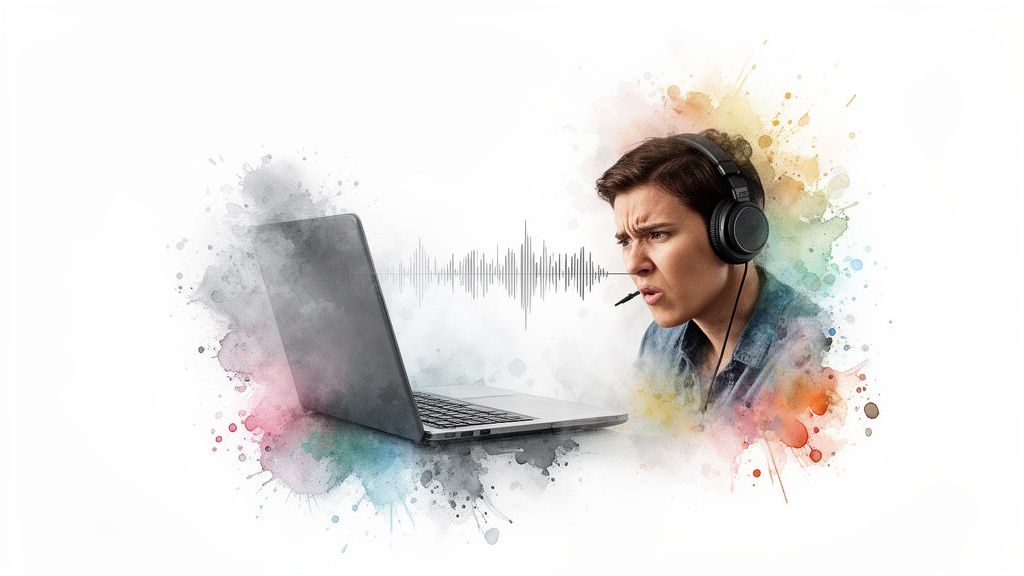
Have you ever been watching a video and something just felt... off? You might not have been able to put your finger on it, but chances are the audio was out of sync, even by a tiny fraction of a second. It's an instant deal-breaker for most viewers.
Bad audio sync is one of the fastest ways to lose an audience. It makes your content feel jarring and unprofessional, and it completely shatters the viewer's immersion. This isn’t a minor hiccup; it's a fundamental break that can destroy trust and engagement before your message ever lands.
Our brains are hardwired to notice when sight and sound don't match. Even a few frames of difference create a cognitive dissonance that's impossible to ignore. It's distracting. It pulls the viewer out of the story and makes even a high-budget production look cheap. In the world of marketing, a poorly synced product demo or corporate video screams a lack of attention to detail, which can seriously undermine your brand's credibility.
The Foundation of a Believable Experience
Just think about the jump from silent films to the first "talkies." That revolutionary shift proved that sound is essential for creating immersive, believable worlds. When dialogue, sound effects, and music align perfectly with the action on screen, they weave a seamless reality.
When they don't, the illusion is instantly broken. This holds true for everything from a Hollywood blockbuster to a 15-second TikTok.
Perfect audio synchronization is the invisible thread that stitches a video's reality together. When it's done right, nobody notices. When it's wrong, nobody can ignore it.
For anyone creating video content today, mastering audio sync is an absolute must. It's a fundamental skill that elevates your work from just "watchable" to genuinely captivating. The good news? The tools and techniques available now make achieving that professional polish more accessible than ever before.
Your Path to Perfect Sync
In this guide, we’re going to walk through the essential methods for getting frame-perfect synchronization. You'll learn how to tackle this from multiple angles, so you can produce polished, professional content without the usual headaches. We'll cover all the bases:
- Manual Waveform Alignment: The classic, hands-on approach of visually lining up your audio.
- Timecode Synchronization: The industry-standard method for complex shoots with multiple cameras and audio recorders.
- Automated Sync Features: Using the powerful, built-in tools in modern editing software to do the heavy lifting for you.
- Modern AI Solutions: A look at how artificial intelligence is making the entire process even simpler and more accurate.
How to Prepare Your Files for a Perfect Sync
Here's a secret that seasoned editors know well: the key to an effortless audio and video sync doesn't live in some fancy post-production plugin. It’s all about the groundwork. What you do before you even think about hitting record is what separates a quick, painless sync from hours of frustration.
Think of it as setting yourself up for success. By getting your core settings aligned from the start, you eliminate the number one cause of sync problems—especially that dreaded "sync drift" where audio and video fall out of step over a long take.
Align Your Frame Rates
Frame rate is the pulse of your video, dictating how many individual images create the illusion of motion each second. If your camera is shooting at 24 frames per second (fps) but your editing timeline is set to 30 fps, you’ve created a fundamental conflict. The two are running on completely different clocks, and a sync disaster is practically guaranteed.
Before you roll, decide on a single project frame rate and lock every single camera to that exact setting. There’s no room for "close enough." A camera set to 23.98 fps is not the same as one set to 24 fps, and that tiny difference will blossom into a very noticeable sync headache after just a few minutes of recording.
Your camera, audio recorder, and editing software must all speak the same language. Consistent settings for frame rate and audio sample rate are the foundation of a clean, reliable sync.
This precision is crucial for more than just the edit. When you get to creating captions, the timing has to be spot-on, a process that mirrors the accuracy needed for professional SRT transcription services.
Standardize Your Audio Sample Rate
Just as frame rate is the heartbeat of your video, sample rate is the foundation of your audio. It measures how many times per second the sound is sampled, and while you might see 44.1kHz used for music, the unshakable industry standard for video is 48kHz.
Using anything else can force your editing software to resample the audio on import. This process isn't perfect and can introduce tiny timing errors that compound over time, leading to—you guessed it—sync drift. The fix is simple: set your external recorder, on-camera mics, and your project's audio settings all to 48kHz.
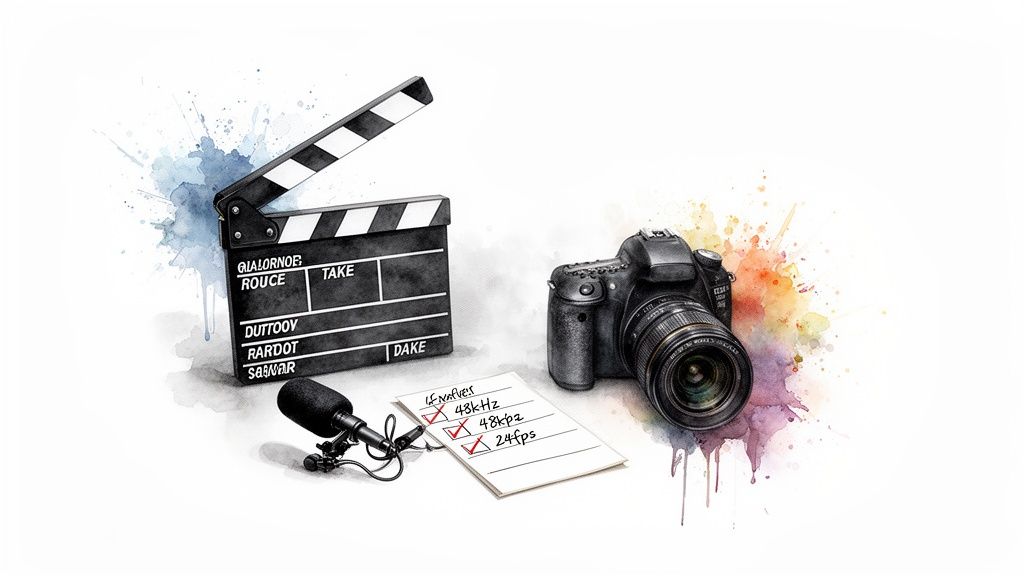
To make this dead simple, here’s a quick checklist to run through before every shoot. Getting these right will save you a world of hurt later on.
Essential Pre-Sync Checklist for Video Projects
Running through this quick check takes maybe a minute on set, but it's the single best thing you can do to guarantee a smooth post-production workflow.
Create a Clear Sync Point
Finally, every single take needs an anchor. You need one, sharp, unambiguous moment that exists in both your video files and your separate audio recordings. This is the point you’ll use to lock everything together.
- The Slate or Clapboard: It's a classic for a reason. The snap of the sticks provides a perfect, single-frame visual marker and a sharp, easily identifiable peak in the audio waveform.
- The Hand Clap: No slate? No problem. A quick, sharp clap on camera works just as well. Just make sure your hands are clearly visible and the clap is loud enough for your mics to pick up.
This simple action is a gift to your future self. It takes two seconds on set but eliminates all the guesswork in the edit, letting you snap your clips together with confidence. Similarly, if you're preparing a narration, having a well-timed script is just as important; our guide on how to write a voice-over script can help you structure your delivery for a seamless fit.
Syncing Audio and Video in Your Editing Software
Okay, you’ve done the prep work. Your files are organized and ready to go. Now for the satisfying part: bringing them into your Non-Linear Editor (NLE) and actually locking them together. This is where all that diligence on set really pays off, turning a potential headache into a quick, decisive action.
Modern editing software like Premiere Pro, DaVinci Resolve, and Final Cut Pro give us some incredibly powerful ways to get this done. The right method really just depends on your project. A simple one-on-one interview might just need a quick manual nudge, but a complex, multi-camera shoot is going to cry out for automation or the precision of timecode.
Let's walk through the three main ways you'll tackle this, from the old-school hands-on approach to the rock-solid professional standard.
The Classic Manual Waveform Sync
This is the bread and butter, the foundational skill every editor should have in their back pocket. It's completely reliant on that clear sync point you created during the shoot—the slate clap or even just a sharp hand clap.
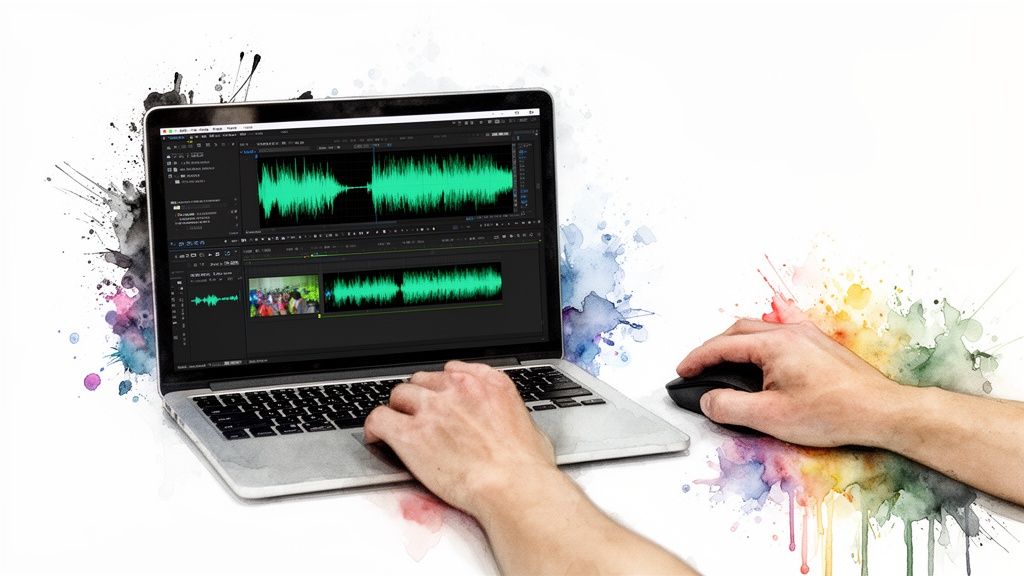
The idea couldn't be simpler: you're just visually lining up the "spike" in your camera's scratch audio waveform with the exact same spike from your dedicated audio recorder.
Drop your video clip on one track and your separate audio clip on the track just below it. Zoom in on the timeline and expand the audio tracks so you can see the waveforms clearly. Now, scrub through until you find the exact frame where the slate hits or your hands make contact. You’ll see a sharp, unmistakable peak in both audio files at that moment.
From there, it's a simple drag-and-drop. Nudge your external audio clip left or right until its peak aligns perfectly with the peak from the camera's audio. Once they're snapped together, you can unlink the camera's awful scratch audio and either mute it or delete it entirely. Just like that, you’ve got pristine sound locked to your picture.
Automated Sync with Waveform Analysis
Manually syncing a clip or two is no big deal. But what about a three-camera interview with a couple of separate audio sources? That's when you let the software do the heavy lifting.
Virtually all modern NLEs have a built-in function that can analyze and match audio waveforms automatically. This feature is a lifesaver. It essentially performs the manual process for you but at a scale and speed that feels like magic. It listens to the low-quality audio from all your video clips, compares it to the clean audio from your external recorder, and then shifts everything into perfect alignment on its own.
The process is pretty similar across most platforms:
- Select Your Clips: In your project bin, just highlight all the video clips and the corresponding audio file(s) that belong to a single take.
- Initiate the Sync: Right-click the whole selection and look for an option like "Create Multi-camera Source Sequence" or "Synchronize."
- Choose the Sync Method: A little dialog box will pop up. Just tell it to synchronize using Audio.
The software will churn for a second and then spit out a brand new, perfectly synced sequence or a merged clip. For interviews, podcasts, or any multi-cam setup where every device was recording audio, this is an absolute game-changer.
For creators juggling multiple camera angles, automated waveform syncing is arguably the single most impactful time-saving feature in modern editing software. It can shrink what used to be an hour of tedious work into a few seconds.
The Precision of Timecode Synchronization
When you get into the world of professional broadcast, film, and high-end corporate video, timecode is the undisputed king. Think of timecode as a hyper-accurate clock (formatted as hours:minutes:seconds:frames) that gets permanently stamped into every single video and audio file as it's being recorded.
This does require some specialized gear on set. All cameras and audio recorders are connected to a master clock or "jam-synced" so that every device shares the exact same running timecode, down to the individual frame.
The beauty of this is what happens in the edit suite. You bring these files into your NLE, select them all, choose the "Synchronize by Timecode" option, and bam. The software instantly snaps everything into place based on that shared metadata. There's no guesswork and no need for waveform analysis. It's the ultimate set-it-and-forget-it workflow for achieving absolute accuracy, especially on long, complex shoots where stopping and starting would make manual syncing a nightmare.
Troubleshooting Common Audio Sync Problems
Even when you do everything right, sync problems can still find their way into your project. That moment when the audio and video just don't line up is incredibly frustrating, but trust me, nearly every issue has a solution. This is your emergency toolkit for turning a potential editing disaster into a manageable fix.
The most common culprit is something we call sync drift. It’s that maddening issue where your audio and video start perfectly aligned but slowly, almost imperceptibly, separate over time. By the end of a ten-minute clip, your speaker’s lips are moving a full second ahead of their words. It’s a classic sign of mismatched settings.
Correcting Sync Drift
Sync drift almost always comes down to a conflict between the frame rates of your video and audio files, or a non-standard audio sample rate. For instance, if your camera is recording at a true 30 fps but your audio recorder is capturing at the broadcast standard of 29.97 fps, they are guaranteed to drift apart.
Fortunately, most modern editing software has a tool designed specifically for this exact problem.
- Rate Stretch Tool: In programs like Premiere Pro, the "Rate Stretch" tool (or its equivalent in other NLEs) lets you subtly speed up or slow down a clip to fit a specific duration. You can use it to compress or expand your audio track just enough—often by a tiny percentage like 99.9% or 100.1%—to make it match the video's length perfectly.
- Manual Nudging: Go to the very end of your clip and find the last clear piece of audio, like the final word of a sentence. Align that point with the corresponding video action. Then, use the rate stretch tool to make the rest of the clip conform to that new length. It's a surprisingly simple fix for such an annoying problem.
This whole process has a rich history, really. The evolution of audio recording has always pushed the boundaries of syncing sound to picture. What began with manual, analog splicing transformed with the advent of Digital Audio Workstations in the 1980s, which started automating waveform alignment and dramatically improved efficiency. You can discover more insights about this journey on Artloft Media.
Syncing Without a Clear Reference Point
So, what happens if you forgot to clap or use a slate? You don't have that obvious spike in the waveform to align. This scenario is way more common than you'd think, but it's completely fixable with a bit of patience.
The key is to find any distinct audio-visual cue. Look for moments where the speaker makes a hard consonant sound, like a "p" or "b," which creates a subtle but visible puff of air or lip movement. You'll need to zoom way in on your timeline and meticulously align that visual cue with the corresponding sound in the waveform.
When you lack a slate, your new sync points become plosives (like 'p' and 'b' sounds), coughs, or even an object being set down on a table. Find the first clear one you can, align it, then check the end of the clip to confirm there’s no drift.
Once your audio is locked in, ensuring it's clear and understandable is the next big step. If your final video includes on-screen text, check out our guide on how to add captions to videos for professional-looking results.
How AI Is Revolutionizing Audio Synchronization
 Waveform analysis and timecode have been reliable workhorses for decades, but the future of syncing audio to video is undeniably intelligent. Artificial intelligence is flipping the script, turning what was once a purely technical chore into a creative enabler that goes way beyond just matching audio peaks.
Modern AI tools aren't just assistants anymore; they're becoming genuine partners in the edit bay. They take on the tedious, time-sucking labor of synchronization with a level of precision that frees up editors to focus on what actually matters—the story.
Beyond Waveform Matching
Traditional automated sync works like a charm when you have clean audio from every source. But what happens when you don't? This is where AI steps in, interpreting the content itself. For instance, some of the most advanced algorithms can now perform automatic lip-syncing for dubbed dialogue, analyzing a speaker’s mouth movements frame-by-frame.
This makes translated dialogue look natural and believable, a task that would otherwise burn days of meticulous manual keyframing. If you want to dive deeper into this specific tech, check out our guide on lip-sync AI and see how it's changing the game for multilingual video.
The drive for perfect sync isn't new. The film industry was turned on its head in the 1920s with the arrival of sound. When Warner Brothers released The Jazz Singer on October 6, 1927, it became the first feature-length film with synchronized dialogue, and audiences could never go back. By 1929, an incredible 75% of all Hollywood films had sound, closing the book on the silent era.
Accelerating High-Volume Content Creation
For teams churning out content at scale—think social media clips, video ads, or corporate training—AI-powered sync is a massive unlock. These tools can instantly align voiceovers, music, and sound effects across dozens of video variations without anyone lifting a finger.
This gives marketing teams the agility to test different creative approaches quickly and efficiently.
AI doesn't replace the editor's craft; it automates the repetitive mechanics. This allows creative professionals to dedicate their time to storytelling, pacing, and emotional impact, rather than tedious technical alignment.
This kind of speed and automation is absolutely critical in fast-paced worlds like advertising. To see how these technologies are making a real-world impact, it's worth looking into the trends around AI in TV commercial production. It’s a powerful glimpse into how intelligent automation is reshaping modern media workflows from the ground up.
Got Questions About Audio Sync? We've Got Answers
Even when you've done everything right, syncing audio can throw a few curveballs. Getting the basics down is one thing, but what about those weird, specific problems that pop up in the middle of an edit? Let's tackle some of the most common questions we hear from creators.
What Is The Best Audio Format for Video Editing?
When you're working inside your editing software, always go for uncompressed audio. The undisputed champion here is the WAV (Waveform Audio File Format). It's completely lossless, which means it hangs onto every bit of original audio data without any compression that might mess with quality or timing.
You'll see MP3s everywhere for music, but they use lossy compression. This can sometimes introduce subtle, frustrating problems when you're trying to get a perfect sync. For a professional, headache-free workflow, stick to WAV files recorded at a 48kHz sample rate. It’s the industry standard for a reason.
Why Does My Audio Drift Out of Sync on Long Clips?
Nine times out of ten, this is a classic frame rate mismatch. It seems small, but even a tiny difference—say, your camera is shooting at 24 fps but your audio project is set to 23.98 fps—will create a slow-motion train wreck. The two will gradually drift apart, which is barely noticeable at first but becomes a glaring issue on longer recordings.
The only real fix is prevention. Before you hit record, make sure every single camera, audio recorder, and your NLE project are all set to the exact same frame rate. Go through and double-check every device.
Can I Sync Audio Without a Slate or Clap?
Definitely, but you'll need a bit of patience. The trick is to find any sharp, clear sound that has a matching visual cue. Your best bet is often the hard consonant sounds a person makes when speaking, known as plosives.
Find a spot where your subject says a word starting with a "P" or "B." Zoom way in on both their lips and the audio waveform. Your goal is to manually line up the exact frame where their lips press together with the corresponding spike in the audio. It's a meticulous process, but it's a lifesaver when you don't have a dedicated sync point.
At Aeon, we believe creators should focus on their story, not on tedious technical fixes. We're building a platform that uses advanced AI to automatically handle complex jobs like audio synchronization, giving you back your most valuable asset: time. See how Aeon can reshape your entire content workflow.